The Pagination That Works Perfectly Until It Doesn't
You've probably shipped an API like this:
GET /api/orders?page=1&per_page=50
It works. It's easy to understand. Your frontend team likes it. Your QA team can jump to page 12. Everyone is happy.
Then the table grows.
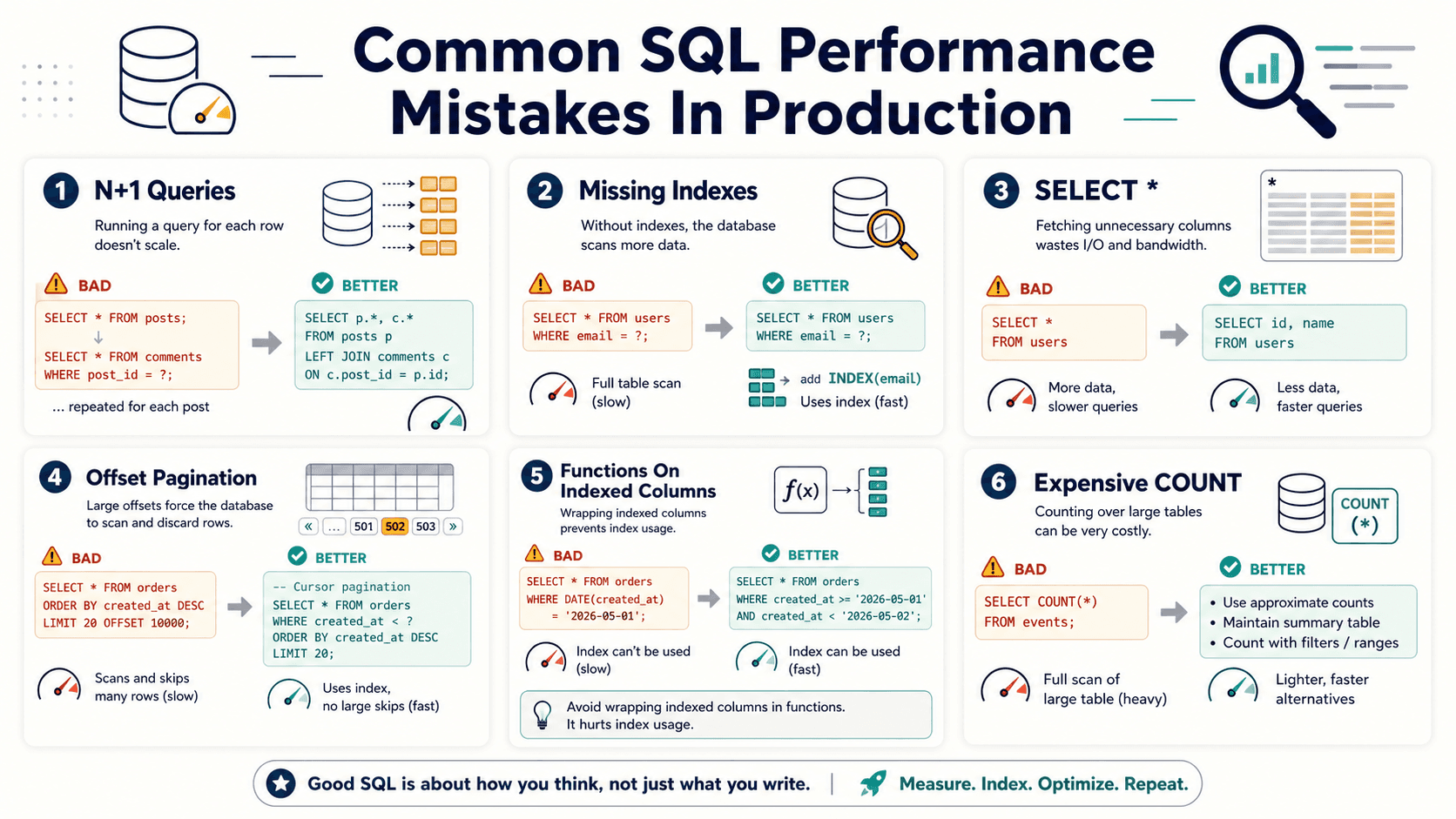
Now someone requests page 4,000. The endpoint still returns 50 rows, but the database has to do much more work than the response suggests. It's like asking a librarian for 50 books, but first making them count and walk past 199,950 books one by one.
That's the quiet problem with offset pagination. It looks constant from the API response, but the database cost grows with the offset.

Offset Pagination Is Simple, But It Has A Hidden Cost
Offset pagination usually looks like this:
SELECT id, customer_id, total, created_at
FROM orders
ORDER BY created_at DESC, id DESC
LIMIT 50 OFFSET 200000;
This query returns only 50 rows, but the database may still need to scan, sort, or walk through many rows before it reaches the starting point.
The problem is not LIMIT. The problem is OFFSET.
What Offset Really Means
When you say OFFSET 200000, you're not telling the database to magically teleport to row 200,001. You're telling it:
- Find the ordered result set. The database must respect your
ORDER BY. - Skip the first 200,000 rows. Those rows are not free just because you don't return them.
- Return the next 50 rows. This is the only part your API user sees.
That's why page 1 is fast, page 20 is okay, and page 10,000 feels like a tiny denial-of-service request wearing a nice JSON hat.
Cursor Pagination Changes The Question
Cursor pagination does not ask:
"Give me page 4,000."
It asks:
"Give me the next 50 records after this known position."
That small change matters a lot.
Instead of skipping rows, you continue from the last item the client already received.
SELECT id, customer_id, total, created_at
FROM orders
WHERE (created_at, id) < ('2026-04-20 15:30:00', 912388)
ORDER BY created_at DESC, id DESC
LIMIT 50;
This query gives the database a much better job. It can use an index to continue from a known point instead of counting through a giant pile of earlier rows.
Cursor pagination is like leaving a bookmark in a book. Offset pagination is like starting from page one every time and counting forward.
The Index Makes Or Breaks Cursor Pagination
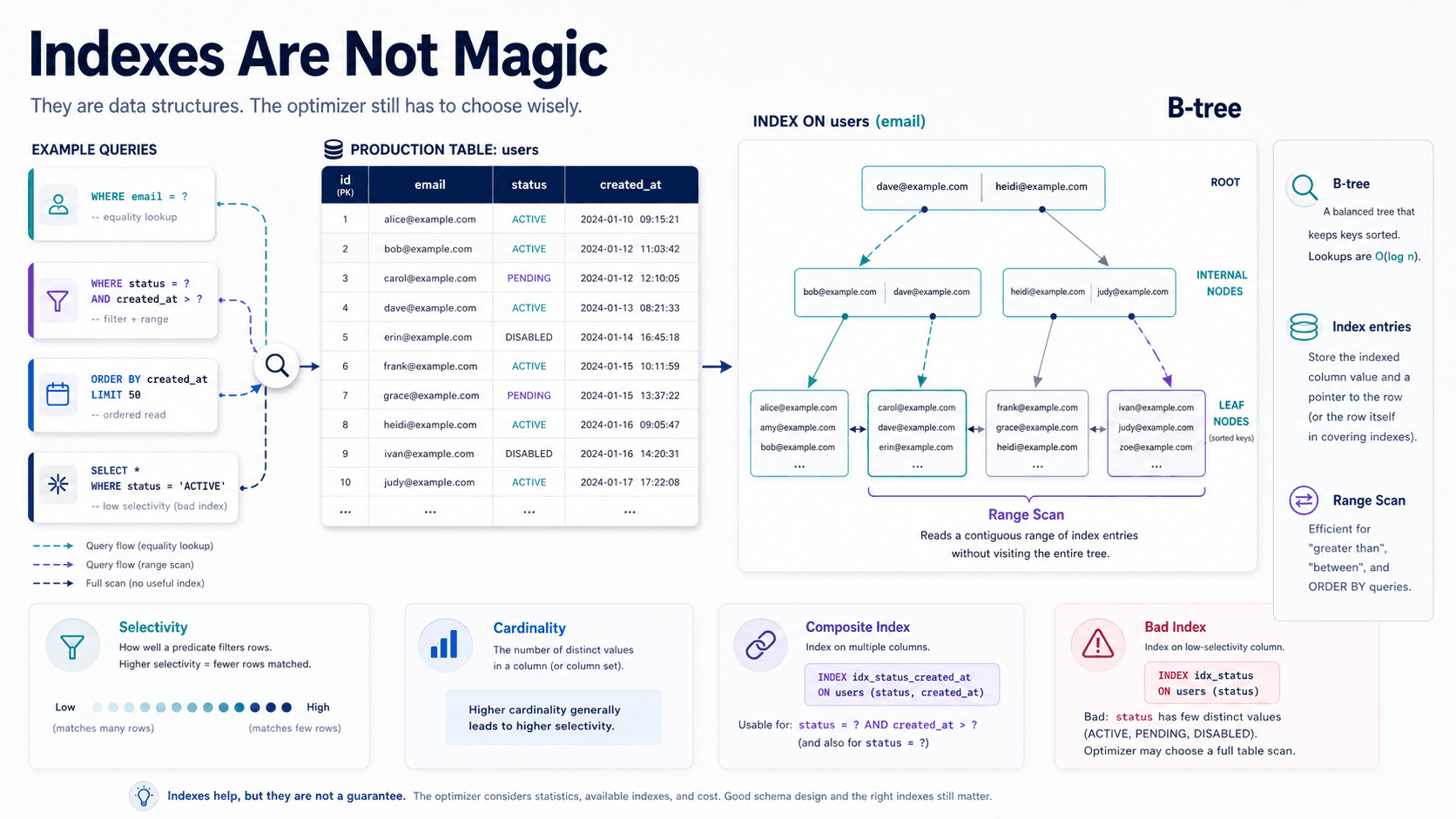
Cursor pagination is not magic. It works well when your query matches a useful index.
For the previous query, you want an index like this:
CREATE INDEX idx_orders_created_id
ON orders (created_at DESC, id DESC);
The cursor columns should match the ordering. The id is included because created_at alone is not always unique.
Without a stable tie-breaker, two orders created at the same second can move around between requests. That causes duplicated or missing records.
A Bad Cursor
This looks reasonable, but it's risky:
WHERE created_at < '2026-04-20 15:30:00'
ORDER BY created_at DESC
LIMIT 50;
If many rows share the same created_at, you can skip rows by accident.
A Better Cursor
This is safer:
WHERE (created_at, id) < ('2026-04-20 15:30:00', 912388)
ORDER BY created_at DESC, id DESC
LIMIT 50;
Now the order is deterministic. Deterministic ordering is boring in the best possible way.
Laravel Example: Offset vs Cursor
Laravel makes both approaches easy, which is both helpful and dangerous.
Offset pagination is usually one line:
$orders = Order::query()
    ->latest()
    ->paginate(50);
This is great for admin screens, small datasets, and places where jumping to a specific page matters.
Cursor pagination is also simple:
$orders = Order::query()
    ->orderByDesc('created_at')
    ->orderByDesc('id')
    ->cursorPaginate(50);
The key is that your database still needs the right index. cursorPaginate() improves the pagination strategy, but it can't rescue a missing index.
Symfony / Doctrine Example
In Doctrine, offset pagination often appears through setFirstResult() and setMaxResults():
$query = $entityManager->createQueryBuilder()
    ->select('o')
    ->from(Order::class, 'o')
    ->orderBy('o.createdAt', 'DESC')
    ->setFirstResult($page * $limit)
    ->setMaxResults($limit)
    ->getQuery();
This is readable, but deep pages can become expensive.
A cursor-style version changes the condition:
$qb = $entityManager->createQueryBuilder();

$qb->select('o')
   ->from(Order::class, 'o')
   ->where('(o.createdAt < :createdAt OR (o.createdAt = :createdAt AND o.id < :id))')
   ->setParameter('createdAt', $cursorCreatedAt)
   ->setParameter('id', $cursorId)
   ->orderBy('o.createdAt', 'DESC')
   ->addOrderBy('o.id', 'DESC')
   ->setMaxResults(50);
It's more code, yes. But for high-traffic feeds and large tables, that extra code can protect your database.
Cursor Pagination Has Trade-Offs Too
Cursor pagination is not always better. It's better for a specific shape of problem.
- You lose easy random access. Page 400 is easy with offset and awkward with cursors.
- You need stable ordering. Cursor pagination depends on deterministic sort columns.
- You need cursor encoding. Clients should receive an opaque cursor, not raw database internals.
- You need to think about direction. Previous-page support requires careful reverse ordering.
For admin reporting, offset pagination may still be fine. For user feeds, logs, notifications, exports, and high-volume APIs, cursor pagination is usually the safer default.
A Simple API Response Shape
A clean cursor response can look like this:
{
  "data": [
    { "id": 912388, "total": "49.99", "created_at": "2026-04-20T15:30:00Z" }
  ],
  "pagination": {
    "next_cursor": "eyJjcmVhdGVkX2F0IjoiMjAyNi0wNC0yMFQxNTozMDowMFoiLCJpZCI6OTEyMzg4fQ==",
    "has_more": true
  }
}
The client does not need to understand the cursor. It only passes it back.
That gives you freedom to change the cursor internals later without breaking the API contract.
When To Use Each One
Use offset pagination when:
- The dataset is small. A few hundred or a few thousand rows usually won't hurt.
- Users need page numbers. Admin tables often need this.
- The endpoint is internal and low traffic. Practical beats perfect.
Use cursor pagination when:
- The table will grow. Orders, events, messages, logs, and feeds are classic examples.
- Users mostly click "next." Infinite scroll and timelines fit perfectly.
- Consistency matters. Cursor pagination handles inserts during browsing better than offset pagination.
- The endpoint is public. You don't want page 20,000 to become a database stress test.
Final Tips
I've seen pagination bugs hide in plain sight because the code looked too simple to be suspicious. The endpoint returned 50 records, so everyone assumed the database did 50 records of work. Sadly, databases don't care about our optimism :)
When you design a new API, ask one question early: "Will this table keep growing?" If yes, start with cursor pagination or at least design the response so you can switch later.
Good luck with your next API endpoint — may your page 1 and page 10,000 both stay boringly fast 👊