
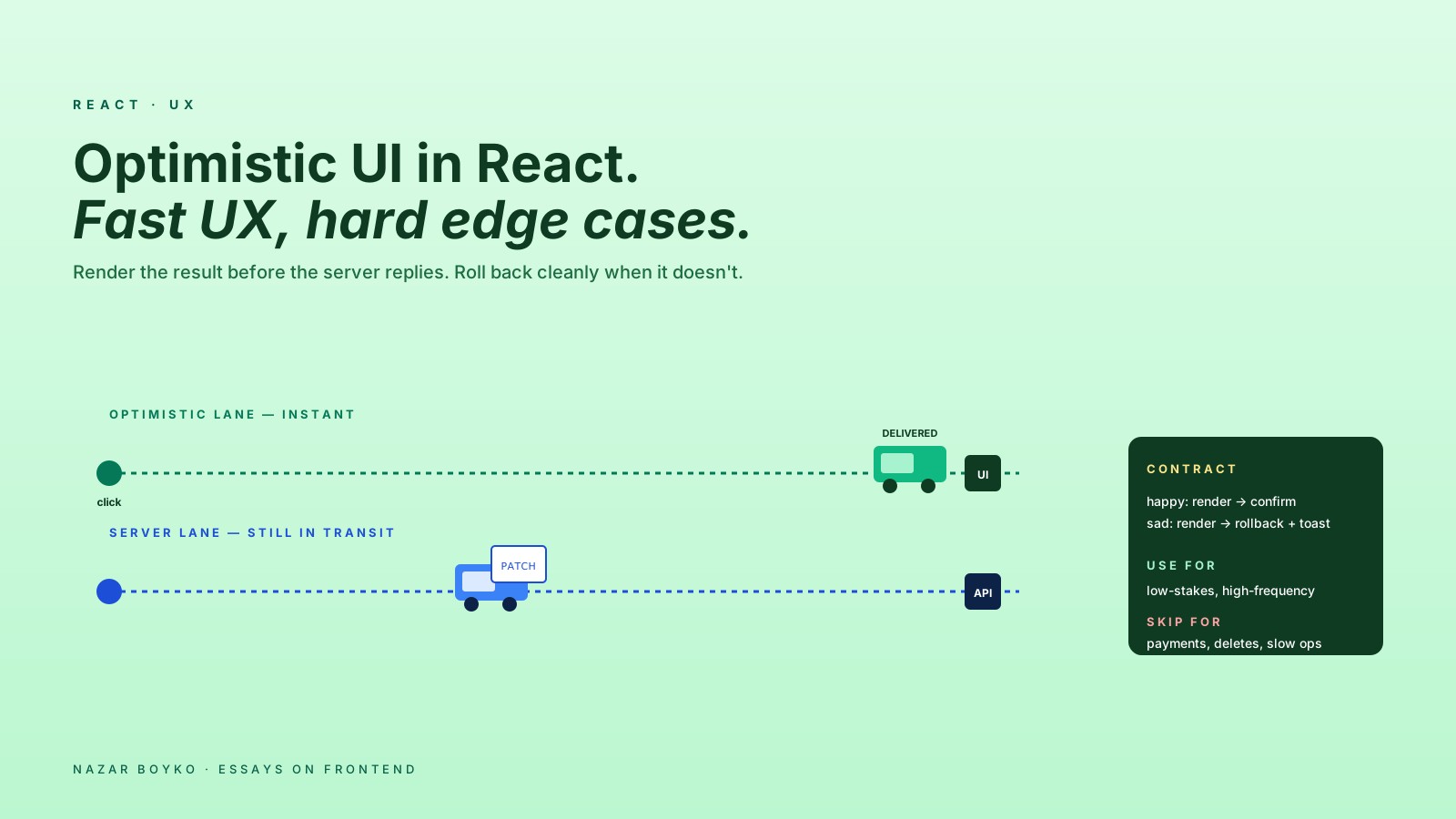
The first time you ship optimistic UI, the app suddenly feels twice as fast. A click that used to wait 300ms for the server now updates instantly. The user types, the like count ticks up before the request finishes, the new comment appears the moment you press Enter. Nothing about the actual network changed; you just stopped waiting for it before showing the result.
The first time you ship optimistic UI poorly, you ship a category of weird bugs. The list now contains items the server doesn't know about. A failed PATCH leaves the UI lying. Two simultaneous edits stomp on each other. The user gets confused about whether their action "stuck".
This article is about getting it right. The patterns, the rollback rules, the libraries that handle the boring parts, and the failure modes that show up in real apps.
What Optimistic Means
A normal mutation looks like:
USER CLICK → mutation fires → wait for server → render the new stateOptimistic flips it:
USER CLICK → render the new state immediately
            → mutation fires in background
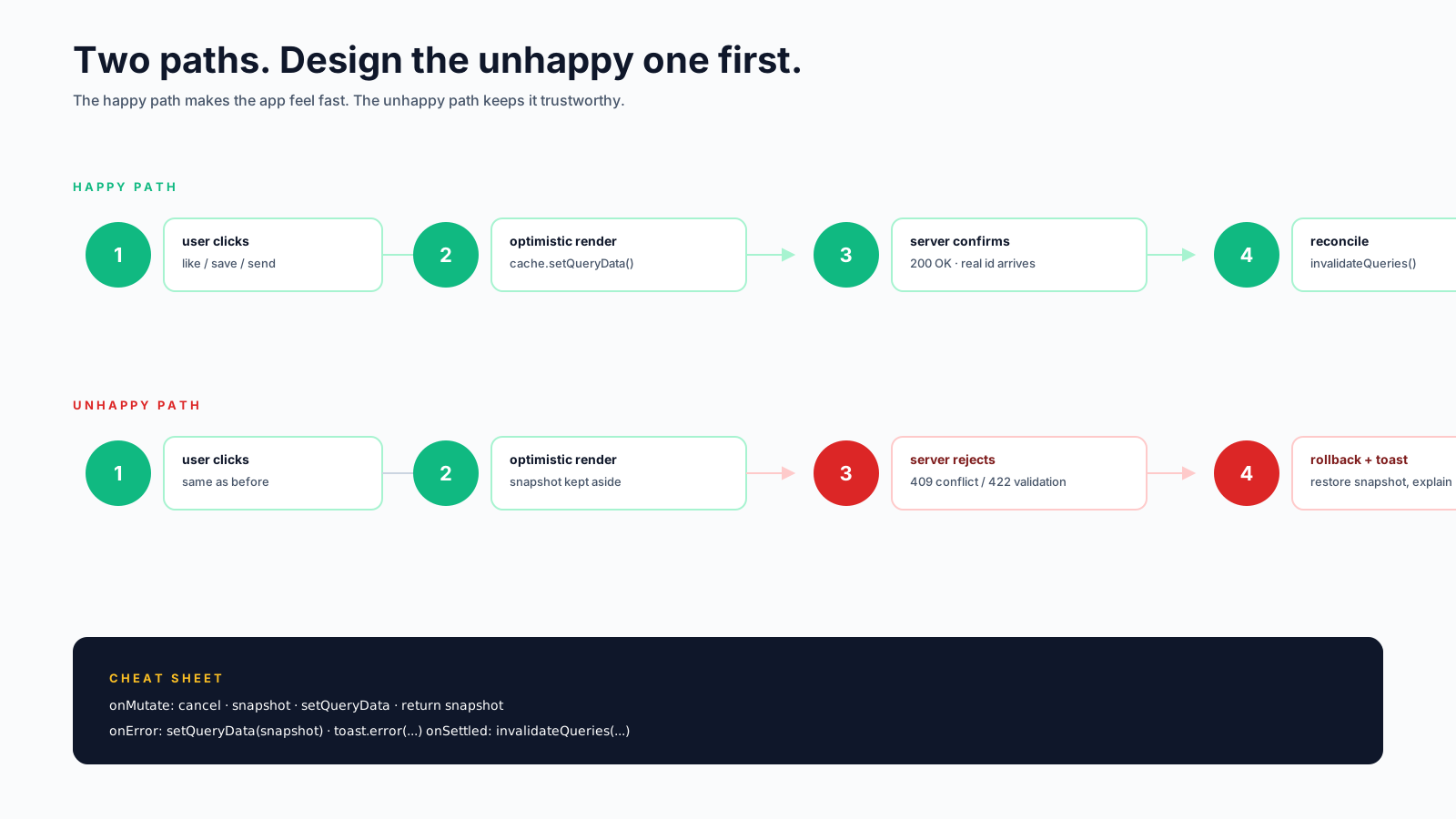
            → if it fails, roll back; if it succeeds, reconcile
The user sees the result instantly. The server work is still happening; you're just betting that it'll succeed (which it almost always does on a stable backend with valid input). When you lose the bet, you have to undo the change cleanly.
The "almost always" is doing a lot of work. The reason optimistic UI is hard isn't the happy path — it's the failure path, and the concurrency path when two clients are editing at once.
The Stack That Won
Two primitives cover most cases in 2026:
TanStack Query's onMutate / onError is the workhorse. It lets you mutate the cache before the request fires, and roll back if the mutation fails:
const queryClient = useQueryClient();

const toggleLike = useMutation({
  mutationFn: (postId) =>
    fetch(`/api/posts/${postId}/like`, { method: 'POST' }),

  onMutate: async (postId) => {
    // 1. Cancel any in-flight queries that would overwrite our update
    await queryClient.cancelQueries({ queryKey: ['post', postId] });

    // 2. Snapshot the previous value (for rollback)
    const previous = queryClient.getQueryData(['post', postId]);

    // 3. Apply the optimistic change
    queryClient.setQueryData(['post', postId], (old) => ({
      ...old,
      likeCount: old.likeCount + 1,
      likedByMe: true,
    }));

    // 4. Return the snapshot so onError can restore it
    return { previous };
  },

  onError: (err, postId, context) => {
    // Roll back if anything went wrong
    queryClient.setQueryData(['post', postId], context?.previous);
  },

  onSettled: (data, err, postId) => {
    // Refetch to make sure cache matches the server
    queryClient.invalidateQueries({ queryKey: ['post', postId] });
  },
});
Four steps: cancel, snapshot, mutate, return. Plus onError to roll back, plus onSettled to reconcile. This is a lot of boilerplate the first time. After two or three mutations, it becomes muscle memory.
React 19's useOptimistic is the new built-in for the case where the optimistic state is local to a component:
import { useOptimistic } from 'react';

function CommentList({ comments, postId }) {
  const [optimisticComments, addOptimisticComment] = useOptimistic(
    comments,
    (state, newComment) => [...state, { ...newComment, sending: true }]
  );

  async function submit(text) {
    addOptimisticComment({ text, id: crypto.randomUUID() });
    await postComment(postId, text);
    // optimistic state is automatically discarded once the parent re-renders
  }

  return (
    <ul>
      {optimisticComments.map(c => (
        <li key={c.id} style={{ opacity: c.sending ? 0.6 : 1 }}>{c.text}</li>
      ))}
    </ul>
  );
}
useOptimistic is great inside Server Components / Server Actions because it integrates with React's transition machinery. For client-driven CRUD apps, TanStack Query's pattern is still more flexible because it spans multiple components reading the same cache.
The Three Hard Cases
Most teams ship optimistic UI for the easy case (likes, toggles, single-field edits) and quickly run into three categories of pain.
1. The Optimistic Item Has No Real ID Yet
When you optimistically add a new item to a list, you don't have its server-assigned ID. So you fake one:
addOptimisticComment({ text, id: `temp-${crypto.randomUUID()}` });When the server responds, the real ID arrives. You need to:
- Update the cache to replace the temporary ID with the real one.
- Make sure any UI keyed by the temp ID transitions cleanly (don't just remove and re-add — that breaks animations and focus).
onSuccess: (savedComment, variables, context) => {
  queryClient.setQueryData(['comments', postId], (old) =>
    old.map(c => c.id === context.tempId ? savedComment : c)
  );
}
This is one of the cases where crypto.randomUUID() shines — temp IDs are guaranteed unique and you can use them as React keys without conflicts. Avoid using Date.now() for temp IDs; two clicks in the same millisecond will collide.
2. The Server Says No
Validation errors, conflicts, permission failures — anything that makes the server reject the change. The UI has to undo cleanly, and tell the user why it didn't work:
onError: (err, postId, context) => {
  // Restore the previous cached state
  queryClient.setQueryData(['post', postId], context?.previous);

  // Then surface the error
  if (err.code === 'RATE_LIMITED') {
    toast.error('Too many likes — try again in a minute');
  } else {
    toast.error('Could not save your like, please try again');
  }
}
The rollback should be visible. Don't just silently undo — the user did an action, they expect feedback. A toast, a small inline error, or a brief "couldn't save" indicator near the affected row.
For form-shaped mutations where validation can fail at the field level, the rollback needs to land the error message on the right field, the same way non-optimistic forms would. (We covered this in the React Forms article.)
3. Concurrent Edits Step On Each Other
User A and user B both edit the same record. The cache on each side updates optimistically. The server applies them in some order. Now both clients have a cache that disagrees with reality.
The pattern that works is invalidate after settled:
onSettled: () => {
  queryClient.invalidateQueries({ queryKey: ['post', postId] });
},
This forces a refetch after every mutation, regardless of success or failure. The user sees their optimistic change first, then a quick re-sync from the server. If there was a conflict, the local state is corrected within ~100ms.
For real concurrent editing (Notion, Figma, Linear), optimistic UI alone isn't enough — you need CRDTs or operational transforms. But for typical CRUD apps where two users editing the same row at the same second is rare, "invalidate on settle" handles the 95% case fine.
When Not To Be Optimistic
Optimistic UI is a great default for low-stakes, high-frequency mutations. It's wrong for:
- Payments and financial actions. "Your card was charged" should never appear before the server says it was. The user needs unambiguous confirmation.
- Destructive irreversible changes. Don't optimistically delete an entire account.
- Long-running operations. A 30-second video render isn't going to finish optimistically.
- Actions with high failure rates. If 30% of saves fail validation, optimistic creates a UI that's wrong 30% of the time.
The rule of thumb: if a failed mutation would be embarrassing or confusing, wait for the server. If a failed mutation is just "oh, that didn't go through, try again", optimistic is the right default.
A Useful Helper
Once you've shipped a few optimistic mutations, the boilerplate gets repetitive. The pattern wraps cleanly:
function useOptimisticListMutation<T>(queryKey, applyChange, mutationFn) {
  const queryClient = useQueryClient();
  return useMutation({
    mutationFn,
    onMutate: async (variables) => {
      await queryClient.cancelQueries({ queryKey });
      const previous = queryClient.getQueryData<T[]>(queryKey);
      queryClient.setQueryData<T[]>(queryKey, (old) => applyChange(old, variables));
      return { previous };
    },
    onError: (_err, _vars, context) => {
      if (context?.previous) queryClient.setQueryData(queryKey, context.previous);
    },
    onSettled: () => {
      queryClient.invalidateQueries({ queryKey });
    },
  });
}
Used like:
const addComment = useOptimisticListMutation(
  ['comments', postId],
  (old, draft) => [...old, { ...draft, sending: true }],
  (draft) => fetch('/api/comments', { method: 'POST', body: JSON.stringify(draft) })
);
Three lines per mutation instead of twenty. Most teams end up with a similar helper after the second or third optimistic mutation. Worth pulling out early.
The Subtle Bugs
A short list of failure modes that aren't obvious until they bite:
- Optimistic state surviving across pages. If the user navigates away while a mutation is in flight and the optimistic data is still in cache, they come back to a fake-looking state.
onSettledinvalidation usually fixes it; otherwise check that your cache GC is removing inactive queries. - Two optimistic mutations queued before either resolves. With proper
cancelQueries, this works. Without it, the second one snapshots a state that includes the first one's optimistic change, and rollback gets confusing. - Real-time updates from another source. WebSocket pushes, Server-Sent Events, etc. If the cache is being updated externally, your optimistic changes can be overwritten before the user even sees them. Coordinate with one source of truth (usually the cache, with the WebSocket calling
setQueryDatainstead of mutating directly). - Animations during the optimistic-to-confirmed transition. A "sending" pulse that abruptly cuts off when the real ID arrives looks janky. Crossfade or hold the temp item until the real one is in place.
- Tests. Optimistic UI is harder to test because you have to assert both the immediate state and the eventual state. Plan test fixtures for both.
A Mental Model In One Sentence
Optimistic UI is trading correctness for speed, then paying it back when the server replies. The trade is almost always worth it for low-stakes mutations, almost never worth it for high-stakes ones. The skill is having a clean rollback path so when the bet doesn't pay off, the user knows what happened and trusts the app the next time.
The good news: with TanStack Query's onMutate/onError/onSettled triad or React 19's useOptimistic, the actual code is small. The hard part is deciding which mutations deserve it and designing the unhappy path before the happy one. Skip those two questions and optimistic UI gets you fast clicks and a slow trickle of confused users. Get them right and the app feels effortless.






