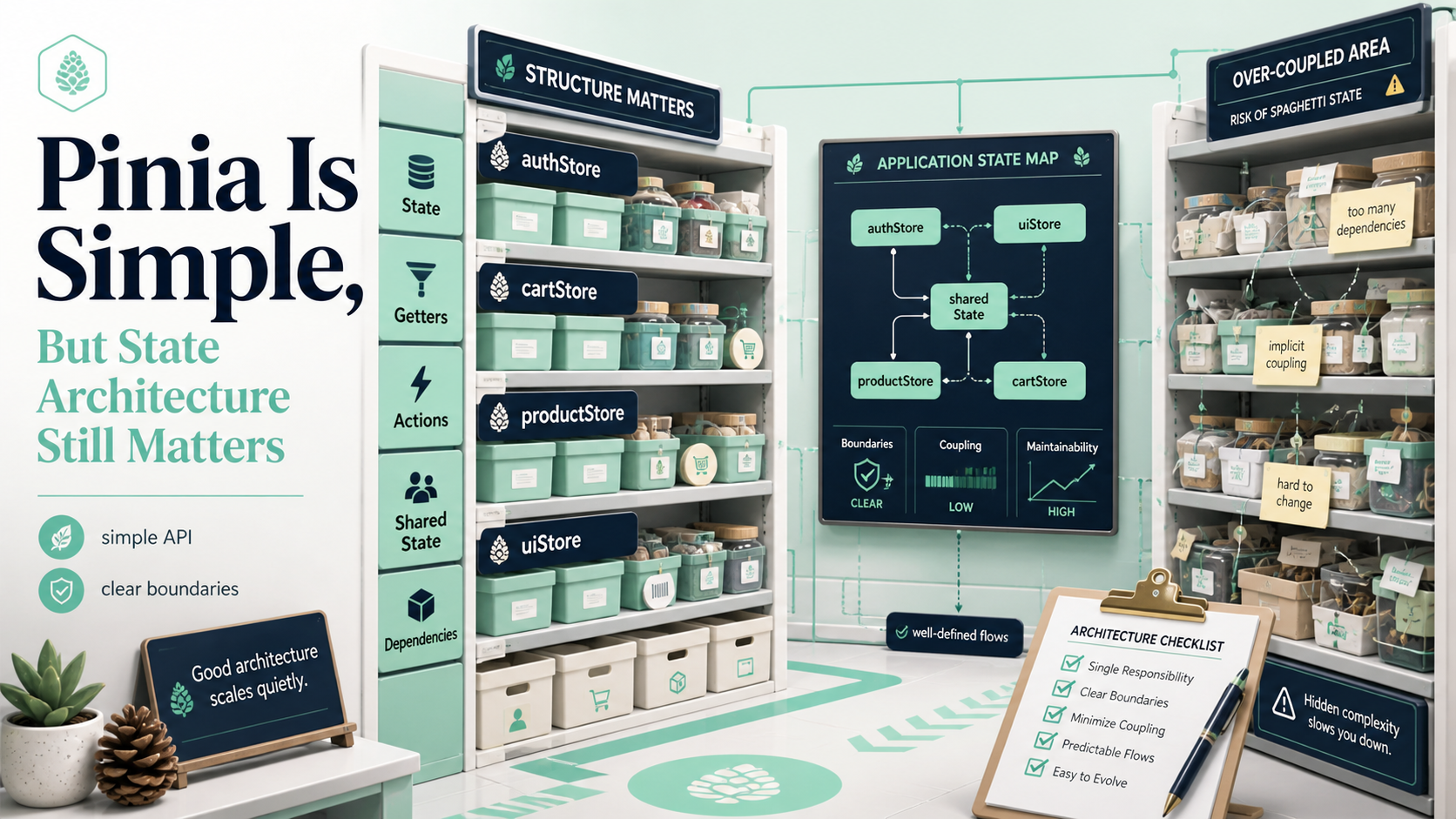
Pinia became Vue's officially recommended store in 2022; Vuex moved to maintenance mode the same year. The library is small, the API has none of Vuex's mutation-vs-action ceremony, and TypeScript inference works without ten lines of generic dance. The friction of "set up state management" went from a day to ten minutes.
The library got friendlier. The question of where state belongs didn't change at all. I still see Vue codebases where every value lives in a Pinia store "in case we need it later", and a month later the team is asking why everything got slower. Pinia isn't the problem. The instinct to put everything in a store is.
This article is the practical state ladder for Vue 3 — what's local, what gets lifted, what fits Pinia, and what genuinely doesn't belong in any store at all.
Step 0: Stop Calling Everything "State"
Before deciding where state lives, decide whether it's state at all. There are at least four things that get called state in Vue apps and should live in different places:
- Local UI state. Is this dropdown open? What did the user type? Live in the component or a composable.
- Cross-cutting UI state. Sidebar collapsed, command-palette open, current theme. Pinia is fine.
- Server state. A user record fetched from
/me, a list of products. Lives somewhere else; you display a snapshot. Use a query library. - URL state. Current page, active filter, selected tab. The browser already remembers it.
Treating all four as "state for the store" is the original sin. A user record refreshing on focus has nothing in common with whether a dropdown is open. Putting them in the same store means writing caching, refetching, invalidation, persistence, and synchronisation by hand for things that didn't need any of it.
Step 1: Local State First
Always start here.
<script setup lang="ts">
import { ref } from 'vue'

const draft = ref('')
const submitting = ref(false)
</script>
If a value is read by exactly one component and its children, it's local. Don't move it. Don't share it. Don't hoist it "in case we need it later". You won't, and if you do, hoisting takes ninety seconds.
Two <CommentBox />s on the same page each get their own draft, no extra work. Local state has a property no other tool has: it's automatically scoped to the component instance.
Step 2: Lift Up When Two Components Need It
When two siblings need the same value, find the closest common parent and put it there.
<script setup lang="ts">
const size = ref<'S' | 'M' | 'L'>('M')
</script>

<template>
  <SizePicker v-model="size" />
  <PriceLabel :size="size" />
  <AddToCartButton :size="size" />
</template>
This is "lift state up, pass it down". The Vue docs have written about it for a decade. It's still the right answer most of the time. People avoid it because passing props through three layers feels tedious — but tedious is fine. Tedious is debuggable.
If prop-drilling becomes genuinely painful (more than ~3 layers, or used in many far-apart places), that's when the next rung earns its keep.
Step 3: Pinia For Cross-Cutting UI State
Pinia is the right answer when:
- A piece of UI state is read in many far-apart parts of the tree.
- That state changes often (or other components want to react to it).
- You want fine-grained subscriptions so consumers re-render only when their slice changes.
The Composition-style store (recommended in modern Pinia) reads like a composable:
import { defineStore } from 'pinia'
import { ref, computed } from 'vue'

export const useSidebarStore = defineStore('sidebar', () => {
  const collapsed = ref(false)
  const width = computed(() => (collapsed.value ? 64 : 280))

  function toggle() { collapsed.value = !collapsed.value }

  return { collapsed, width, toggle }
})
In a component:
<script setup lang="ts">
import { useSidebarStore } from '@/stores/sidebar'
import { storeToRefs } from 'pinia'

const sidebar = useSidebarStore()
const { collapsed, width } = storeToRefs(sidebar)
</script>
storeToRefs is the part everyone forgets. Without it, destructuring the store breaks reactivity (same trap as reactive). Always use it when you destructure.
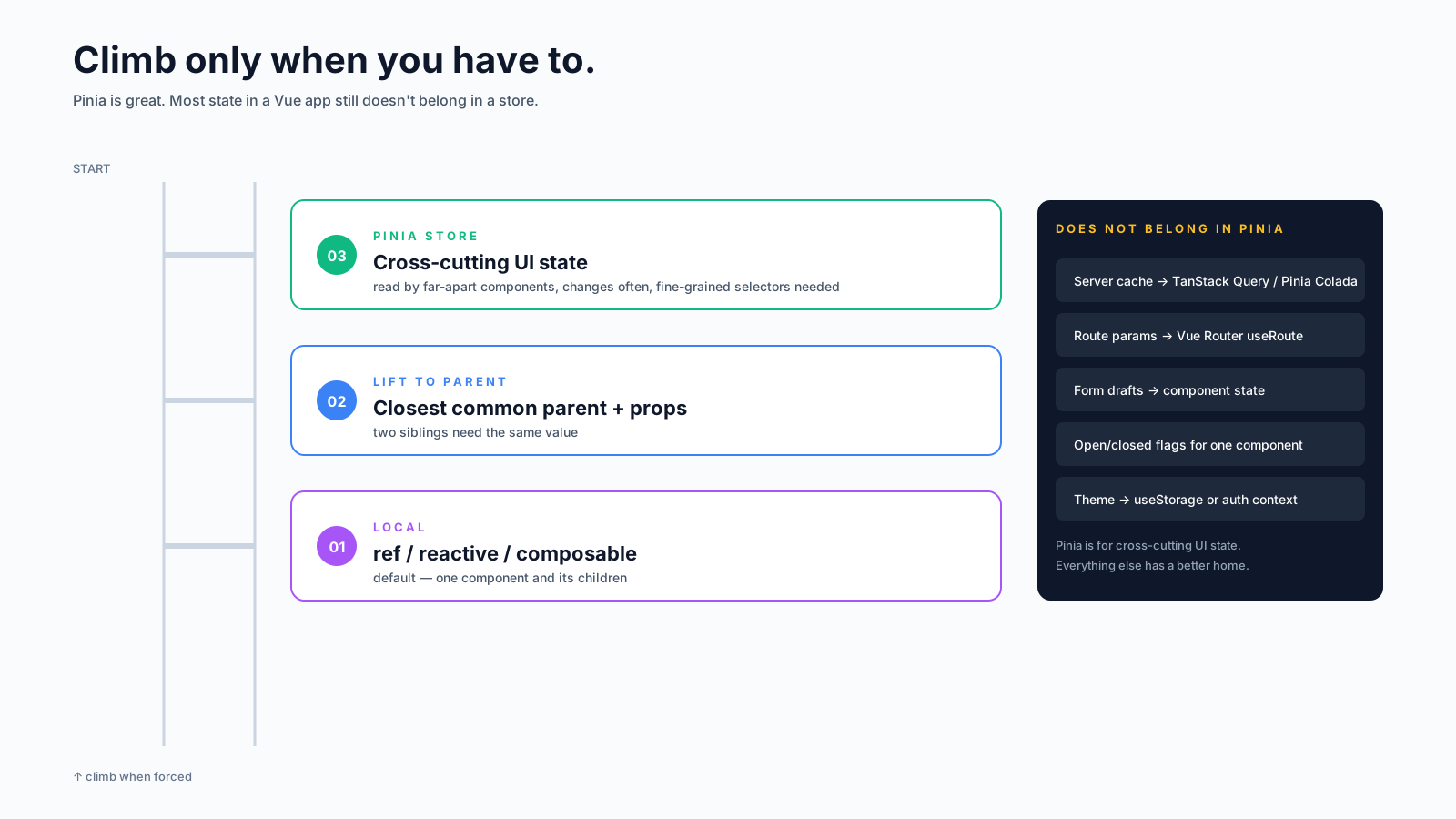
What Doesn't Belong In Pinia
This is the part that actually saves teams from pain. Several categories deserve a different home, even though Pinia would technically hold them:
Server data. A user fetched from /api/users/42, the cart loaded from the server, a paginated list of orders. Use TanStack Query (@tanstack/vue-query), VueUse's useFetch, or Pinia Colada — they handle caching, deduplication, refetching, invalidation, retries, and stale-while-revalidate. None of that is what Pinia is for, and re-implementing it on top of Pinia is a year of work that ages badly.
Route state. Which tab is active, which filters are applied, which page of the table. The URL already remembers it, the back button works, and a copy-pasted link goes to the same place. Use useRoute() and useRouter(). If you need them as reactive sources, vue-router's composables do that out of the box.
Form drafts. A user is editing an invoice. The values they've typed but not yet submitted. They live with the form component (or a useForm composable scoped to that form). Putting them in Pinia means a refresh wipes them anyway, and it adds friction with no benefit.
One-component flags. Whether one dropdown is open, whether one modal is visible, whether one row is selected. These are local to the component that owns them.
Heavy data structures. A 10,000-row table dataset. Pinia's deep reactivity walks it on every change. Use shallowRef or markRaw, or store the data outside Pinia entirely and only put the id / cursor / filter in the store.
Designing Store Boundaries
Once you've established that something genuinely belongs in Pinia, the next question is which store? The shape that scales:
- One store per logical concern.
useAuthStore,useSidebarStore,useNotificationsStore,useFeatureFlagsStore. Not one giantuseAppStore. - Stores that talk to each other do so explicitly. Import one store inside another's body — Pinia handles the dependency. Keep this rare; cross-store coupling is a smell.
- Selectors via
computedinside the store. External components read derived values, not raw state, so the store can refactor its internals. - Mutations on the store itself, never from outside. Resist
sidebar.collapsed.value = truefrom a component. Add a method (toggle,collapse) and call that. - Persistent stores get a serialiser, not the whole
pinia-plugin-persistedstate. The plugin is convenient and one of the more reliable Pinia plugins, but be deliberate about which keys persist.
A Worked Example: A Mistake I See Constantly
A team starts a new app, sets up a store on day one "because we'll need it", and writes:
// stores/ui.ts
export const useUiStore = defineStore('ui', () => {
  const isDropdownOpen = ref(false)
  const searchQuery = ref('')
  const draftComment = ref('')
  const selectedRowId = ref<number | null>(null)
  // ... twelve more
})<script setup>
const ui = useUiStore()
const { isDropdownOpen } = storeToRefs(ui)
</script>
<template>
<button @click="ui.toggleDropdown">Menu</button>
</template>Fine for the first feature. After three features, every selectedRowId change re-renders every consumer of every other unrelated piece of state. No tree-shaking removes unused store keys. No clear owner for any field. The store became a global junk drawer.
The right shape: the dropdown stays in the component that owns it. The search query lives in the URL. The draft comment lives in the form. Nothing about that needs Pinia.
<script setup lang="ts">
const isOpen = ref(false)
</script>

<template>
  <button @click="isOpen = !isOpen">Menu</button>
</template>
Six lines instead of three files, two imports, and a global re-render.
A Decision Order, In One Place
When you're about to add state, ask in this order:
- Is this server data? → query library.
- Should it survive a refresh, share via link, or react to back/forward? → URL.
- Is it read by one component and its children? →
ref/reactive/ composable. - Is it read by a few siblings? → lift it up to the closest common parent.
- Is it read by many far-apart components? → Pinia store.
- Is it dozens of related fields with cross-mutations? → split into multiple Pinia stores.
Most pieces of state stop at step 3 or 4. The few that don't are the ones Pinia is genuinely good at. The trick is climbing the ladder only when the problem forces you to.
A Mental Model In One Sentence
Pinia is a fine-grained reactive store that's smaller than Vuex and friendlier than Redux — and the parts of state architecture it doesn't solve (server cache, URL state, local component state) didn't get harder because Pinia got easier. Pick the right home for each piece of state, keep stores focused on cross-cutting UI concerns, and reach for query libraries the moment your data lives somewhere else.