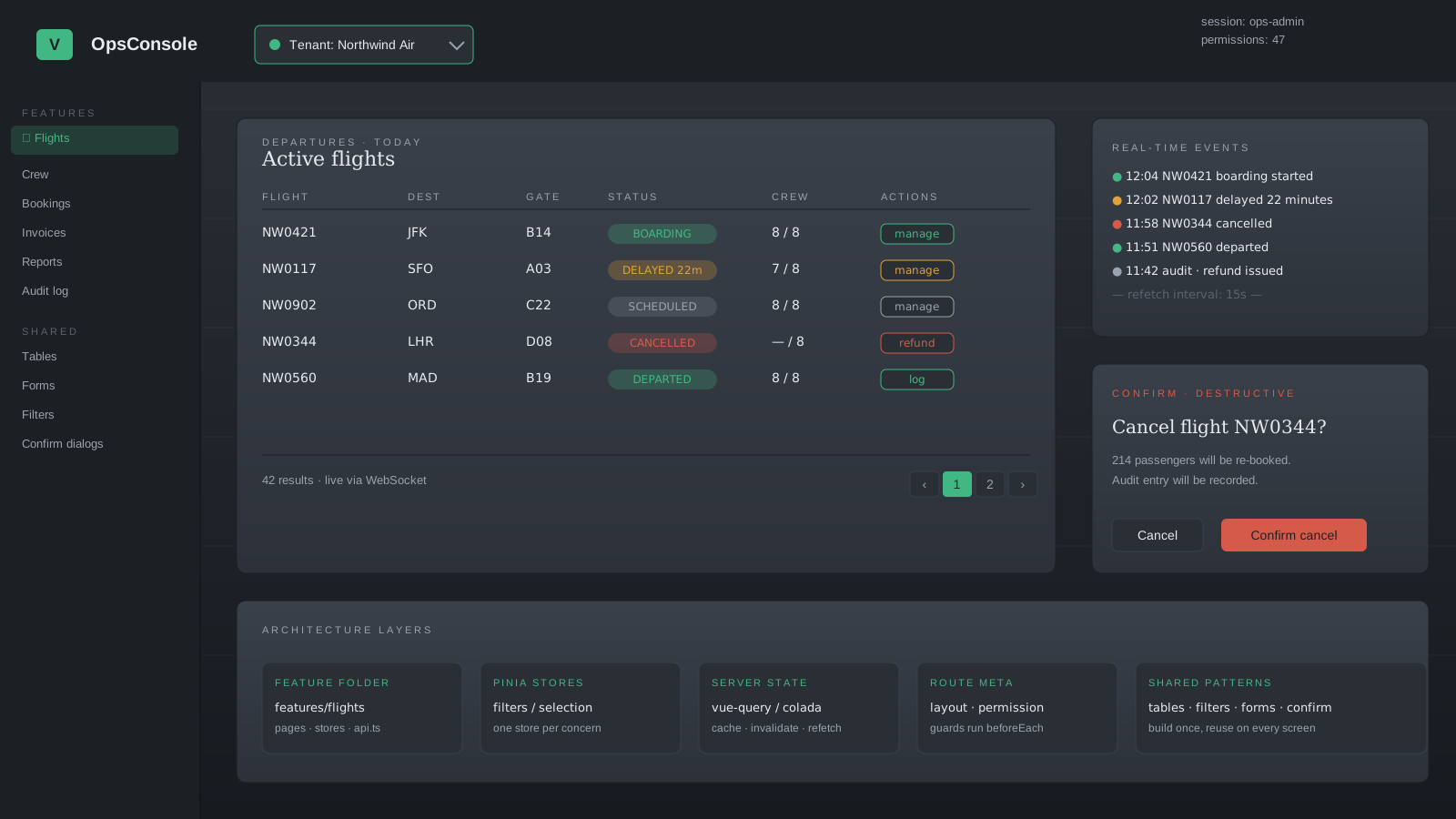
Admin panels are the part of a product nobody demoes. They are also the part the business runs on. Support uses them, ops uses them, finance uses them, and the people writing them are usually the ones explaining at standup why the bulk-update modal still says "loading" twelve seconds later.
The architecture that makes admin panels sustainable is not glamorous. Feature folders, shared table and filter components, a permissions layer, real-time updates that don't fight each other, and a pattern for dangerous actions that is the same on every screen. None of it is novel — that's the point.
This article walks the parts that I keep reaching for in Vue 3, the trade-offs I've watched go wrong, and where the framework's own primitives (Pinia, Suspense, route meta) actually pull their weight.
Folder Structure By Feature, Not By Type
The default components/, views/, stores/, composables/ layout works until the admin panel has fifteen resources. By that point, every change touches eight folders, and the cognitive cost of "where does this belong" eats the productivity Vue was supposed to give you.
A feature-oriented layout collapses related code:
src/
  features/
    invoices/
      pages/
      components/
      stores/
      composables/
      api.ts
      routes.ts
    users/
    tenants/
  shared/
    components/
    composables/
    layouts/
  app/
    router.ts
    main.ts
The rule I follow: anything used by exactly one feature stays in that feature's folder. The moment a second feature needs it, it moves to shared/. Nothing in shared/ is allowed to import from a feature folder — the dependency direction is one way only. That single rule prevents 80% of the spaghetti.
Pinia Stores Per Concern, Not Per Page
Stores in admin panels usually start as "one store per page" and end as god objects with thirty pieces of state. The escape is to split by concern, not by URL.
// features/invoices/stores/invoices.filters.ts
import { defineStore } from 'pinia'
import { ref } from 'vue'

export const useInvoiceFilters = defineStore('invoice-filters', () => {
  const status = ref<'all' | 'paid' | 'overdue'>('all')
  const search = ref('')
  const dateRange = ref<[string, string] | null>(null)

  function reset() {
    status.value = 'all'
    search.value = ''
    dateRange.value = null
  }

  return { status, search, dateRange, reset }
})
Filters live in their own store. Selection (which rows are checked) lives in another. Server data lives in TanStack Query (@tanstack/vue-query) or Pinia Colada — never in Pinia, because cache invalidation, refetch, and stale-while-revalidate are not problems you want to solve from scratch.
The split makes each store small enough to read in one screen, and it makes the page component a composition of small stores rather than the consumer of a single huge one.
Suspense For Async Setup, Not For Each Widget
Vue 3's <Suspense> boundary works on async setup(). It's good for "this whole page can't render until this data loads" cases — a detail page, a dashboard with a single critical query. It is not the React-flavored "every widget can suspend independently" story.
<!-- pages/InvoiceDetails.vue -->
<script setup lang="ts">
const route = useRoute()
const { data: invoice } = await useInvoiceQuery(route.params.id as string)
</script>

<template>
  <InvoiceHeader :invoice="invoice" />
  <InvoiceLineItems :invoice="invoice" />
</template><!-- pages/InvoiceDetails.parent.vue -->
<Suspense>
<InvoiceDetails />
<template #fallback>
<PageSkeleton />
</template>
</Suspense>For independent widgets on a dashboard, don't try to suspend each one from the parent. Let each widget handle its own loading state — usually via the isLoading flag from a query hook — so a slow chart doesn't block a fast counter.
Route Meta For Layouts, Permissions, And Breadcrumbs
Route meta is the most underused feature of Vue Router 4 in admin work. It's the right place for everything that is about the route but not the route's responsibility:
{
  path: '/admin/invoices/:id',
  component: () => import('@/features/invoices/pages/InvoiceDetails.vue'),
  meta: {
    layout: 'AdminLayout',
    permission: 'invoice.view',
    breadcrumb: 'Invoice details',
  },
}
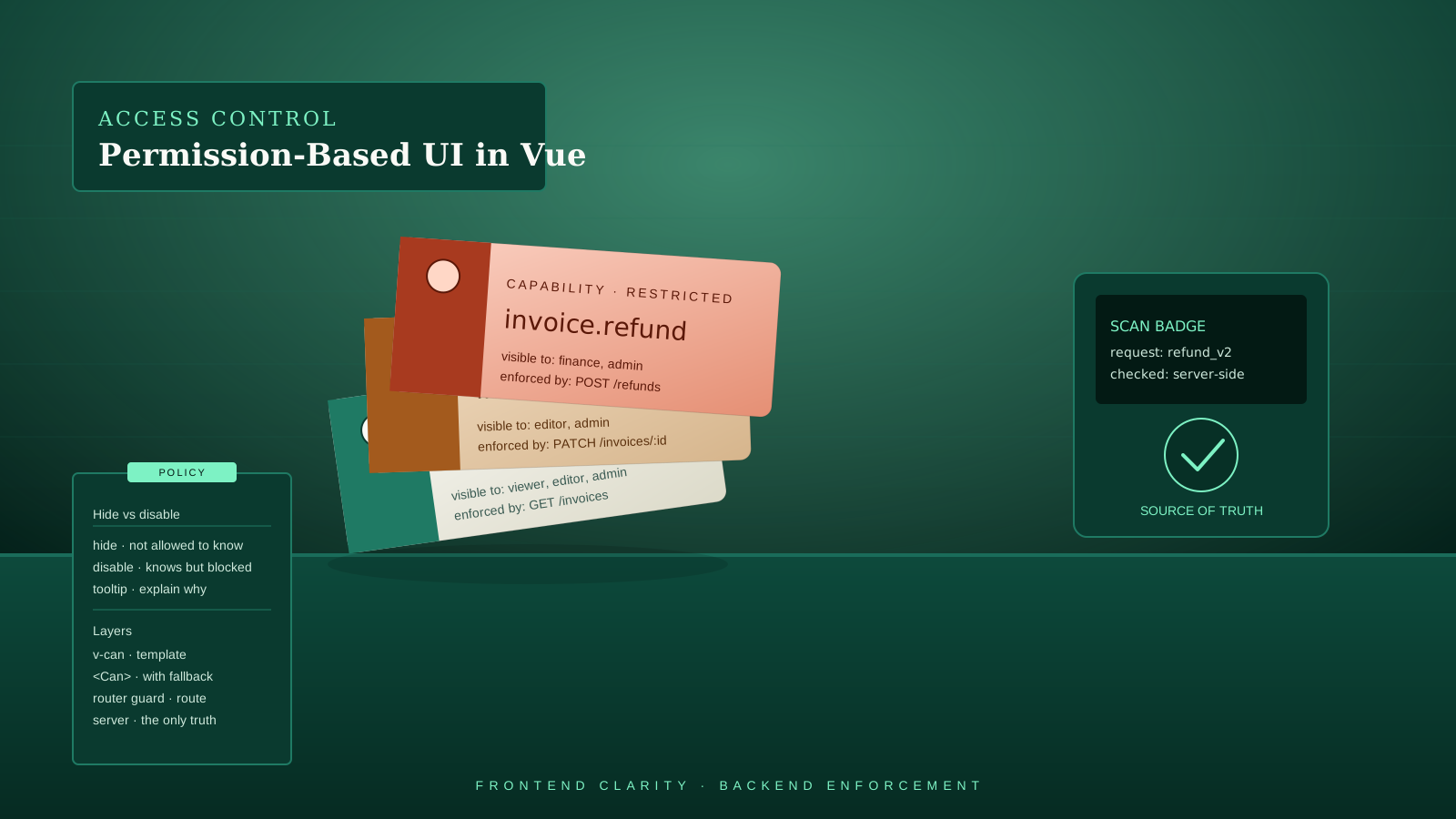
Then a single beforeEach guard handles permissions, and the layout is a computed that reads route.meta.layout. New pages get a one-line entry in the route file, and the cross-cutting concerns wire themselves up.
Multi-Tenant Data Scoping
If your admin panel serves multiple tenants — agencies, organizations, schools — every query needs to know which tenant it's reading. The wrong way is to sprinkle tenantId through every component. The right way is to make it a session concern and have queries pull from the session automatically.
// composables/useScopedQuery.ts
import { useQuery } from '@tanstack/vue-query'
import { useSessionStore } from '@/stores/session'
import { storeToRefs } from 'pinia'

export function useInvoiceQuery(id: string) {
  const { activeTenantId } = storeToRefs(useSessionStore())

  return useQuery({
    queryKey: ['invoice', activeTenantId, id],
    queryFn: () => api.invoices.get(activeTenantId.value, id),
    enabled: () => !!activeTenantId.value,
  })
}
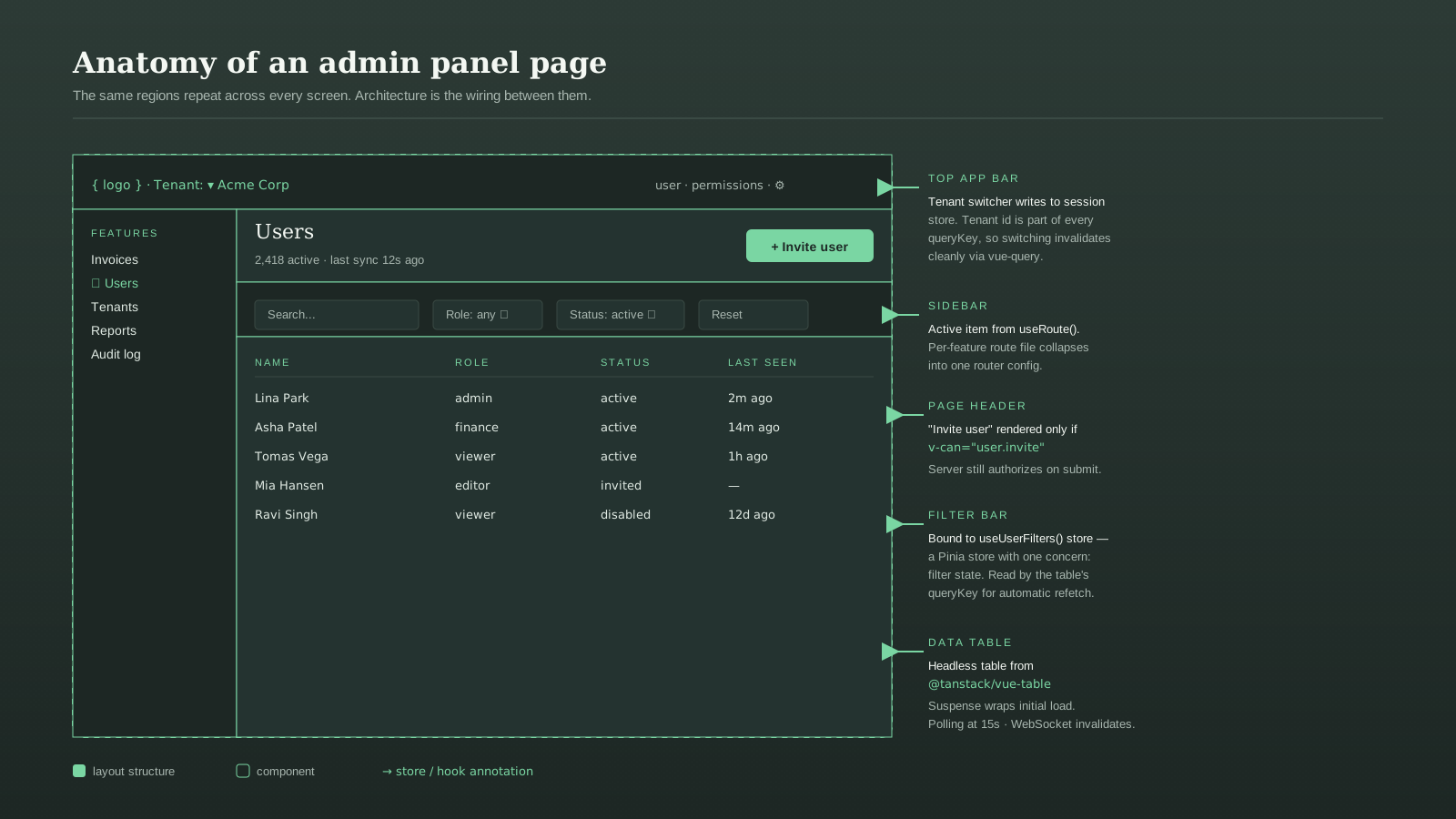
Two things matter. The tenant id is part of the query key, so switching tenants invalidates everything cleanly. And the query is disabled when there's no active tenant — which prevents the "first paint flashes data from the previous tenant" bug that haunts these apps.
Real-Time Without A Mess
Admin panels often need live updates — a new ticket arrives, an invoice gets paid, another admin edits the same record. The two ways are polling and WebSockets, and the choice is rarely either-or.
Polling via refetchInterval in TanStack Query is the boring answer that works:
useQuery({
  queryKey: ['tickets', 'open'],
  queryFn: api.tickets.listOpen,
  refetchInterval: 15_000,
  refetchIntervalInBackground: false,
})
For the cases where 15 seconds is too slow — chat-like screens, live counters — a WebSocket pushes invalidation events and lets the query layer refetch:
const queryClient = useQueryClient()
const ws = new WebSocket(import.meta.env.VITE_WS_URL)
ws.addEventListener('message', (event) => {
  const { type, key } = JSON.parse(event.data)
  if (type === 'invalidate') queryClient.invalidateQueries({ queryKey: key })
})
The pattern that consistently fails: a separate WebSocket store that mirrors server state into Pinia. Now you have two sources of truth and a race condition. Use the socket for signals, let the query layer own the data.
Shared Patterns For Tables, Filters, And Confirmations
Admin panels live and die on three components: the data table, the filter bar, and the confirmation dialog. Build them once, share them everywhere, and resist the temptation to one-off them.
For tables, headless libraries pay rent quickly. TanStack Table (@tanstack/vue-table) gives you sorting, pagination, column visibility, and filtering as composables, leaving the markup yours. For headless dialogs and menus, Reka UI (formerly Radix Vue) handles the accessibility carefully enough that you don't ship focus-trap bugs to users who navigate with a keyboard.
The confirmation pattern that has held up for me is a small composable:
// composables/useConfirm.ts
import { ref } from 'vue'

const visible = ref(false)
const config = ref<{ title: string; danger?: boolean; resolve?: (v: boolean) => void } | null>(null)

export function useConfirm() {
  function confirm(title: string, danger = false) {
    return new Promise<boolean>((resolve) => {
      config.value = { title, danger, resolve }
      visible.value = true
    })
  }

  function answer(value: boolean) {
    config.value?.resolve?.(value)
    visible.value = false
    config.value = null
  }

  return { visible, config, confirm, answer }
}
A single <ConfirmDialog /> mounted at the app root reads visible and renders the prompt. Anywhere you need to confirm an action — delete, archive, refund — you await confirm('Delete invoice?', true) and get a boolean back. No prop drilling, no per-page modals.
Empty States And Performance Budgets Are Architecture
Two things that aren't usually framed as "architecture" but really are.
Empty states are a system, not a per-screen decision. A table with no rows, a chart with no data, a search with no results — they all need the same layout, the same illustration position, the same call-to-action treatment. A shared <EmptyState> component with title, description, and an action slot keeps that consistent across thirty screens.
Performance budgets become architecture the moment a panel's bundle hits two megabytes and finance starts complaining about Time to Interactive. Code-split routes (Vue Router does this with dynamic imports), lazy-load heavy widgets (charts, rich editors) with defineAsyncComponent, and put a budget in CI — vite-bundle-visualizer plus a size check on the route chunks. The number doesn't have to be tight. It has to exist.
A One-Sentence Mental Model
Admin panel architecture is the discipline of building the same shapes — list pages, detail pages, dialogs, filters, confirmations — once, and refusing to reinvent them on each new resource. The Vue 3 pieces (Pinia, Suspense, route meta, query hooks, headless UI libraries) are good. The architecture is what stops them from drifting.