You know that table.
The one that started clean three years ago, just id, email, created_at, and now has 14 columns where roughly 9 of them are nullable, get touched by maybe one feature each, and exist because somebody in a planning meeting said "can we just add a column for this?" and nobody had the energy to push back.
Or you know the other table. The one that doesn't have those columns, because every team in the building got told "just put it in metadata". Now metadata is a text column full of JSON, nobody knows what shape it actually takes in production, and querying it requires either LIKE '%status%' (which makes the DBA cry) or a full table scan into application code (which makes the latency dashboard cry).
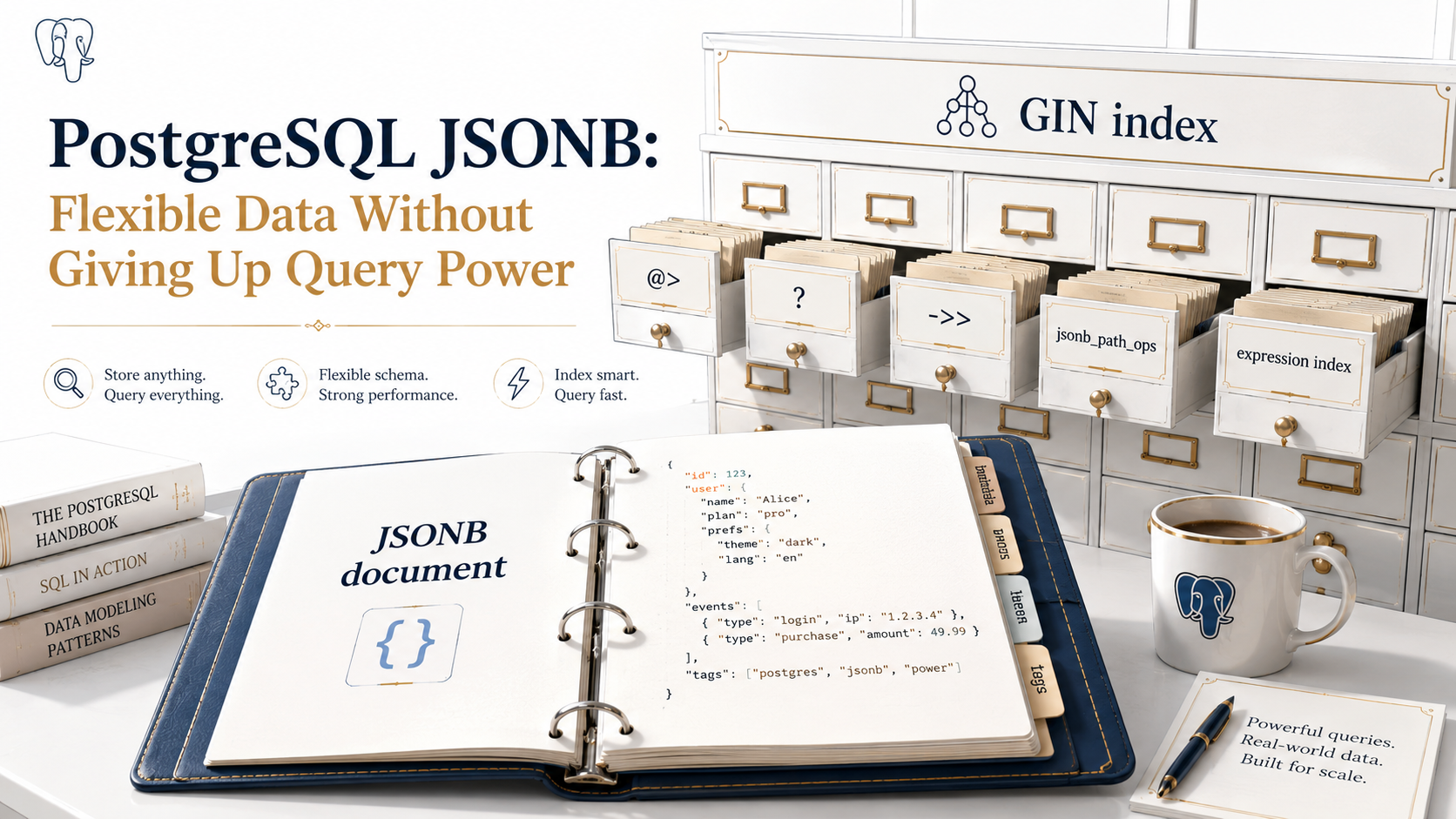
PostgreSQL's jsonb type is the thing that sits between those two failure modes. It lets you store flexible, document-shaped data inside a real relational database, and, crucially, query and index it like it actually matters. That last part is what separates JSONB from "we put JSON in a text column and called it a schema."
This piece is the practical tour. What JSONB actually is, the operators you'll reach for, the indexes that earn their keep, and the use cases where it's the right tool, versus the ones where you should just add a column.
JSON vs JSONB: The One-Paragraph Difference That Matters
PostgreSQL has two JSON types. They look identical in most tutorials. They are not.
json stores the text you gave it, exactly as you gave it. Whitespace, key order, duplicate keys: all preserved. Every time you query into a json column, Postgres re-parses the text. That's fine for "just store this webhook payload and let me read it later." It is not fine if you want to filter or index.
jsonb parses your input once on write, and stores it in a decomposed binary format. Keys are sorted, duplicates are collapsed (last one wins), whitespace is gone. Reads are fast because there's no re-parsing. And because the structure is decomposed, GIN indexes can actually point at individual keys and values, which is the whole reason JSONB exists.
Default to jsonb unless you have a specific reason not to. The "specific reason" is usually "I need to round-trip the bytes exactly as the upstream sent them, including key order and whitespace, for signature verification." If that's not your problem, you want JSONB.
-- jsonb canonicalizes
SELECT '{"b":1, "a":2, "a":3}'::jsonb;
-- => {"a": 3, "b": 1}

-- json preserves
SELECT '{"b":1, "a":2, "a":3}'::json;
-- => {"b":1, "a":2, "a":3}
That collapse-duplicate-keys behavior catches teams off guard exactly once, usually during an incident. Worth knowing about before then.
The Operator Menu
JSONB has more operators than people remember, and most of the time you only need five of them. Let's walk through them with a single example table so the shapes stay consistent.
CREATE TABLE events (
  id          bigserial PRIMARY KEY,
  occurred_at timestamptz NOT NULL DEFAULT now(),
  payload     jsonb NOT NULL
);

INSERT INTO events (payload) VALUES
  ('{"type":"signup","user":{"id":42,"plan":"pro"},"tags":["beta","invited"]}'),
  ('{"type":"login","user":{"id":42,"plan":"pro"},"ip":"10.0.0.1"}'),
  ('{"type":"signup","user":{"id":99,"plan":"free"},"tags":["organic"]}');
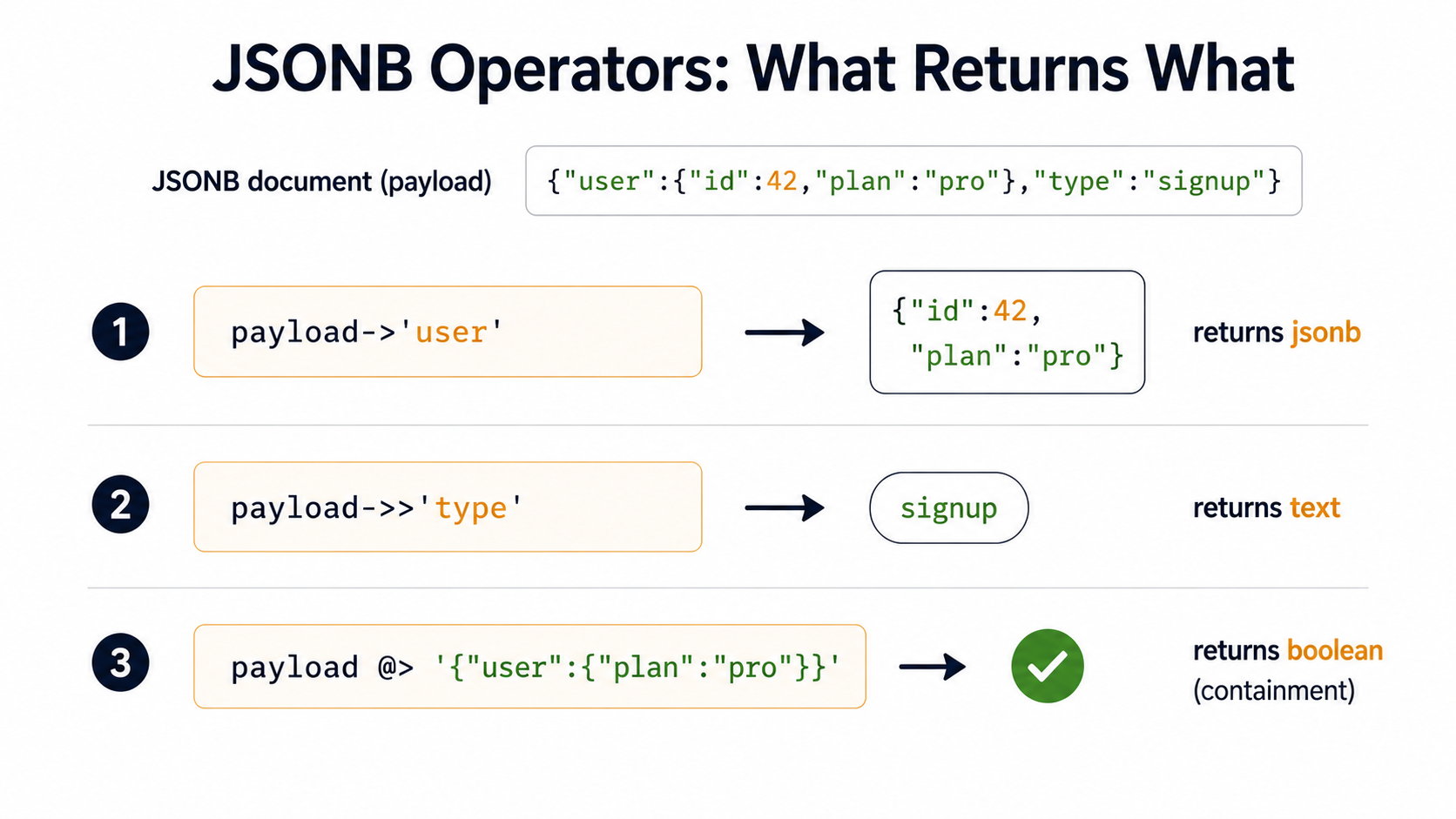
-> returns JSONB. ->> returns text.
This is the one to memorize first. The single arrow returns a JSONB value (which you can keep drilling into); the double arrow returns text (which you can compare, cast, or print).
-- ->  returns jsonb
SELECT payload->'user' FROM events LIMIT 1;
-- => {"id": 42, "plan": "pro"}

-- ->> returns text
SELECT payload->>'type' FROM events LIMIT 1;
-- => signup

-- chain them
SELECT payload->'user'->>'plan' FROM events LIMIT 1;
-- => pro
The mistake you'll make at least once is comparing a JSONB result to a string and wondering why nothing matches:
-- wrong: jsonb '"pro"' is not the same as text 'pro'
WHERE payload->'user'->'plan' = 'pro'

-- right: pull out as text
WHERE payload->'user'->>'plan' = 'pro'
Or, if you really want to compare as JSONB, quote the right side too: = '"pro"'::jsonb. Both work. Pick one and stay consistent.
#> and #>> for path access
When you're going more than two levels deep, the path operators read better than chaining arrows.
-- #>  returns jsonb at path
SELECT payload #> '{user,plan}' FROM events;

-- #>> returns text at path
SELECT payload #>> '{user,plan}' FROM events;
The path is a text array, so both '{user,plan}' (the array literal) and ARRAY['user','plan'] work. The literal form is shorter and reads fine in queries.
@> and <@ for containment: the workhorse
If you remember one operator beyond ->>, make it @>. It asks: does the left-hand JSONB contain the right-hand JSONB?
-- all signup events
SELECT * FROM events
WHERE payload @> '{"type":"signup"}';

-- all events for user 42 on the pro plan
SELECT * FROM events
WHERE payload @> '{"user":{"id":42,"plan":"pro"}}';

-- events tagged "beta"
SELECT * FROM events
WHERE payload @> '{"tags":["beta"]}';
That last one is the move people miss. Containment on arrays means "every element on the right exists somewhere on the left." You don't need to know the position. You don't need to use jsonb_array_elements. The operator handles it.
@> is also the operator that GIN indexes accelerate the best, which we'll get to in a minute.
?, ?|, ?&: does this key exist?
These ask about the existence of top-level keys. They're useful, but they bite you in two ways: they only check the top level, and they only work on objects (and on arrays-of-strings, where they check elements).
-- payload has a top-level "ip" key (login events)
SELECT * FROM events WHERE payload ? 'ip';

-- payload has either of these top-level keys
SELECT * FROM events WHERE payload ?| ARRAY['ip','session_id'];

-- payload has all of these
SELECT * FROM events WHERE payload ?& ARRAY['type','user'];
If you want existence at a nested path, use @> instead: payload @> '{"user":{}}' matches rows where user exists as an object at any level you specify in the contained shape.
||, -, and the modification helpers
JSONB is immutable per row in the sense that you read it, modify it in expressions, and write the new value back. There's no "patch this in place" syntax.
-- merge: || concatenates two jsonb objects (right wins on conflicts)
UPDATE events
SET payload = payload || '{"reviewed":true}'::jsonb
WHERE id = 1;

-- delete a key
UPDATE events
SET payload = payload - 'ip'
WHERE payload ? 'ip';

-- delete a path
UPDATE events
SET payload = payload #- '{user,plan}'
WHERE id = 1;

-- set a deep value (creates missing parents if last arg is true)
UPDATE events
SET payload = jsonb_set(payload, '{user,plan}', '"enterprise"', true)
WHERE id = 1;
jsonb_set is the one to reach for when you need to update a single nested field. Note the value argument is a JSONB literal: '"enterprise"' (with the inner quotes) for a string, '42' for a number, 'true' for a boolean. Forgetting the inner quotes on strings is the second-most-common JSONB mistake.
The most common one? Updating a JSONB field with || and forgetting that the right side wins on key conflicts. That's a feature, but it has burned plenty of people who expected a deep merge. || is shallow.
JSONPath: When The Operators Run Out
PostgreSQL 12 added the jsonpath type and a small family of functions that let you express more interesting queries than the operators alone can. You won't use this every day, but when you need it, you really need it.
-- find any event whose user is on the pro plan and has a tag starting with "b"
SELECT *
FROM events
WHERE jsonb_path_exists(
  payload,
  '$ ? (@.user.plan == "pro" && @.tags[*] starts with "b")'
);

-- pull out matching values
SELECT jsonb_path_query(payload, '$.user.id') AS user_id
FROM events;
The JSONPath syntax is its own thing: the $ is the document root, @ is the current item in a filter, ? introduces a predicate. It's worth bookmarking the docs the first few times you write one, because the error messages aren't always helpful when you get the syntax wrong.
For most application queries, stick with the operators. Reach for jsonb_path_* when you need wildcards, predicates against array elements, or anything where a containment query would have to enumerate too many shapes.
Indexing JSONB: Where The Real Wins Live
This is where JSONB earns its keep. Storing JSON in a text column gets you flexibility. Indexing JSONB gets you flexibility plus the ability to filter millions of rows in milliseconds. The two are not the same thing.
There are three index strategies you'll use, depending on how you query.
Strategy 1: Plain GIN (flexible, larger, supports everything)
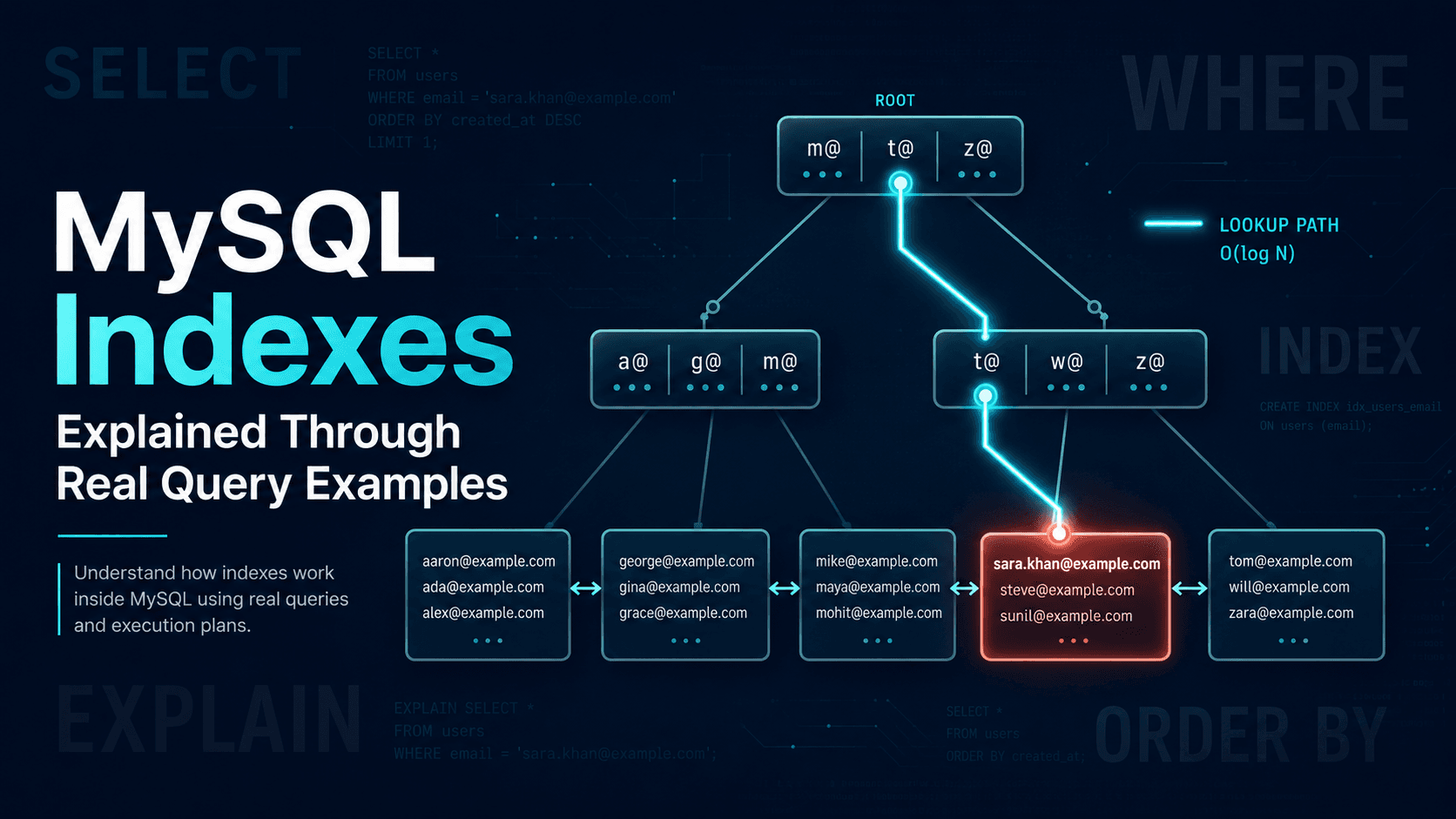
A default GIN index on a JSONB column indexes every key and every leaf value. It supports @>, ?, ?|, ?&, and the JSONPath existence/containment functions.
CREATE INDEX events_payload_gin
ON events USING gin (payload);
This is the "I don't yet know which keys we'll query" index. It will accelerate any of the operators above. The trade-off is that it's larger than the more specialized variants, and writes pay a cost because every key/value path has to be added to the index.
If you have a write-heavy table and you only ever filter by containment (WHERE payload @> '...'), you can do better.
Strategy 2: GIN with jsonb_path_ops (smaller, faster, containment only)
jsonb_path_ops is an opclass that indexes hashes of complete paths from the root. It's roughly half the size of a default GIN index, supports only @> (and the related JSONPath operators), and is faster on both reads and writes.
CREATE INDEX events_payload_path_ops
ON events USING gin (payload jsonb_path_ops);
Most production teams end up here. Containment queries cover an enormous chunk of real workloads, the index is smaller, and giving up ? is rarely a real loss because you can rewrite key-existence checks as containment: payload ? 'user' becomes payload @> '{"user":{}}'.
Strategy 3: Expression indexes (point queries on a known path)
GIN indexes are great when you don't know in advance which key you'll query. When you do know, a plain B-tree expression index is faster, smaller, and supports the full set of B-tree operators (range, equality, sort).
-- equality on a single nested string
CREATE INDEX events_user_plan_idx
ON events ((payload->'user'->>'plan'));

-- now this query uses the index:
SELECT * FROM events
WHERE payload->'user'->>'plan' = 'pro';
Note the parentheses: expression indexes need them around the expression. Note also that the expression in your WHERE clause has to match the indexed expression exactly. payload->'user'->>'plan' and payload#>>'{user,plan}' are semantically equivalent but the planner won't unify them; if you indexed one and queried the other, you'll get a sequential scan and a confused face.
-- works: extract a numeric field
CREATE INDEX events_user_id_idx
ON events (((payload->'user'->>'id')::int));

-- range query, fully indexed
SELECT * FROM events
WHERE (payload->'user'->>'id')::int BETWEEN 100 AND 200;
The cast inside the parentheses is important: the indexed expression must match the predicate expression including the cast.
Strategy 4: Partial indexes (when most rows don't matter)
If 95% of your rows have payload->>'type' = 'noise' and you only ever query the other 5%, a partial index gives you most of the speed for a fraction of the storage.
CREATE INDEX events_signups_idx
ON events ((payload->'user'->>'id'))
WHERE payload->>'type' = 'signup';
The query has to mention the same WHERE predicate (or a strictly stronger one) for the planner to use the index. This is one of the most under-used PostgreSQL features for JSONB workloads. When the data is heavily skewed, partial indexes on the interesting subset are a 10x win.
How to actually pick
A boring rule that works:
- Start with
gin (column jsonb_path_ops)if your queries are containment-shaped. - Add B-tree expression indexes for the two or three specific paths you filter on by equality or range.
- Add partial indexes for the cases where most rows are uninteresting.
- Use plain
gin (column)only if you genuinely need?-style key-existence queries and rewriting them as containment isn't ergonomic.
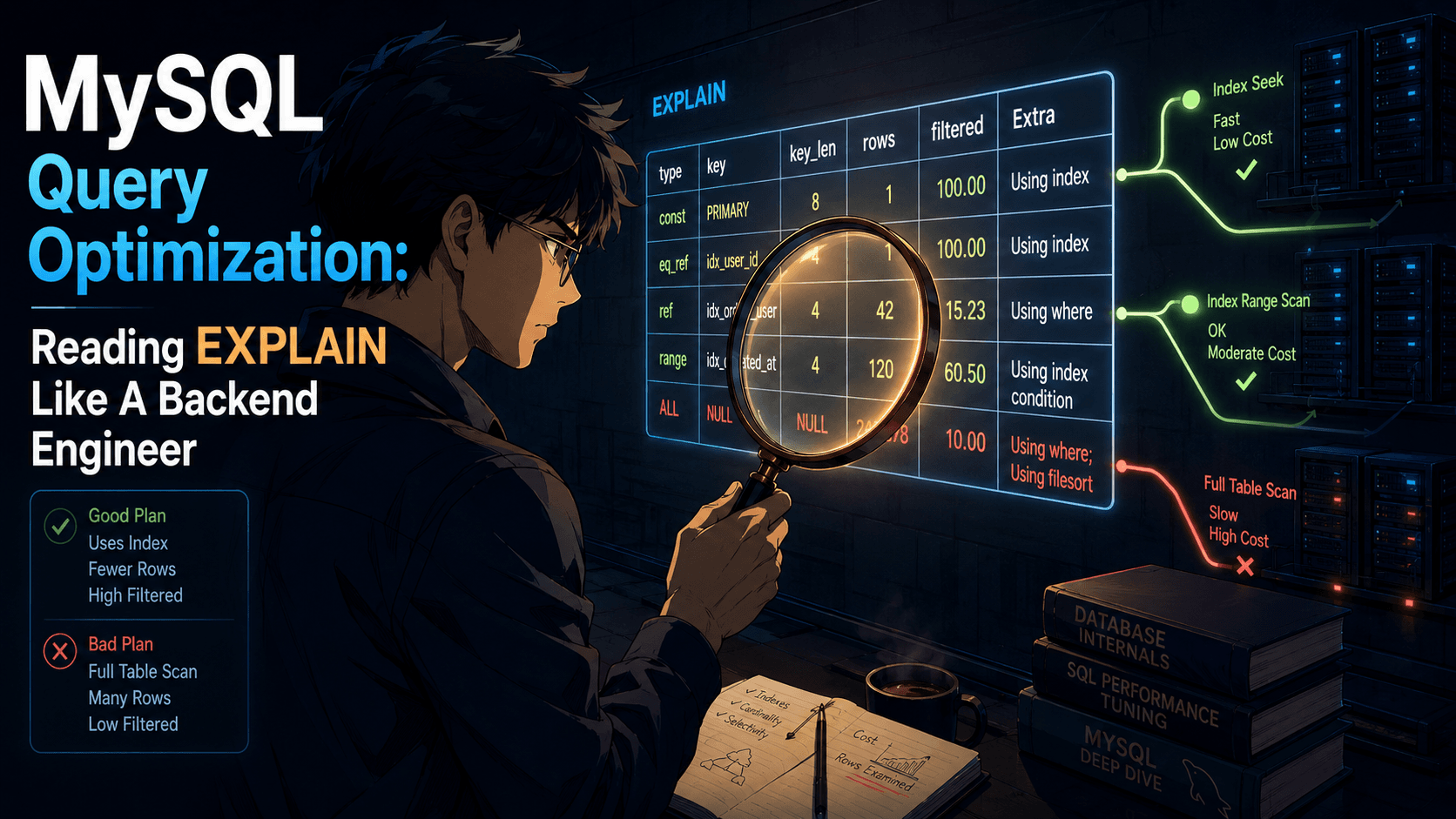
Run EXPLAIN (ANALYZE, BUFFERS) on your hot queries before and after every index. JSONB workloads have weird locality, and the only reliable way to know an index is helping is to measure it.
A Realistic Use-Case Tour
Operator and index theory is fine, but the real question is when JSONB is the right tool. Here's the tour I run through when I'm sketching a new feature.
Yes: per-row settings and preferences
Each user has some shape of preferences (notification toggles, theme, default views), and the shape changes whenever product ships a new toggle. You don't want to migrate the table every sprint, and 90% of the data is read on the user's profile page where you have the row anyway.
CREATE TABLE user_preferences (
  user_id     bigint PRIMARY KEY REFERENCES users(id),
  preferences jsonb NOT NULL DEFAULT '{}'::jsonb
);
Indexing strategy: probably none. You're reading by user_id, you have the row. JSONB earns its place here as a schema-evolution tool, not a query tool.
Yes: webhook and audit payloads
You're storing the raw event from Stripe, GitHub, whoever. The shape changes when they version their API. You want to query it occasionally for debugging, not constantly for application logic.
CREATE TABLE webhook_events (
  id           bigserial PRIMARY KEY,
  source       text NOT NULL,
  event_type   text NOT NULL,
  received_at  timestamptz NOT NULL DEFAULT now(),
  payload      jsonb NOT NULL
);

CREATE INDEX webhook_events_payload_path_ops
ON webhook_events USING gin (payload jsonb_path_ops);
The two extracted columns (source, event_type) carry the indexes for the common queries; the GIN index on payload is your "let me poke around when there's an incident" index.
Yes: sparse attributes on a heterogeneous catalogue
E-commerce with a thousand product types: books, electronics, kitchenware, clothing. They all share id, name, price, but every category has its own attributes. ISBNs for books, RAM for laptops, sleeve length for shirts. Putting all of them as nullable columns on a products table is the failure mode in the opening of this article.
CREATE TABLE products (
  id         bigserial PRIMARY KEY,
  category   text NOT NULL,
  name       text NOT NULL,
  price_cents int NOT NULL,
  attributes jsonb NOT NULL DEFAULT '{}'::jsonb
);
Now attributes->>'isbn' exists for books, attributes->>'ram_gb' exists for laptops, and you can index the specific paths your filters care about with expression indexes.
Maybe: feature flags and experiment configurations
JSONB works for these, but so does a typed configuration table. The deciding factor is usually who edits this. If it's engineers, a typed table with a migration is fine. If it's a product manager dropping into an admin UI and toggling a value, JSONB plus a JSON-schema validator at the application boundary is friendlier.
No: heavily relational data dressed up as JSONB
If you find yourself joining JSONB content across tables, you've taken a wrong turn. JSONB is good at "this row knows everything about its document." It's bad at "I want to find all events whose user record has a property defined on a different table." That's what foreign keys exist for. Use them.
No: data you'll query the same way every day
If 100% of your reads on payload are payload->>'user_id', that's not flexible-shaped data. That's a column wearing a costume. Pull user_id out into a real bigint column, give it a real foreign key, and feel the relief.
A rule that holds here: if you query the same JSON key every day, it probably deserves a real column. JSONB is not a punishment for bad schema design; it's a tool for genuinely flexible data. When the data isn't flexible, the tool is wrong.
A Few Performance Notes That Catch People
Three things to know that aren't immediately obvious from the docs.
Big JSONB documents get TOASTed. PostgreSQL stores values larger than ~2KB out-of-line in a side table called TOAST, often compressed. That means a wide JSONB column doesn't bloat your main heap, but it does mean that touching a large JSONB value in a query has a hidden detoast cost. If you're returning huge JSONB blobs in queries that ought to be fast, check whether you actually need the whole thing. payload->'just_the_field_I_want' returning a small piece is much cheaper than payload returning the whole document.
Partial updates rewrite the whole row. PostgreSQL is MVCC. An UPDATE events SET payload = jsonb_set(payload, ...) writes a new row version and marks the old one dead. If your JSONB documents are large and your updates are frequent, you're doing a lot of work, and your table's bloat will surprise you. The fix is usually structural (split frequently-updated parts into a separate table), not a JSONB tuning knob.
jsonb_path_ops indexes don't speed up ? and friends. I mentioned this above but it's worth repeating because the planner's silence is loud. If you create a jsonb_path_ops index and then run WHERE payload ? 'user', you'll get a sequential scan and no warning. Either rewrite as containment or add a default-opclass GIN index alongside.
When You Should Reach For It
The honest answer is: JSONB is a precision tool, not a general one. If your data has a known schema and you query it the same way every time, real columns are still the right answer. Postgres has spent forty years getting good at columns, and it shows. If your data has a fuzzy or fast-evolving shape, and you're writing more queries than you are migrations, JSONB shines.
The middle ground is where it gets interesting. A users table with a typed email, name, created_at, and a preferences jsonb column for the toggles that change every quarter is a healthy schema. A users table with everything in data jsonb is somebody who's about to spend three months rebuilding what they had before.
Pick the right amount of structure for the right parts of your data. Index the paths that matter. Measure with EXPLAIN. And when somebody asks "can we just put it in metadata?", you'll know exactly when to nod and when to push back.