
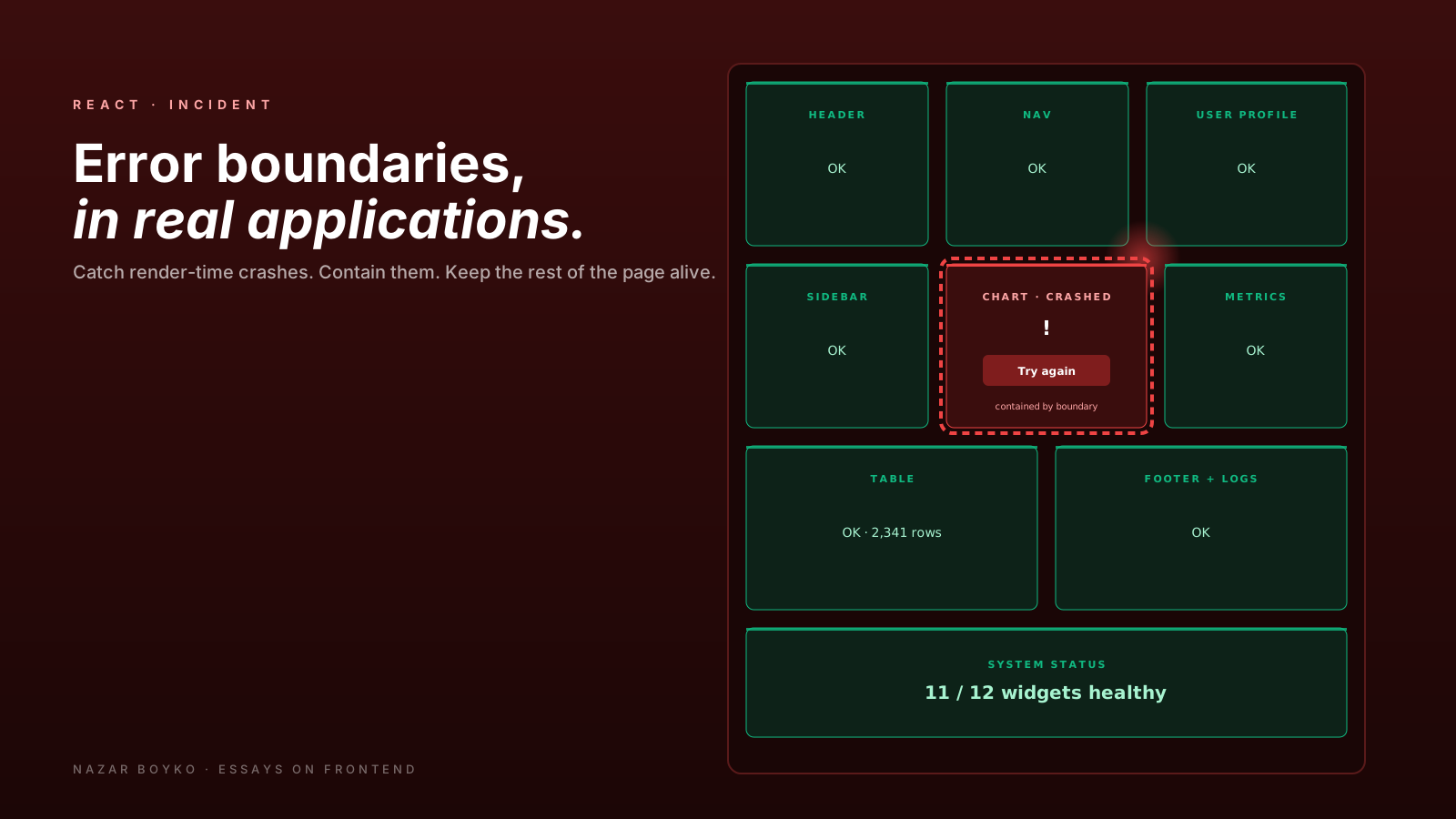
The default React behaviour for an unhandled error inside a component is brutal. The whole tree above it unmounts. The user sees a blank page. There's no breadcrumb in the console for what happened. In development you get a friendly overlay; in production you get nothing.
Error boundaries are React's only built-in answer to this. They're underused, often misplaced, and surrounded by misconceptions about what they catch. This article is the practical version: where to put them, what they handle, what they don't, and the small set of patterns that turn them into a production safety net.
What Error Boundaries Actually Do
An error boundary is a component that implements static getDerivedStateFromError (and usually componentDidCatch). When any component beneath it throws during render, React catches the error, calls those lifecycle methods, and lets the boundary render a fallback UI instead of crashing the whole tree.
class ErrorBoundary extends React.Component {
  state = { hasError: false };

  static getDerivedStateFromError(error) {
    return { hasError: true };
  }

  componentDidCatch(error, info) {
    logToService(error, info.componentStack);
  }

  render() {
    if (this.state.hasError) {
      return this.props.fallback || <p>Something went wrong.</p>;
    }
    return this.props.children;
  }
}
That's the entire surface. Any component thrown error inside <ErrorBoundary>...</ErrorBoundary> triggers the fallback, the rest of the page keeps working.
There's no hook version. Error boundaries are still class components, and that's unlikely to change soon — the timing is too deep in React's render machinery to expose as a hook. In practice, you write one and reuse it everywhere, or you install react-error-boundary which gives you a hook-friendly wrapper:
import { ErrorBoundary } from 'react-error-boundary';

<ErrorBoundary
  fallbackRender={({ error, resetErrorBoundary }) => (
    <ErrorFallback error={error} onReset={resetErrorBoundary} />
  )}
  onError={(error, info) => logToService(error, info.componentStack)}
>
  <Page />
</ErrorBoundary>
Same behaviour, friendlier API, plus a reset mechanism for "try again" buttons. This is what most production codebases use.
What Error Boundaries Don't Catch
This is the part that surprises people. Error boundaries only catch errors thrown during rendering (and lifecycle methods, and constructors). They do not catch:
- Errors inside event handlers. A click handler that throws does not trigger the boundary. You wrap it in
try/catchyourself. - Errors inside async code. Promise rejections,
setTimeoutcallbacks, fetch failures insideuseEffect— none of these go through the boundary. - Errors during SSR. In server-rendered React, error boundaries work, but you may also need framework-level error handling (Next.js
error.tsx, etc). - Errors in the boundary itself. If the fallback throws, the next boundary up handles it. If there's no boundary above, the whole app dies.
So the mental model is: error boundaries catch render errors, nothing else. For the others, you handle them where they happen — in the handler, in the promise's .catch, in the useEffect's error path. A common production setup combines both: error boundaries for the render path, plus a global window.addEventListener('error', ...) and 'unhandledrejection' listener for everything else.
Where To Place Them
The default mistake is one boundary at the root and nothing else. That works as a "blank page → friendly message" upgrade, but it loses one of React's actual superpowers: a single component crash doesn't have to take down the whole page.
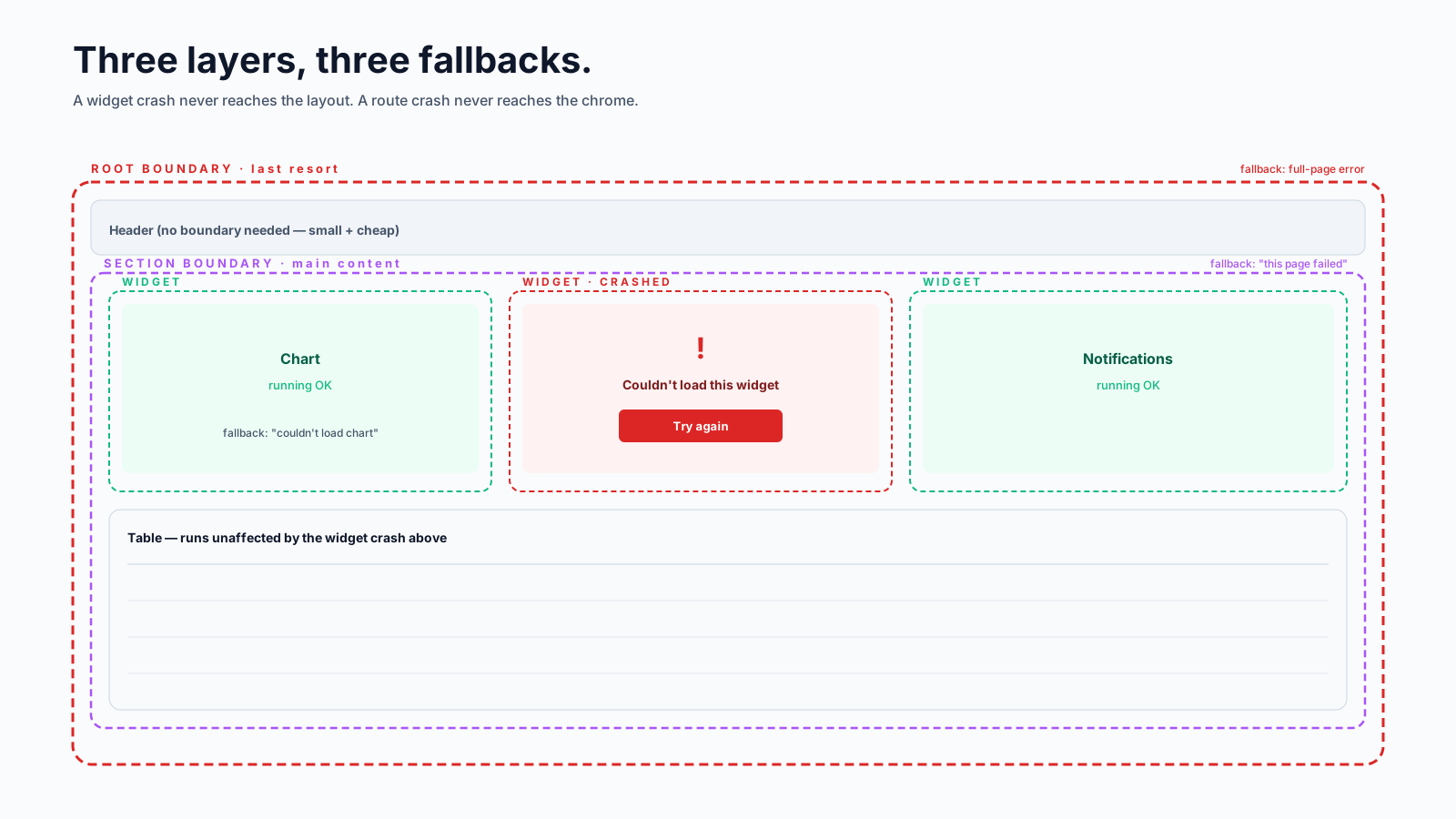
The pattern that's earned its keep: boundaries at meaningful section breaks. Roughly:
<RootErrorBoundary>           {/* last-resort, full-page fallback */}
  <Layout>
    <Header />
    <SectionErrorBoundary>    {/* sidebar can fail without killing main */}
      <Sidebar />
    </SectionErrorBoundary>
    <SectionErrorBoundary>    {/* main content */}
      <Routes>
        <Route element={<RouteErrorBoundary />}>
          <Route path="/checkout" element={<Checkout />} />
          <Route path="/profile" element={<Profile />} />
        </Route>
      </Routes>
    </SectionErrorBoundary>
  </Layout>
</RootErrorBoundary>
Three layers, each with a different fallback. A crash in the chart on the dashboard shows "Couldn't load chart, refresh?" inside the chart's slot — the rest of the dashboard keeps working. A crash in a route shows "This page failed to load" but keeps the layout. A crash at the root shows "Something went wrong, here's a refresh button".
The unit "what's a meaningful section?" is roughly: "if this dies, what can we still show the user?" If the answer is "everything else", that's where the boundary belongs.
Designing The Fallback
The fallback is part of the UX. A few rules that consistently land well:
- Be specific about what failed. "We couldn't load this chart" beats "Something went wrong".
- Give a recovery path. A "Try again" button that calls
resetErrorBoundary(). A link to a status page if you have one. - Don't show the stack trace to the user. Log it; don't render it.
- Don't lose the user's work. If they're on a form, the form data should still be there after a recoverable error elsewhere on the page.
function ChartFallback({ error, resetErrorBoundary }) {
  return (
    <div role="alert" className="card-error">
      <p>The chart failed to load.</p>
      <button onClick={resetErrorBoundary}>Try again</button>
    </div>
  );
}
The role="alert" is small but matters: assistive tech announces the error when it appears.
Logging: The Other Half
A boundary that swallows errors silently is worse than no boundary. The user gets a fallback, and you never hear about the bug. Always log:
<ErrorBoundary
  onError={(error, info) => {
    Sentry.captureException(error, {
      contexts: { react: { componentStack: info.componentStack } },
    });
  }}
  fallbackRender={ChartFallback}
>
  <Chart />
</ErrorBoundary>
Sentry, Datadog, Honeybadger, Bugsnag — the industry-standard error reporters all have integrations for React error boundaries. Pick one, hook it in once, and every caught error lands in your dashboard with a component stack. This is the difference between "we have errors" and "we know about errors".
For belt-and-braces, also wire a global handler at the entry point:
window.addEventListener('error', (event) => {
  Sentry.captureException(event.error);
});
window.addEventListener('unhandledrejection', (event) => {
  Sentry.captureException(event.reason);
});
These catch the things error boundaries don't — async errors, errors before React mounts, errors in third-party scripts.
Resetting And Retrying
react-error-boundary ships with a clean reset mechanism. The resetErrorBoundary argument calls back into the boundary and tells it to try rendering its children again. Pair it with resetKeys for "if these props change, reset automatically":
<ErrorBoundary
  resetKeys={[userId]}                  // boundary auto-resets when userId changes
  onReset={() => queryClient.invalidateQueries({ queryKey: ['user'] })}
  fallbackRender={UserFallback}
>
  <UserProfile userId={userId} />
</ErrorBoundary>
This is gold for failed network requests. The user clicks "Try again" → onReset invalidates the cached query → the component re-mounts → React Query refetches. The error UX becomes: fail visibly, recover with one click, no full-page reload.
Error Boundaries And Suspense
Suspense and error boundaries pair naturally. A child throws a promise → Suspense shows a fallback. A child throws an error → the nearest error boundary catches it. The two compose:
<ErrorBoundary fallbackRender={ErrorView}>
  <Suspense fallback={<Spinner />}>
    <UserProfile userId={userId} />
  </Suspense>
</ErrorBoundary>
Loading state and failure state in one place. This is the recommended shape with React Server Components and TanStack Query's Suspense mode — Suspense for the wait, error boundary for the failure.
Common Pitfalls
- No retry path. A fallback with no way out makes the user reload the whole page.
- Logging without filtering. Network errors, ad-blocker noise, third-party script failures will flood your error dashboard. Most reporters let you filter or sample these.
- Catching too high. A single root boundary with a friendly message means a crashed widget hides the whole app.
- Catching too low. A boundary around every component is overkill and makes the fallback design impossible to keep consistent.
- Trying to catch async errors with a boundary. It won't work. Use try/catch in the async function or
onErrorcallbacks from your data library. - Forgetting
role="alert"on the fallback. Screen readers won't announce that something went wrong.
A Production Setup, In One Place
The pattern that I've shipped multiple times and is hard to outgrow:
- Install
react-error-boundary. - Define three reusable boundary components:
RootErrorBoundary,SectionErrorBoundary,WidgetErrorBoundary. Each has a corresponding fallback styled to fit its size. - Wrap the app at the root, around route content, and around any genuinely-isolatable widget (chart, embedded video, third-party iframe).
- Wire up Sentry (or equivalent) once via the
onErrorcallback. - Add the global
window.addEventListener('error', ...)and'unhandledrejection'for the async paths. - For routes that fetch data, pair the boundary with a
Suspensefallback so loading and error states share one place.
That covers maybe 95% of production failure modes. The rest you handle case by case in event handlers and async code, where the error originated in the first place.
The honest summary: error boundaries are not a hook, they don't catch async, and one root boundary is rarely enough. With three boundaries, a recovery path, and a logger, your "white screen of death" tickets disappear — and what replaces them is much easier to debug.






