
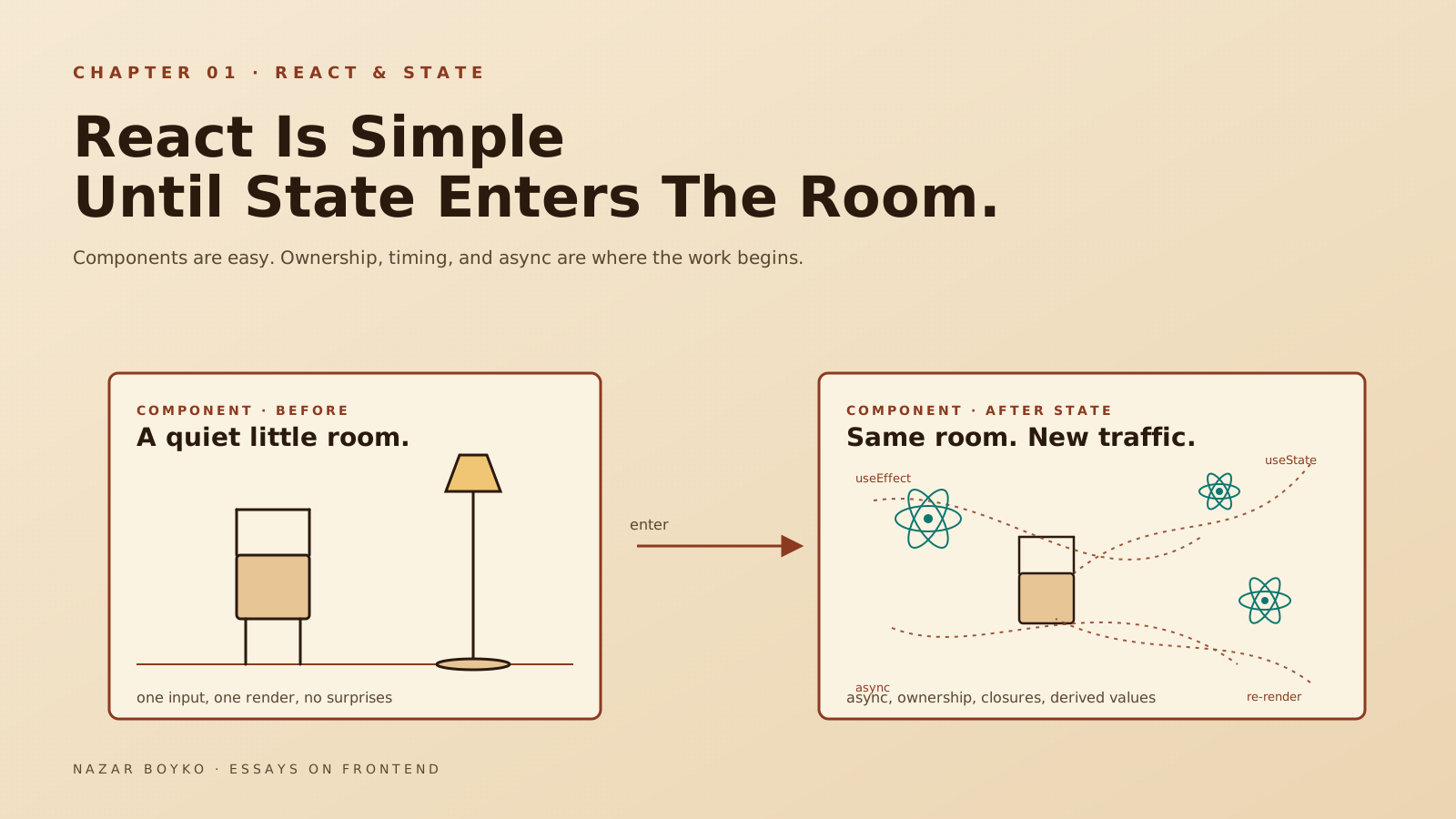
Have you ever opened a React component that looked perfectly innocent — a hundred lines, three useState calls, one useEffect — and within five minutes wondered how something this small could be misbehaving in this many different ways?
You're not alone. React's first lesson is that components are easy. The second lesson, which usually shows up around month two, is that state is hard. Not the syntax — useState is a four-line API, anyone can learn it in an afternoon. What's hard is deciding who owns what, when things should run, and where the truth actually lives.
This article is about that second lesson. We'll walk through the kinds of decisions that turn a small component into a stable one, with real code instead of generic advice. No "Pro Tips" lists. Just the things I keep coming back to in code review.
The Trap: State Is Easy To Write And Hard To Think About
useState is a tiny piece of API. You import it, you call it, you get a value and a setter. That's the whole surface. The reason React state gets messy is not the hook — it's that hooks let you put state anywhere, and "anywhere" usually means the wrong place.
Take a small example. You're building a search panel:
function SearchPanel({ products }) {
  const [query, setQuery] = useState('');
  const [filtered, setFiltered] = useState(products);

  useEffect(() => {
    setFiltered(
      products.filter((p) =>
        p.name.toLowerCase().includes(query.toLowerCase())
      )
    );
  }, [query, products]);

  return (
    <>
      <input value={query} onChange={(e) => setQuery(e.target.value)} />
      <ProductList products={filtered} />
    </>
  );
}
Looks reasonable, right? It works. It also has three problems baked in.
First, filtered is derived state — it can always be computed from products and query. Storing it duplicates the truth. Second, the useEffect exists only to keep that duplicate in sync. It runs after render, which means there's a brief render where query is updated but filtered is showing yesterday's results. Third, if a parent passes a new products prop, you re-run the effect, set state, and re-render — for something a single line can do.
The fix is shorter than the bug:
function SearchPanel({ products }) {
  const [query, setQuery] = useState('');
  const filtered = products.filter((p) =>
    p.name.toLowerCase().includes(query.toLowerCase())
  );

  return (
    <>
      <input value={query} onChange={(e) => setQuery(e.target.value)} />
      <ProductList products={filtered} />
    </>
  );
}
No effect, no extra state, no out-of-sync render. The rule that earned its keep here: if you can compute it during render, don't store it. The React team gave this rule a name in the docs — you might not need an effect — and it's still the single most useful idea you can take from any React article.
If the computation gets expensive, that's where useMemo comes in — but only after you've measured. Wrapping every derived value in useMemo "just in case" makes code harder to read and rarely faster.
Source Of Truth, Or "Who Owns This Thing?"
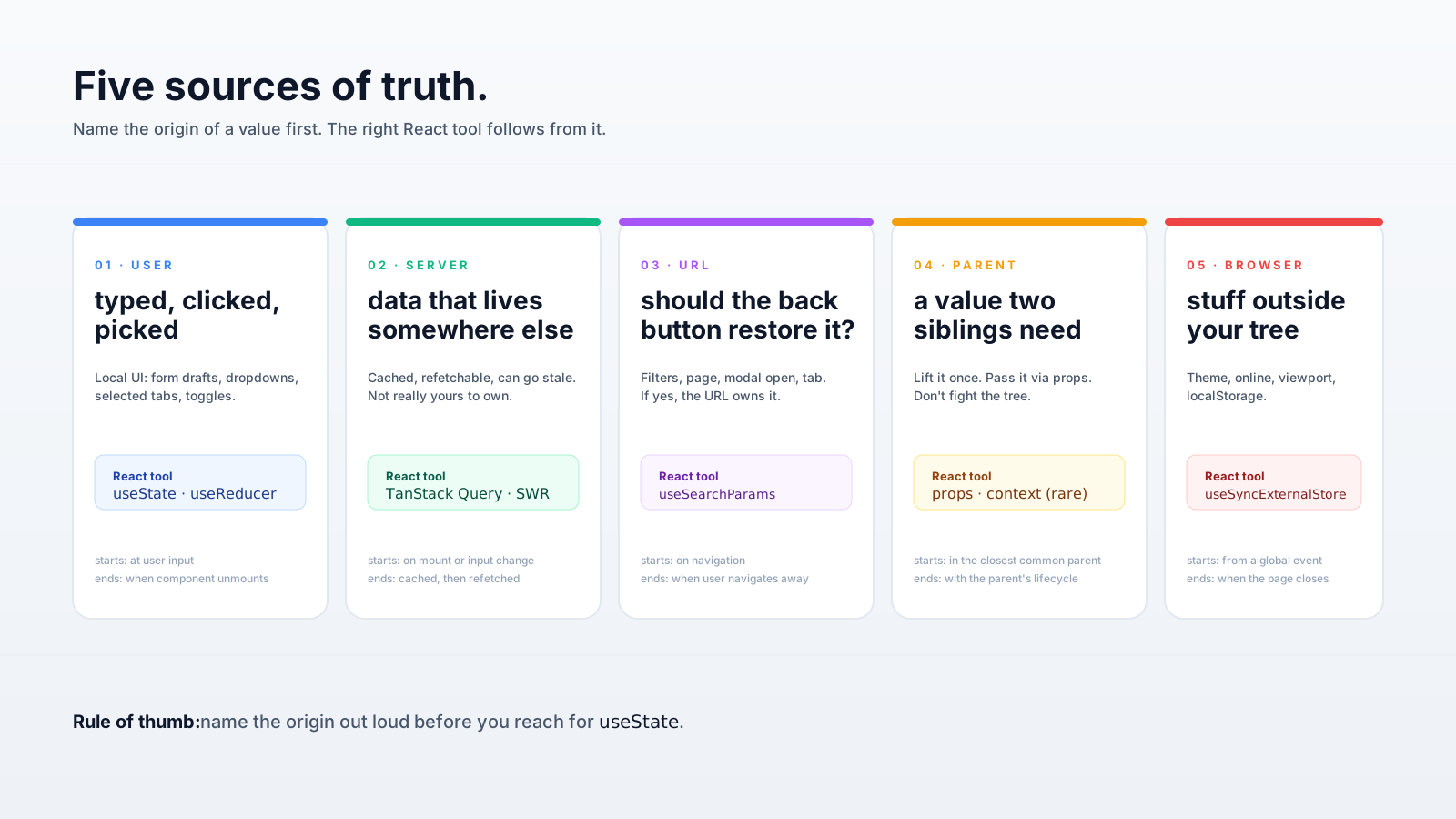
The most useful question to ask before reaching for useState is: where does this value actually come from?
State usually has one of five origins:
- The user. They typed, clicked, dragged, picked. This is what
useStatewas built for. - The server. A response that lives somewhere else and you happen to be showing. Caching libraries (TanStack Query, SWR, RTK Query) handle this much better than
useState+useEffect. - The URL. Filters, search params, current page, "is the modal open" — when these belong in the URL, the URL is the source of truth. Read it with
useSearchParams(Next.js) oruseLocation(React Router). - A parent component. Lift it up, pass it down, stop fighting it.
- The browser. Theme preference,
localStorage, online/offline, viewport size. Usually best wrapped in a small custom hook.
Once you can name the origin, the implementation almost picks itself. A user-typed query is useState. A "current user" loaded from /me is React Query. A ?tab=billing is the URL. A "is the sidebar collapsed" shared between two siblings is lifted state, or a tiny context.
Most state bugs I've debugged in the last few years started with the same mistake: treating server data like client state. Loading it once with useEffect, sticking it in useState, and then trying to handcraft caching, refetching, and invalidation by hand. It works for one screen. It does not work for ten.
The Closure Problem Nobody Warns You About
Here's a bug that's almost a rite of passage. You wire up a counter:
function Counter() {
  const [count, setCount] = useState(0);

  useEffect(() => {
    const id = setInterval(() => {
      setCount(count + 1);
    }, 1000);
    return () => clearInterval(id);
  }, []);

  return <p>{count}</p>;
}
Run it. The number flicks from 0 to 1 and stops forever. Why? The empty dependency array means the effect captures count at mount — value 0, frozen in time. Every tick of the interval calls setCount(0 + 1), which is just setCount(1).
There are two clean fixes. The functional updater is the one I reach for first:
setInterval(() => setCount((c) => c + 1), 1000);setCount always hands you the latest value, no closure trap. Or, if you genuinely need the latest count for some other reason, a ref:
const countRef = useRef(count);
useEffect(() => {
  countRef.current = count;
});
The deeper takeaway: state in React is not a variable, it's a snapshot. Each render captures the values it saw. If you forget that, you'll keep writing intervals, debounces, and event handlers that "work the first time and then go quiet."
When Local State Is Enough, Keep It Local
There's a common impulse — usually around the third feature shipped — to lift everything into a global store "just in case". Resist it. Most state in a React app is genuinely local: a dropdown is open, a button is loading, a form has a draft value. None of that needs Redux, Zustand, or context.
A small heuristic that's saved me from a lot of unnecessary refactoring:
- Local state if the value is read only by one component and its children.
- Lifted state (passed via props) if two siblings need to read or write it.
- Context if the value is read by deeply nested components and changes rarely — theme, current user, locale, feature flags.
- A real store (Zustand, Redux Toolkit, Jotai) if the value is read by many places and writes happen often.
Context is the one most teams misuse. It's easy to reach for, and every consumer re-renders on every change. Putting your fast-changing app state in a single context is a great way to make memoization mandatory just to keep the UI responsive. If your context provider holds five unrelated values, split it. Three small contexts beat one big one almost every time.
Async Makes Everything Worse, Predictably
Async work is where "looks fine" usually breaks. The classic example is a search input that fires a request on every keystroke. Type "abc" fast, three requests go out, they return out of order, and the UI shows results for "ab" because that response landed last. Type one wrong letter and you blame the API.
Two tools fix this:
useEffect(() => {
  if (!query) {
    setResults([]);
    return;
  }

  const controller = new AbortController();
  fetch(`/search?q=${encodeURIComponent(query)}`, {
    signal: controller.signal,
  })
    .then((r) => r.json())
    .then(setResults)
    .catch((err) => {
      if (err.name !== 'AbortError') console.error(err);
    });

  return () => controller.abort();
}, [query]);
Two important pieces here. The AbortController cancels the previous request when query changes. The cleanup function runs before the next effect runs, so by the time a new request starts, the old one is already on its way out. This pattern alone removes a whole category of bugs — no flags, no isMounted ref, no race conditions.
For real apps, you almost certainly want something like TanStack Query on top of this — it handles cancellation, retries, deduplication, and stale-while-revalidate without you writing any of it. But knowing what's underneath helps when something doesn't behave the way you expected.
A Short Tour Of The Smell List
Things I've learned to flag during code review, in roughly the order they show up:
- A
useStatewhose value can be computed from props or other state. Compute it during render, don't store it. - A
useEffectwhose only job is to keep one piece of state in sync with another. That's a sign the second piece shouldn't be state at all. - An empty dependency array around an effect that actually depends on something. Either the dependency belongs there, or you should be using a ref or a functional updater.
- A
setStatecall inside a callback that closes over old state. Hard to spot, easy to fix once you see it. - A context provider with five different fast-changing values jammed together. Split it, or move to a real store.
- A
useStateinitialiser doing real work on every render —useState(expensiveCompute())runsexpensiveComputeevery render even though only the first value is used. Wrap it:useState(() => expensiveCompute()).
None of these are exotic. They show up in every codebase I've ever opened, mine included.
So What Actually Changes Once You Internalise This?
Less code, mostly. Fewer useEffects. Fewer "wait, why is this re-rendering?" tickets. Fewer state setters that secretly disagree with each other.
The mental shift is small but lasting: state isn't decoration on top of UI, it's the wiring underneath. Every piece of state has an owner, a lifecycle, and a reason to exist. When the wiring is clean, components feel boring in the best way — they do the thing you'd expect them to do, no surprises, no haunted re-renders.
If you take one thing from this, take this: before you reach for useState, say out loud who owns this value and where the truth lives. Half the time the answer is "somewhere else", and the right move is not to add state at all.






