
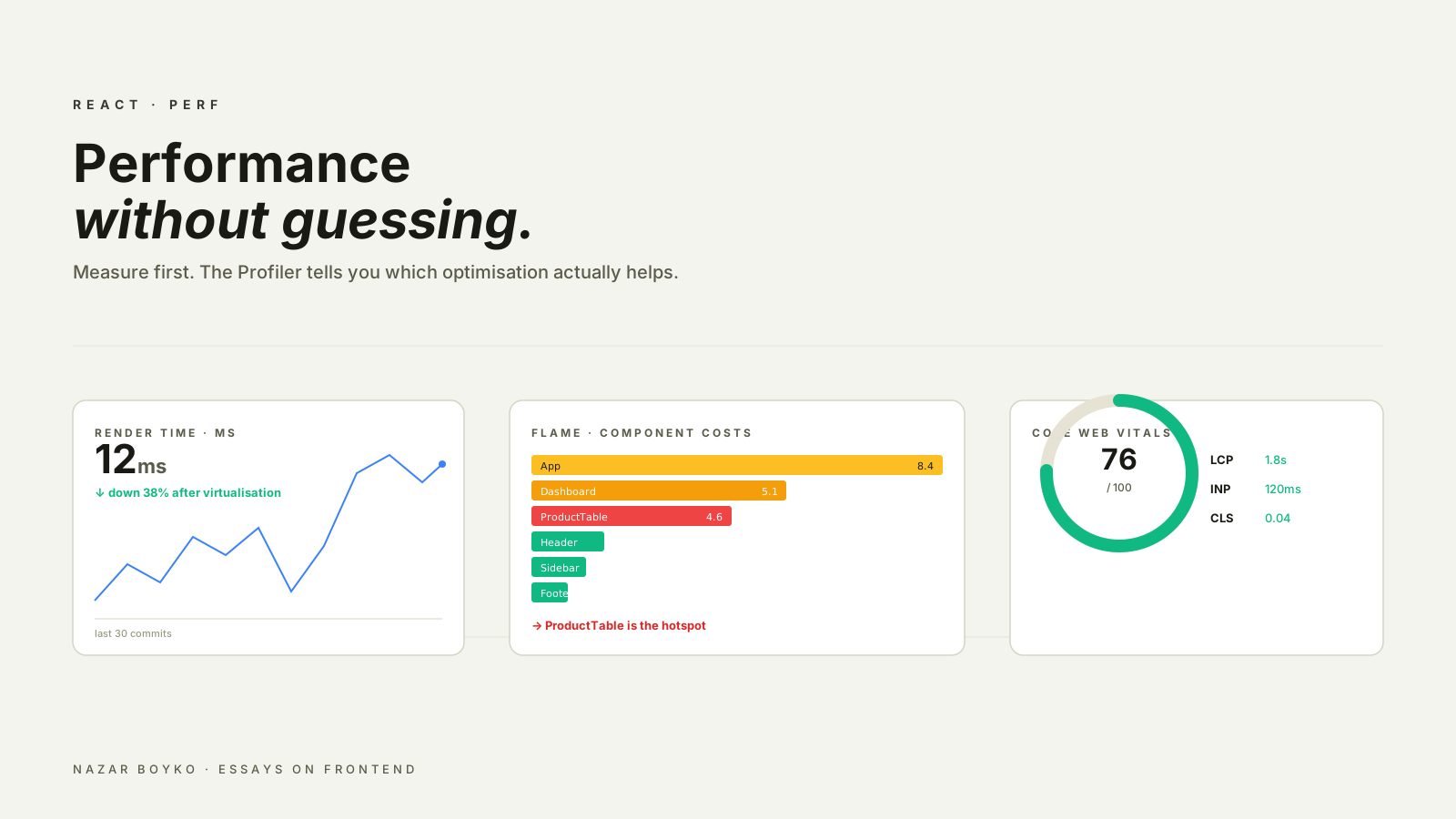
Most React performance advice on the internet is half-truths. "Wrap everything in useMemo." "Never use inline functions." "Replace Redux with Zustand." Some of these are sometimes correct, but applied universally they make the codebase worse and don't move the needle.
The honest version is shorter and a lot more boring: measure first, fix the bottleneck, measure again. There's a small set of techniques that actually matter, and a much larger set of micro-optimisations that don't. This article walks the first set, in roughly the order of payoff per hour spent.
Step Zero: Measure The Right Thing
Three different metrics, three different tools, three different problems:
- Web Vitals (LCP, INP, CLS). These are what your users actually feel and what Google ranks you on. Measure with Lighthouse, PageSpeed Insights, or — best of all —
web-vitalsin production with real users. - React render cost. The Profiler in React DevTools tells you which components rendered, how long they took, and why. This is for "the page feels janky after I click".
- Bundle size and load time. The Network tab and a bundle analyzer (
@next/bundle-analyzerfor Next,rollup-plugin-visualizerfor Vite). This is for "the page takes forever to load".
If you're reaching for useMemo before opening any of these, you're guessing. Don't guess. The Profiler especially has gotten very good — turn on "Record why each component rendered" in its settings and most performance bugs become obvious.
The High-Leverage Wins
In my experience, these five techniques cover almost every real performance problem, in this rough order of payoff:
1. List Virtualisation
If you're rendering a list with more than ~200 items, virtualisation is the single biggest win available. Render only what's visible, recycle DOM nodes as the user scrolls.
import { useVirtualizer } from '@tanstack/react-virtual';

function ProductList({ products }) {
  const parentRef = useRef(null);
  const rowVirtualizer = useVirtualizer({
    count: products.length,
    getScrollElement: () => parentRef.current,
    estimateSize: () => 80,
    overscan: 5,
  });

  return (
    <div ref={parentRef} style={{ height: 600, overflow: 'auto' }}>
      <div style={{ height: rowVirtualizer.getTotalSize(), position: 'relative' }}>
        {rowVirtualizer.getVirtualItems().map((row) => (
          <div
            key={row.key}
            style={{
              position: 'absolute',
              top: 0,
              left: 0,
              transform: `translateY(${row.start}px)`,
              height: row.size,
            }}
          >
            <ProductCard product={products[row.index]} />
          </div>
        ))}
      </div>
    </div>
  );
}
Same UI, dramatically less DOM. A 10,000-item list goes from "browser freezes for two seconds" to "scrolls smoothly". @tanstack/react-virtual and react-window are the two well-tested options.
2. Code Splitting
The fastest render is the one that doesn't have to download a megabyte of JavaScript first. React.lazy + Suspense lets you split routes and heavy components out of the initial bundle:
import { lazy, Suspense } from 'react';

const Reports = lazy(() => import('./Reports'));
const Charts = lazy(() => import('./Charts'));

function Dashboard() {
  return (
    <Suspense fallback={<Skeleton />}>
      <Routes>
        <Route path="/reports" element={<Reports />} />
        <Route path="/charts" element={<Charts />} />
      </Routes>
    </Suspense>
  );
}
The Reports and Charts chunks load only when the user navigates to them. Combined with route-based splitting in Next.js (which does this automatically per page), this is usually the biggest LCP win available. Run a bundle analyzer first — if a single chart library is half your JS, you've found your target.
3. Avoid Request Waterfalls
A waterfall is when each network request waits for the previous one to finish:
function Profile({ id }) {
  const user = useUser(id);                      // request 1
  const settings = useSettings(user?.id);        // waits for request 1
  const team = useTeam(settings?.teamId);        // waits for request 2
  // ... user sees a spinner for 600ms
}
Three sequential requests. If each takes 200ms, the user waits 600ms before anything renders. Most of the time, two of them could have run in parallel:
function Profile({ id }) {
  const user = useUser(id);                      // request 1
  const settings = useSettings(id);              // also independent — fire in parallel
  const team = useTeam(settings.data?.teamId);   // depends on settings
  // ... user waits ~400ms instead
}
Or, on the server side, fetch them all in one endpoint. React Server Components, GraphQL, or a simple "preload" endpoint each solve this differently. The principle is the same: the network is your slowest layer; don't make it serial when it can be parallel.
4. Memoisation, Done Right
React.memo, useMemo, and useCallback get all the attention because they're the most visible knobs. They also have the lowest payoff per use unless you measure first.
The cases where they actually help:
- A child component does genuinely expensive work (a chart, a big list, a complex layout calculation), and a parent re-renders often.
- A
useMemocaches a calculation that takes more than a millisecond. - A
useCallback's identity is consumed by aReact.memochild, a custom hook with that callback in its deps, oruseEffect.
The cases where they don't help (and slightly hurt by adding bookkeeping):
- Wrapping primitives in
useMemo(useMemo(() => name + '!', [name])). useCallbackfor handlers passed to non-memoised children.React.memo-ing components whose render is already cheap.
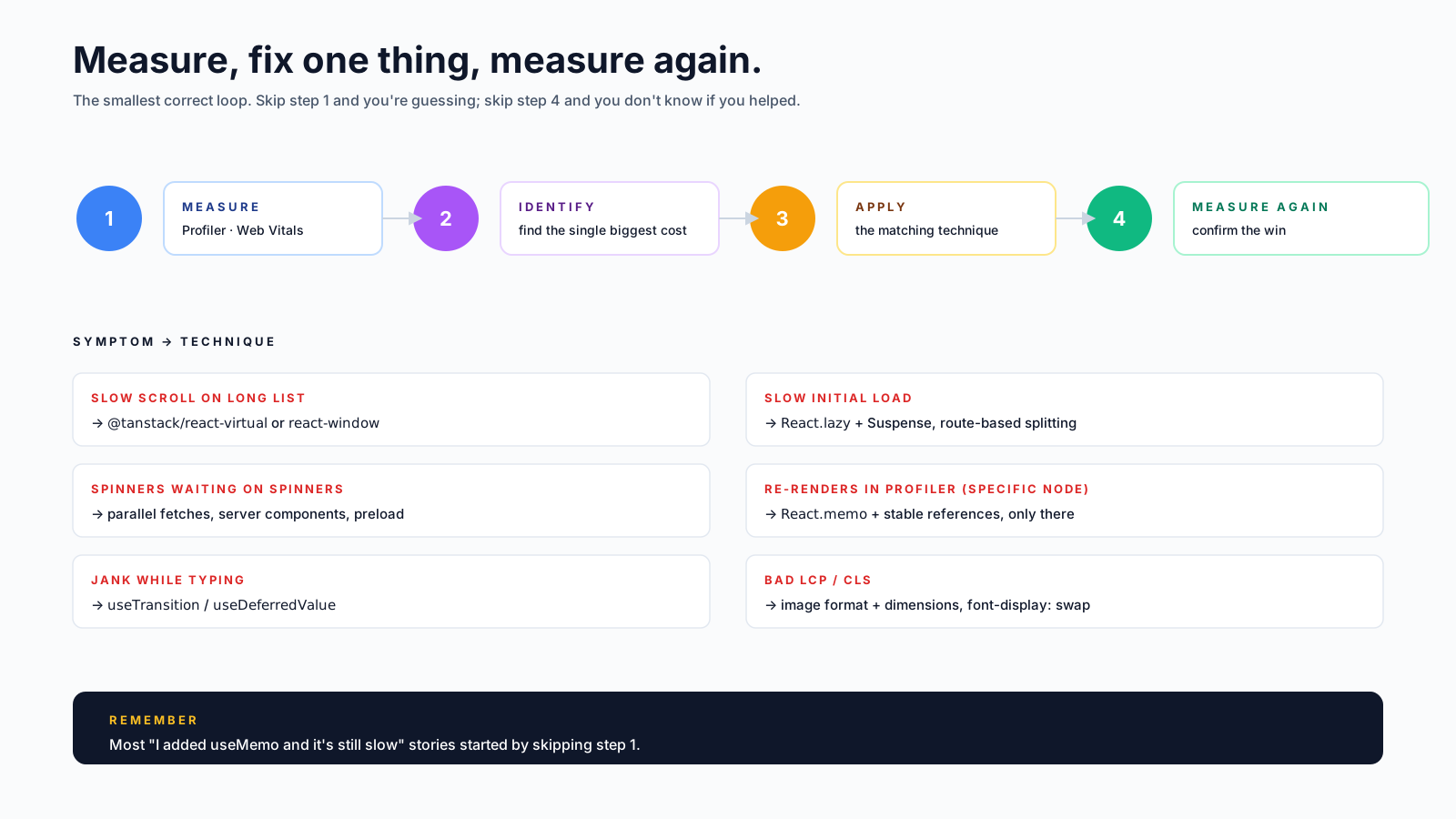
The Profiler shows you the cost per component. If a component renders in 0.2ms, memoising it doesn't make the app faster — it just makes the code longer. Save these tools for components that show up red in the Profiler.
5. Image And Font Optimisation
Easy to miss because it's not technically React, but it's where a lot of perceived performance lives.
- Use modern formats. AVIF or WebP, falling back to JPEG. Most CDNs do this automatically.
- Specify dimensions.
<img width={800} height={400}>lets the browser reserve space, killing layout shift (CLS). - Use
loading="lazy"for below-the-fold images. Native browser laziness, no library needed. - Self-host fonts or use
font-display: swap. Webfonts blocking render is a classic LCP killer. - In Next.js, use
<Image>. It does the format conversion, sizing, and lazy loading for you.
These changes look unrelated to React, but they are usually the biggest wins on Core Web Vitals.
A Few Honourable Mentions
Smaller wins that occasionally pay off:
useTransition/useDeferredValue. When typing in a search box freezes the UI, marking the heavy work as a transition lets React keep the input responsive. New in React 18.startTransitionfor state updates that can be slow. Same idea, imperative form.useSyncExternalStorefor external store reads that need to be tear-safe under concurrent rendering.- Web Workers for genuinely CPU-heavy work (parsing, encryption, fuzzy search). React doesn't help here, but moving the work off the main thread does.
These are situational. Don't reach for them unless the Profiler is pointing at a specific hot spot they fix.
What Doesn't Help As Much As People Say
- Switching state management libraries. Redux vs Zustand vs Jotai is mostly an ergonomics decision; performance difference is rarely visible to users.
- Removing TypeScript. Has zero runtime impact.
- Replacing arrow functions with named ones. Modern engines optimise these identically.
- Wrapping everything in
useMemo. As above — bookkeeping cost is real, savings often aren't. shouldComponentUpdatemicro-checks. The reconciler is fast. Save your micro-optimisations for code that's actually slow.
A Workable Process
The full loop, every time:
- Reproduce the slow case in a way you can profile reliably.
- Measure with the Profiler (for re-renders) or Lighthouse (for load time).
- Pick the single biggest cost the tool points to.
- Apply the matching technique from the list above.
- Measure again to confirm the improvement.
- Stop when the user-visible problem is gone.
The "stop" step is the underrated one. Performance work has diminishing returns, and the second-best optimisation is often invisible to the user. If the page feels good, ship it and go fix something else.
The fastest React app isn't the one with the most useMemos. It's the one whose owner measured, applied two techniques from this list, and then went back to building features.






