You've probably written a React test like this and felt like something was off:
test('Counter component', () => {
  const { container } = render(<Counter />);
  const button = container.querySelector('.counter-button');
  fireEvent.click(button);
  expect(container.querySelector('.counter-value').textContent).toBe('1');
});
It passes. It's green. The CI run is happy. And yet, the moment someone renames counter-button to btn-counter, or wraps the value in a different element, the test breaks — even though the counter still works perfectly. The test isn't checking that the counter counts. It's checking that the DOM looks the way it looked the day you wrote the test. Those are very different things.
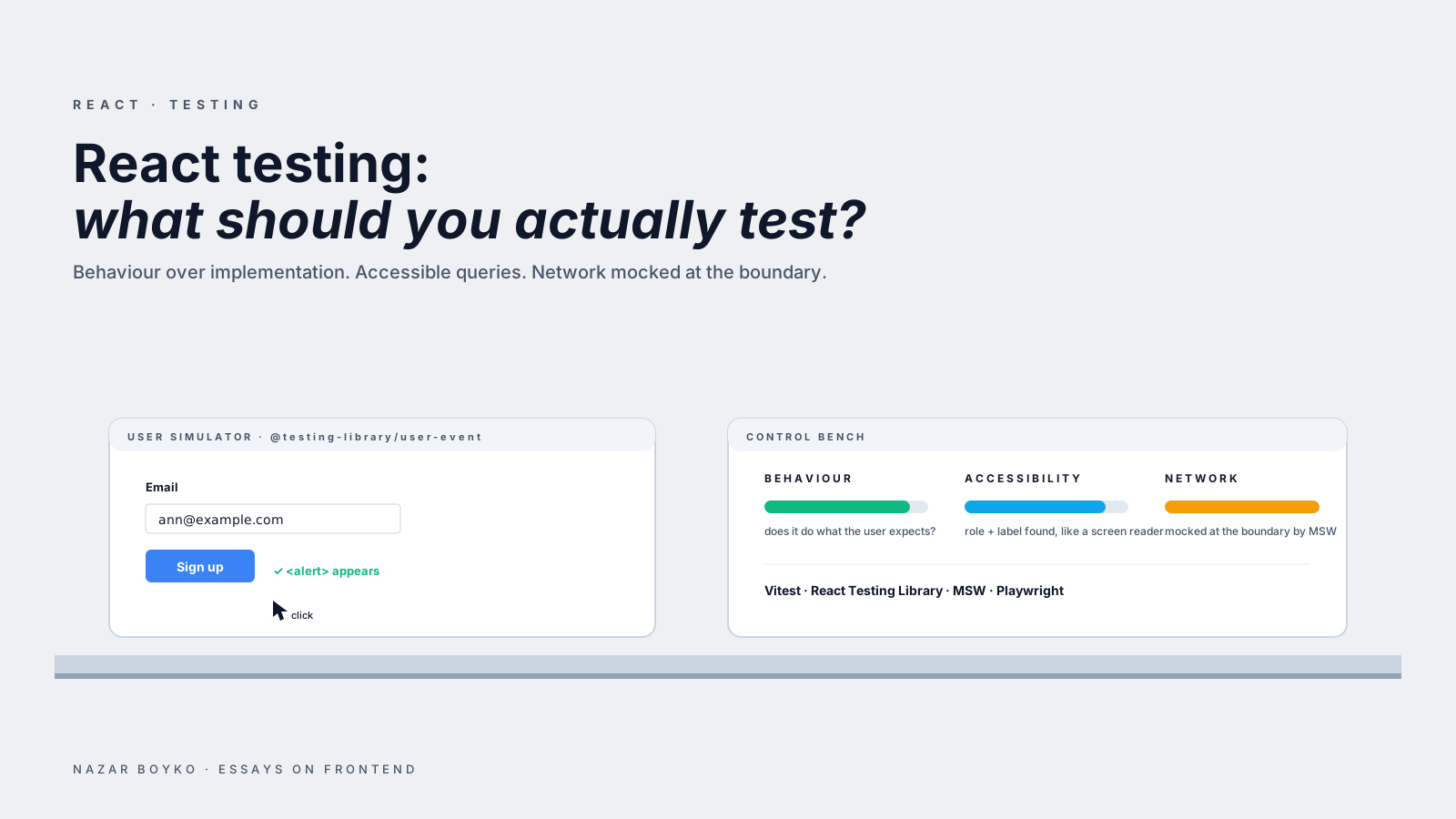
That gap — between the feature works and the test passes — is what React Testing Library was built to close. The whole library is one opinion, repeated in a hundred small API choices: test what the user does, not what the component is. If you've used RTL casually but your tests still feel brittle, you probably haven't fully internalised that opinion yet. Let's walk through what it changes in practice.
The implementation test trap
Before we talk about how to write good tests, it's worth looking at what bad ones have in common, because they all fail the same way.
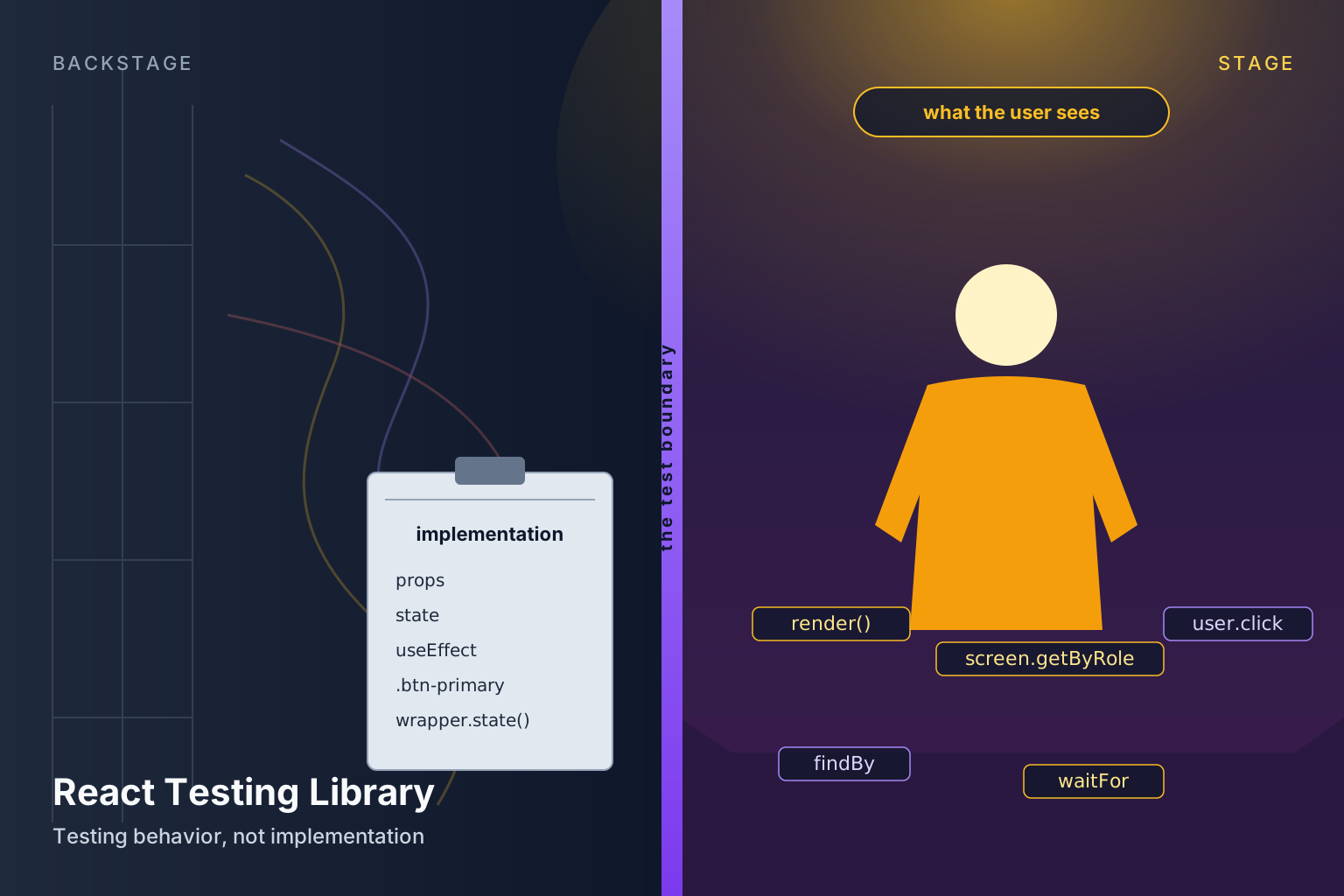
A test couples to implementation when it asserts on something only the developer would know — a class name, a piece of internal state, a hook's return value, a CSS selector that lives inside the component. None of those are things a user could see, click, or feel. They're scaffolding.
// title=Three flavours of "I tested the scaffolding"
// ❌ Asserts on a class name — breaks when you swap CSS frameworks
expect(button).toHaveClass('btn-primary');

// ❌ Asserts on the DOM tree shape — breaks the moment you add a wrapper div
expect(container.firstChild.firstChild.children).toHaveLength(3);

// ❌ Asserts on internal state — breaks if you refactor useState to useReducer
expect(wrapper.state('isOpen')).toBe(true);
That last one is straight out of Enzyme, and it's the clearest example of the trap: the test is checking the inside of the component, not the outside. If you refactor the component to use a reducer, or move state up to a parent, or replace it with a state machine, the test breaks. But the component is still doing the same thing — the user sees the same dropdown opening when they click the same button. The test broke for a reason that has nothing to do with whether the feature works.
That's the failure mode RTL is designed to make impossible. It doesn't expose component instances. It doesn't let you reach into state. It nudges you toward queries that look at the rendered DOM the way a user would — by role, by visible text, by accessible label. When you fight RTL, you're usually fighting that nudge.
The query hierarchy you should actually use
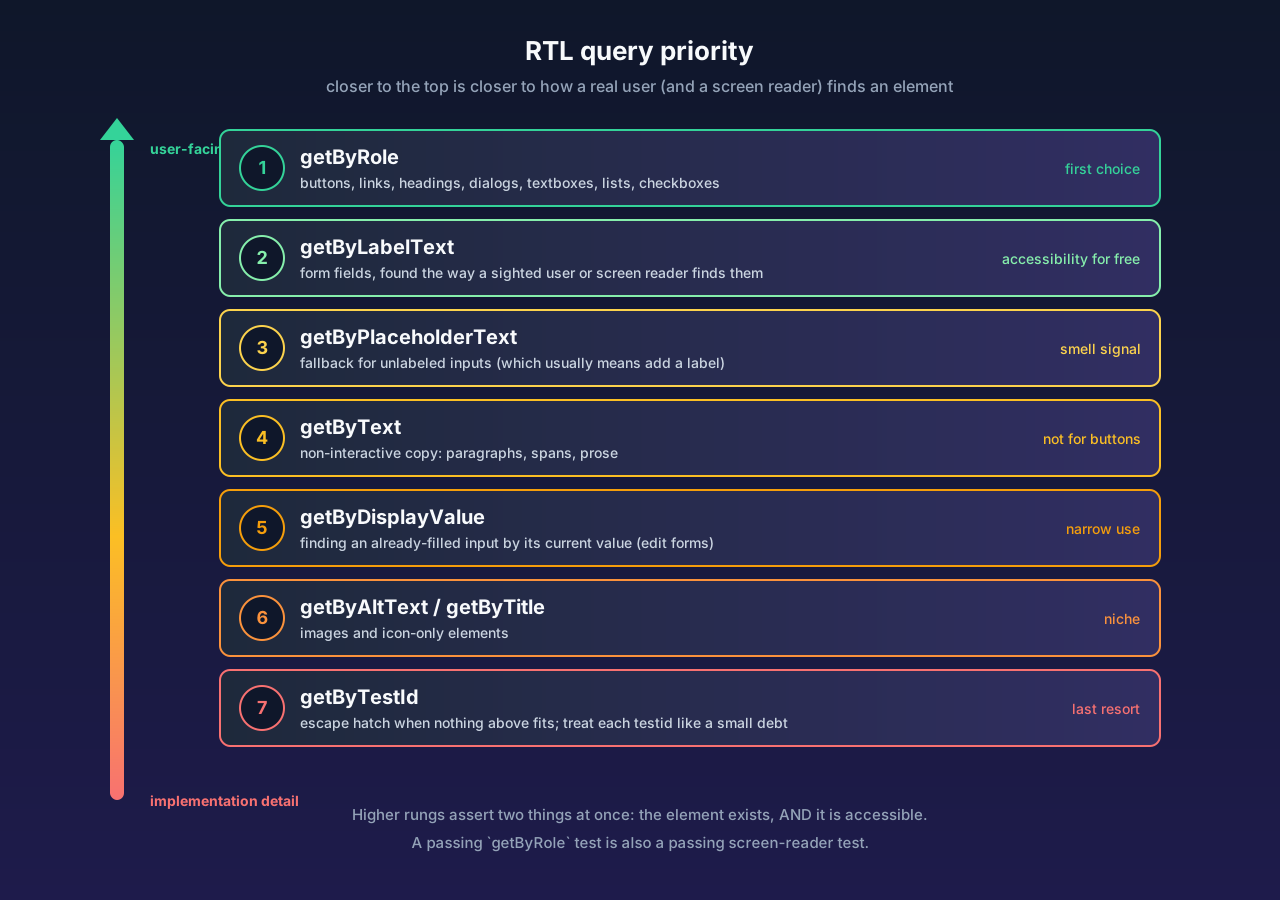
RTL has a lot of queries — getByRole, getByLabelText, getByPlaceholderText, getByText, getByDisplayValue, getByAltText, getByTitle, getByTestId — and the official docs spell out a priority order. Most people skim past it and reach for whatever query works. That's a mistake, because the order isn't arbitrary. It's roughly "how close is this query to how a real user (or a screen reader) finds the element?" The higher up the list, the more your test reflects real behaviour.
Here's the practical hierarchy, in the order you should try them:
getByRole— first choice for almost everything. Buttons, links, headings, textboxes, dialogs, alerts, lists, radios, checkboxes, navigation, banners. Combine with{ name: ... }to narrow it down by the element's accessible name. If you can usegetByRole, usegetByRole.getByLabelText— for form fields. This is how a sighted user finds an input ("the field next to Email") and also how a screen reader finds it. It implicitly checks that your form is labelled, which is an accessibility win for free.getByPlaceholderText— only when there's no label, which is usually a sign you should add a label.getByText— for non-interactive content. Paragraphs, spans, copy. Don't use this on buttons —getByRole('button', { name: 'Save' })is stronger because it also asserts the element is a button.getByDisplayValue— for finding an already-filled input by its current value. Useful in edit forms.getByAltText,getByTitle— niche, image-specific cases.getByTestId— escape hatch. Last resort. Use only when nothing else fits, and treat eachdata-testidlike a small debt.
Why does this order matter? Because the higher queries assert two things at once: that the element exists, and that it's accessible. A test that uses getByRole('button', { name: 'Submit' }) will fail if you accidentally render a <div> styled like a button, or if you forget to give it a name. The same test using getByTestId('submit-button') will pass — and then a screen-reader user will hit a wall in production.
Here's the same test rewritten three ways to make this concrete:
// title=Three takes on the same assertion
// 🟡 Works, but the test passes even if the button isn't really a button.
const button = screen.getByTestId('save-button');

// 🟢 Better — finds the visible text, but doesn't assert the role.
const button = screen.getByText('Save');

// 🟢🟢 Best — asserts it's a button AND has the right name. Closest to user behaviour.
const button = screen.getByRole('button', { name: 'Save' });
The third version will fail loudly if someone wraps "Save" in a span with an onClick handler instead of a real button. That failure is doing you a favour. It's how the test catches an accessibility regression before users do.
screen vs destructuring from render
A small habit that pays off: prefer screen.getByRole(...) over destructuring queries from the render return value. RTL exposes both — const { getByRole } = render(<Foo />) works fine — but screen is global and reads cleaner across larger tests. It also makes it easier to drop in screen.debug() when something isn't matching, which prints the rendered DOM to the console. That snippet alone has saved me from a lot of "why isn't it finding this button" head-scratching.
The exception is when you specifically need a method that's only on the render result — rerender, unmount, container. Reach for those when you need them, but for queries, default to screen.
user-event is not the same as fireEvent
The other place new RTL users trip is event simulation. RTL ships fireEvent from @testing-library/react, but the companion library @testing-library/user-event is what you actually want. They look similar:
// title=Two ways to "click" a button
import { fireEvent } from '@testing-library/react';
import userEvent from '@testing-library/user-event';

// fireEvent — dispatches a single synthetic click event. That's it.
fireEvent.click(button);

// user-event — simulates the full sequence a real user produces:
//   pointerdown → mousedown → pointerup → mouseup → click
// plus focus changes, hover state, and so on.
const user = userEvent.setup();
await user.click(button);
That extra realism matters more than it sounds. If your component listens for mousedown instead of click (some menus do, for early-close behaviour), fireEvent.click won't trigger it but user.click will. If your button focuses on click and you assert focus afterwards, user-event does the focus shift, fireEvent does not. If you user.type(input, 'hello'), you get five keystroke events with all the keydown/keyup pairs — which catches debounced handlers, IME issues, and onChange bugs that fireEvent.change papers over.
The current recommended pattern is:
// title=The user-event v14+ setup
import { render, screen } from '@testing-library/react';
import userEvent from '@testing-library/user-event';

test('submits the form', async () => {
  const user = userEvent.setup(); // call once at the top of each test
  render(<ContactForm />);

  await user.type(screen.getByLabelText('Email'), 'me@example.com');
  await user.type(screen.getByLabelText('Message'), 'hello');
  await user.click(screen.getByRole('button', { name: 'Send' }));

  expect(await screen.findByText('Thanks for reaching out!')).toBeInTheDocument();
});
A few things to notice here. Every user.* call is awaited — user-event is async from v14 onwards. userEvent.setup() is called once per test (or in a beforeEach) and returns a user instance with the same API. And the assertion at the end uses findByText, not getByText — which is the next pattern worth covering on its own.
findBy, queryBy, getBy — when each one is right
RTL gives you three query families for every kind of selector. They look almost the same. They behave very differently when something is missing.
getBy*— synchronous. Throws immediately if the element isn't there. Use when the element should already be in the DOM at the moment of the assertion.queryBy*— synchronous. Returnsnullif the element isn't there, instead of throwing. Use only when you want to assert that something is not present.findBy*— asynchronous. Returns a promise. Polls the DOM until the element appears (or the timeout hits, default 1 second). Use whenever something appears after a state change, an effect, or a network call.
The cheat sheet I keep in my head:
// title=Pick the right query for the right moment
// Present right now? Use getBy.
expect(screen.getByRole('heading', { name: 'Sign in' })).toBeInTheDocument();

// Should not be present? Use queryBy + .not.
expect(screen.queryByRole('alert')).not.toBeInTheDocument();

// Will appear after some async work? Use findBy.
expect(await screen.findByText('Saved!')).toBeInTheDocument();
Mixing these up produces the two most common RTL test smells: tests that hang (because someone reached for getBy on an element that hasn't rendered yet, and then bolted on a manual sleep), and false-positive negative assertions (because getBy throws when the element is missing, so expect(screen.getByX(...)).not.toBeInTheDocument() will never reach the .not — the query throws first). For "not in the DOM", you almost always want queryBy and .not.toBeInTheDocument().
Async, waitFor, and act
Once you have a few async components — anything fetching data, anything with useEffect, anything with a transition — you'll meet waitFor. It's the lower-level cousin of findBy: you pass it an assertion function, and it polls until the assertion stops throwing or the timeout hits.
// title=waitFor for assertions that aren't "element appears"
import { waitFor } from '@testing-library/react';

await waitFor(() => {
  expect(mockSave).toHaveBeenCalledWith(
    expect.objectContaining({ email: 'me@example.com' })
  );
});
Use waitFor for assertions that aren't "an element shows up" — for spies, for calculated state, for things you can't grab with a query. For "an element shows up", prefer findBy* because it reads cleaner and gives you a better error message.
A few rules of thumb that will save you debugging time:
- One assertion per
waitFor. If you put multipleexpects inside, and the first one fails,waitForkeeps retrying. Your test eventually times out 1 second later instead of failing in 5ms. Split them. - No side effects in
waitFor. Don't calluser.clickinside —waitFormay run it many times. - Don't
await waitFor(() => {})with an empty body. That's a sleep in disguise. UsefindBy*if you're waiting for an element; mock the thing properly if you're waiting for a network call.
And act — the warning everyone hits eventually. "An update to X inside a test was not wrapped in act(...)". The honest answer in 2026 is: you almost never need to call act yourself. RTL's render, findBy*, waitFor, and the user-event API all wrap updates in act internally. If you're seeing the warning, it's usually a sign that you're either firing an event synchronously without awaiting, or that some async work is happening after your test finishes (a stray promise resolving, a leftover timer). Fix the source, don't sprinkle act over the symptom.
Mocking network calls without coupling to fetch
A big chunk of brittle component tests come from how they mock the network. The fragile pattern looks like this:
// title=The brittle way
import * as api from '../api';

test('shows users', async () => {
  jest.spyOn(api, 'getUsers').mockResolvedValue([{ id: 1, name: 'Ann' }]);
  render(<UserList />);
  expect(await screen.findByText('Ann')).toBeInTheDocument();
});
This works — until the component starts using a different function, or a query hook, or a service worker. The test is married to one specific implementation of how the component fetches users. The better pattern is to mock at the network boundary with MSW (Mock Service Worker), which intercepts actual HTTP requests during the test:
// title=The portable way
import { http, HttpResponse } from 'msw';
import { setupServer } from 'msw/node';

const server = setupServer(
  http.get('/api/users', () => HttpResponse.json([{ id: 1, name: 'Ann' }]))
);

beforeAll(() => server.listen());
afterEach(() => server.resetHandlers());
afterAll(() => server.close());

test('shows users', async () => {
  render(<UserList />);
  expect(await screen.findByText('Ann')).toBeInTheDocument();
});
The component can fetch with fetch, with axios, with useQuery, with a custom client — the test doesn't care. MSW responds at the network layer, the same way a real backend would. That decoupling means you can refactor the data layer without rewriting a single test, which is one of the most concrete forms "test behaviour, not implementation" takes in practice.
Common brittle patterns and what to replace them with
Once you've internalised the philosophy, the remaining brittle tests in a codebase tend to be a handful of repeating shapes. Here's the most useful "find and replace" pass to do on an old suite.
Snapshot tests on whole components. Snapshots have their uses — a tiny presentational component with no logic is a defensible candidate. But snapshotting a 200-line tree means every accessibility tweak, every wrapper div, every Tailwind class shuffle invalidates the snapshot. The signal-to-noise is terrible. Replace with a few focused getByRole assertions on the parts that matter.
Asserting on prop calls instead of effects. A test that says "we called onSubmit with { name: 'Ann' }" is fine for a leaf form. But if you're testing a page-level component, asserting that it called a service is one step removed from what the user actually experiences. Where you can, assert on the visible result instead — the success toast, the navigation, the row appearing in the table. Save the spy assertions for cases where the visible result is genuinely hard to reach.
Using data-testid as the default query. Each data-testid is a small contract between a component and its test that doesn't exist anywhere else in the app. If you have hundreds of them, you've built a parallel querying system that doesn't reflect anything users or assistive tech can see. Audit them with one question: "could I find this element by role or label instead?" For 80% of them, the answer is yes.
Tests that re-test what React already guarantees. "It renders the prop value." "It calls setState when clicked." Those tests aren't checking your component — they're checking that React works. React works. Test what your component does with the props, not whether the props pass through.
Asserting on the absence of an element by getBy. Worth repeating because it bites everyone at least once:
// ❌ Throws on the query, never reaches .not.
expect(screen.getByRole('alert')).not.toBeInTheDocument();

// ✅ queryBy returns null when missing, which .not.toBeInTheDocument can handle.
expect(screen.queryByRole('alert')).not.toBeInTheDocument();
When data-testid is actually fine
It's worth saying out loud: data-testid isn't evil. There are cases where it's exactly the right tool. A custom canvas component with no accessible structure. A purely visual element like a chart sparkline. A scenario where you have ten near-identical rows and the role-based query would return all of them. In those cases, a testid is honest scaffolding for the test.
The rule of thumb is: a data-testid should describe something the user can't see but you need to test — not duplicate something the user can see. data-testid="save-button" on a <button>Save</button> is duplication. data-testid="user-row" on a row in a virtualised table you can't otherwise distinguish is a useful affordance.
The mental model that makes RTL click
If you take one habit away from all of this, make it this: when you sit down to write a test, describe the test out loud as a user. Not as a developer.
"The user opens the form, types their email, types a message, clicks Send. They expect to see a confirmation message."
That sentence, in order, becomes:
test('confirms after sending', async () => {
  const user = userEvent.setup();
  render(<ContactForm />);

  await user.type(screen.getByLabelText('Email'), 'me@example.com');
  await user.type(screen.getByLabelText('Message'), 'hello');
  await user.click(screen.getByRole('button', { name: 'Send' }));

  expect(await screen.findByText(/thanks for reaching out/i)).toBeInTheDocument();
});
Read that test side by side with the sentence. Every word in the sentence maps to a line in the test, in order. Nothing in the test talks about state, hooks, props, classes, or DOM structure. If you refactor ContactForm to a state machine, swap your form library, restyle the button, or move the success message into a different element — the test still passes. That's a test that pays for itself.
Tests that look like that are the ones you're glad to have at 3 a.m. when something breaks. They tell you what's actually wrong from the user's point of view, not what shifted underneath. That's the whole game.