
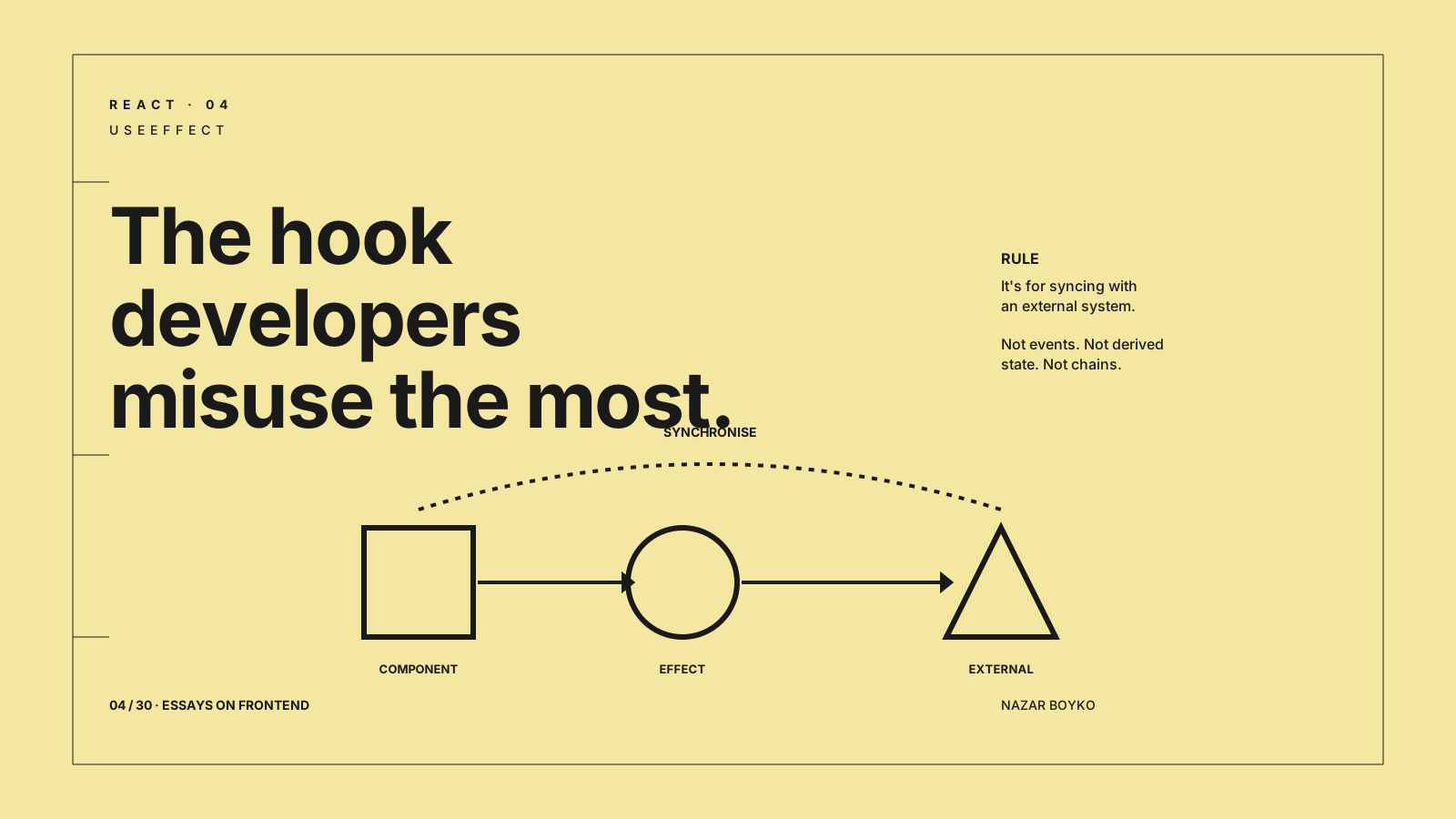
useEffect is the most powerful and the most misused hook in React. The official docs spend a long time on this for a reason. Most of the gnarly bugs I've debugged in React apps — stale data, double fetches, infinite loops, "why does this run twice?" — trace back to a single mistake: someone reached for useEffect when they should have reached for something else.
The shortest correct definition is the one from the React docs themselves: useEffect is for synchronising your component with an external system. If your effect doesn't talk to the outside world, it probably shouldn't be an effect.
Let's look at the four most common misuses, what they look like, and what to do instead.
Misuse #1: Fetching Data
This is the textbook example. Almost every React tutorial written between 2019 and 2022 has a snippet like this:
function UserProfile({ id }) {
  const [user, setUser] = useState(null);
  const [loading, setLoading] = useState(true);

  useEffect(() => {
    setLoading(true);
    fetch(`/api/users/${id}`)
      .then(r => r.json())
      .then(setUser)
      .finally(() => setLoading(false));
  }, [id]);

  if (loading) return <Spinner />;
  return <Profile user={user} />;
}
It looks fine. It's broken.
Race condition: type fast in a search box and the older request can resolve after the newer one, overwriting fresh data with stale data. No deduplication: two components asking for the same id will fire two requests. No retry: if the network blips, the user sees an error forever. No cache: navigate away and back, refetch from scratch. No revalidation when the window refocuses. No way to share the loading state.
The honest fix is to stop treating server data like component state. Use a library that's designed for it:
import { useQuery } from '@tanstack/react-query';

function UserProfile({ id }) {
  const { data: user, isLoading } = useQuery({
    queryKey: ['user', id],
    queryFn: () => fetch(`/api/users/${id}`).then(r => r.json()),
  });

  if (isLoading) return <Spinner />;
  return <Profile user={user} />;
}
You get cancellation, deduplication, retries, caching, refetch-on-focus, and stale-while-revalidate for free. SWR and RTK Query are equally good — pick one and stop hand-rolling fetches.
If you genuinely cannot use a library, the bare-minimum correct version uses AbortController and a mounted flag:
useEffect(() => {
  const controller = new AbortController();
  fetch(`/api/users/${id}`, { signal: controller.signal })
    .then(r => r.json())
    .then(setUser)
    .catch(err => {
      if (err.name !== 'AbortError') setError(err);
    });
  return () => controller.abort();
}, [id]);
This is correct, but it's solving a problem you can avoid entirely.
Misuse #2: Deriving State
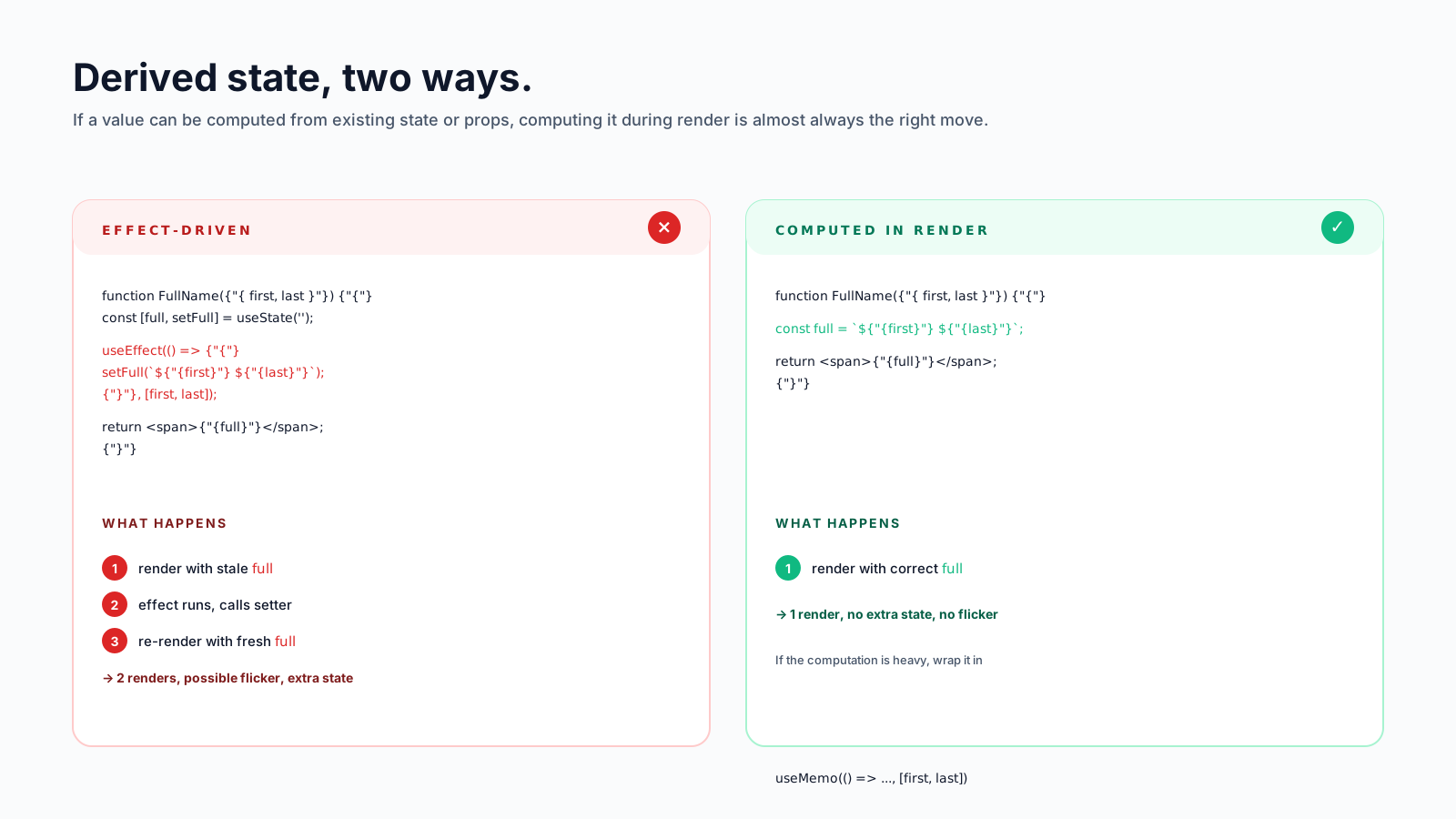
function FullName({ first, last }) {
  const [full, setFull] = useState('');

  useEffect(() => {
    setFull(`${first} ${last}`);
  }, [first, last]);

  return <span>{full}</span>;
}
This is the canonical wrong shape of useEffect. It does extra work, it renders twice for one change (once with stale full, once with updated full), and it adds a piece of state that didn't need to exist.
Just compute it during render:
function FullName({ first, last }) {
  const full = `${first} ${last}`;
  return <span>{full}</span>;
}
If the computation is genuinely expensive — parsing a big string, filtering thousands of items — wrap it in useMemo. If it's not expensive, don't even reach for that. The fastest synchronisation is the one that doesn't happen because there's nothing to synchronise.
The React docs gave this misuse a name: "adjusting state when a prop changes". Whenever you see a useEffect whose only job is to call a setter, ask yourself if you could just use the value directly instead.
Misuse #3: Reacting To Events
This one is sneakier. It's a useEffect that watches for a state change so it can respond to a user action:
function CheckoutButton({ items }) {
  const [submitted, setSubmitted] = useState(false);

  useEffect(() => {
    if (submitted) {
      sendAnalytics('purchase', items);
      navigate('/thanks');
    }
  }, [submitted]);

  return <button onClick={() => setSubmitted(true)}>Buy</button>;
}
The bug here is conceptual. The user clicked. You know what happened, when, and why — the click handler was right there. Why detour through state to figure it out again?
function CheckoutButton({ items }) {
  const handleClick = () => {
    sendAnalytics('purchase', items);
    navigate('/thanks');
  };
  return <button onClick={handleClick}>Buy</button>;
}
If you need to do something because the user did X, do it in the handler. Effects are for synchronising with external systems — not for re-discovering what just happened in your own UI.
The classic give-away: a useEffect whose body has an if (someState) at the top. That if is almost always reconstructing intent that was clearer in the handler that set the state.
Misuse #4: Chains Of Effects
Once you've put one piece of derived state behind useEffect, the temptation is to add another that depends on it:
const [country, setCountry] = useState('');
const [city, setCity] = useState('');
const [zip, setZip] = useState('');

useEffect(() => { setCity(''); setZip(''); }, [country]);
useEffect(() => { setZip(''); }, [city]);
Multiple renders to clear three fields, with the cascade spread across separate render passes — each effect waits for the previous render to commit before its setter fires. If you're unlucky, the user sees a brief flicker as the dependent fields catch up. The shape is wrong: this is one event (the user picked a new country) handled in three places.
Move the logic into a single function:
function selectCountry(next) {
  setCountry(next);
  setCity('');
  setZip('');
}
All three setters fire in the same event handler, so React 18's automatic batching collapses them into a single render. No cascade. No flicker. The state machine is visible in one place.
When useEffect Is Right
useEffect is the right answer when you're synchronising with something React doesn't manage:
- Subscribing to a WebSocket, an event emitter, or an
addEventListener - Manually controlling a third-party widget (a chart library, a map)
- Syncing scroll position, focus, or
document.title - Reading from
localStorage(paired withuseSyncExternalStoreif you want concurrent-safe reads)
The shape of these effects is always similar: set up a connection to something outside React, return a cleanup that tears it back down.
useEffect(() => {
  const socket = io('/notifications');
  socket.on('message', handleMessage);
  return () => socket.disconnect();
}, []);
If the body of your effect doesn't subscribe to something or talk to a non-React API, it's worth pausing and asking what it's actually doing.
A Quick Diagnostic
Whenever you write useEffect, run this checklist before you save:
- Is this synchronising with an external system? If no, ask why it's an effect.
- Could this be a derived value? If yes, compute it during render.
- Could this be in an event handler? If yes, move it.
- Is the dependency array honest? Lying to the linter ("I'll just disable it for one line") is how stale closures get into production.
- Is there a cleanup? Subscriptions, timers, and listeners need one. Without it, you'll leak something.
Most React bugs I've helped debug in the last few years would have been caught by question 1 alone. useEffect is a sharp tool — it does what you ask it to do, exactly when you ask, with no judgement. The skill is knowing what to ask of it.






