
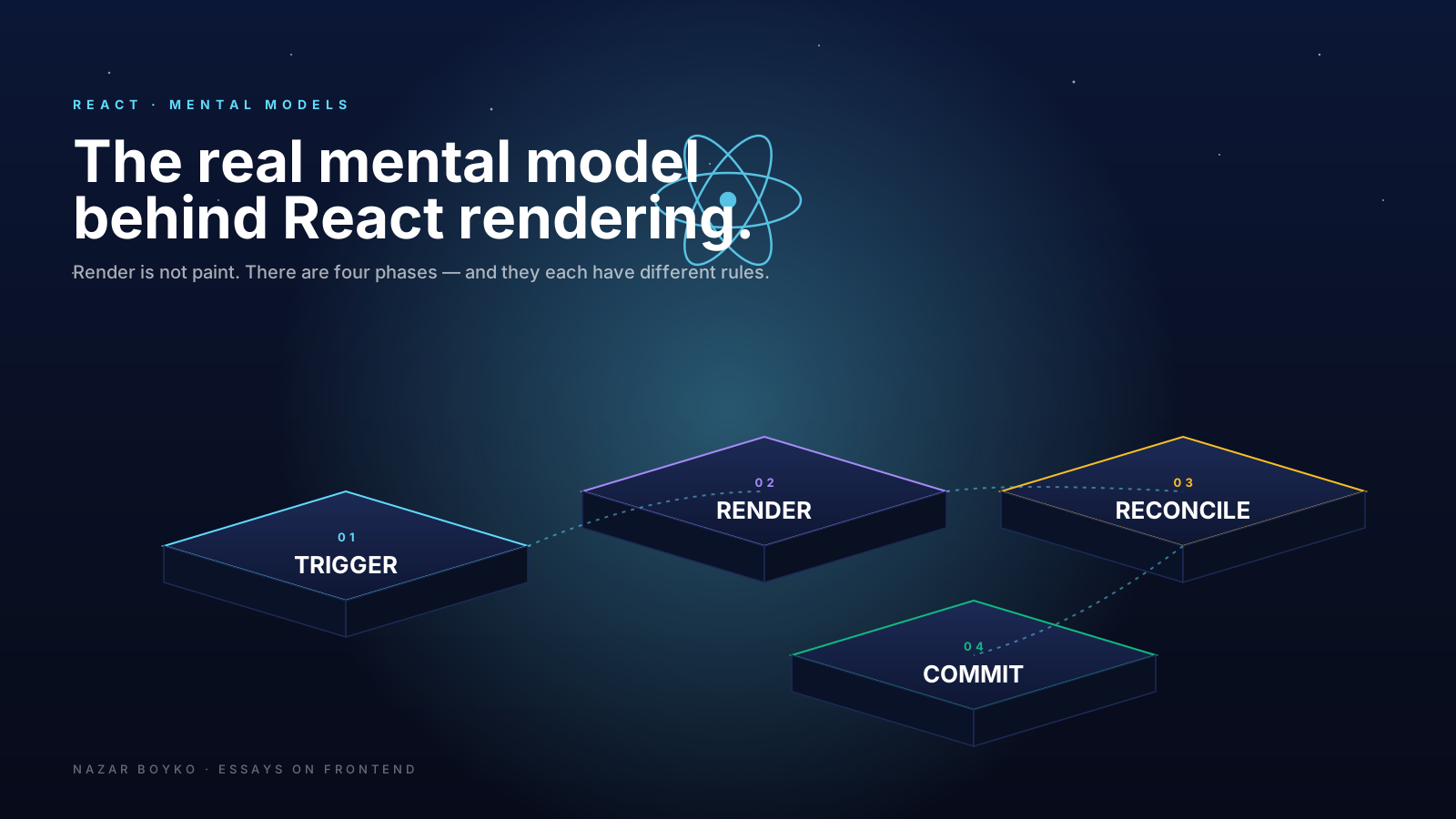
If you've ever stared at a React component, watched it render seven times in DevTools for what looked like one click, and quietly muttered "but why" — this article is for you. React rendering feels mysterious until you stop thinking about it as one thing. It's not. It's four things, and they happen at different times, for different reasons.
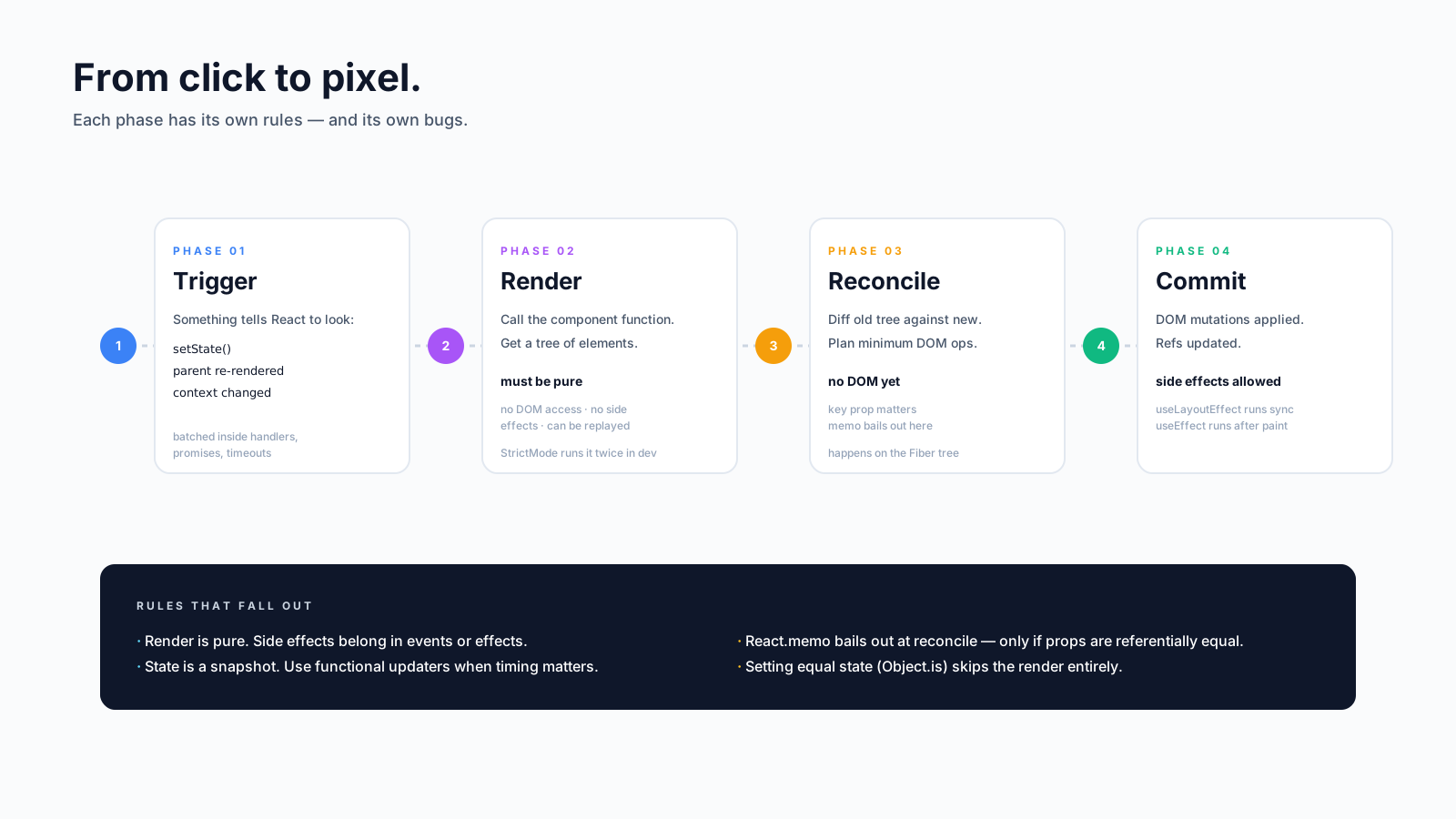
Here's the mental model worth keeping: trigger → render → reconcile → commit. We'll walk each phase, with code, and then a few of the surprises that fall out of it.
"Render" Means More Than One Thing
The word "render" gets overloaded. React docs use it for the render phase. Browsers use it for painting pixels. Most blogs use it as a synonym for "this function ran". They are not the same.
When React talks about rendering your component, it means: call your function, get a description of UI back, compare it to the previous one. No DOM is touched yet. The DOM updates happen later, in a separate phase called commit. And the browser paints pixels even later than that — after your code is done, when the main thread is free.
Here's a tiny experiment that shows it:
function Counter() {
  const [count, setCount] = useState(0);
  console.log('render', count);

  useLayoutEffect(() => {
    console.log('layout effect — DOM is updated, not yet painted');
  });

  useEffect(() => {
    console.log('effect — paint has happened');
  });

  return <button onClick={() => setCount(c => c + 1)}>{count}</button>;
}
Click the button once and you'll see, in order: render 1, layout effect, effect. Three different points in the lifecycle. Most "why is this slow?" debugging starts with figuring out which of these three you're actually looking at.
The Four Phases, In Order
1. Trigger. Something tells React the UI might be out of date. There are exactly three triggers:
- A state setter is called (
setCount,dispatch,setState). - A parent component re-renders, so this component re-renders too.
- A subscribed context value changed.
That's it. There is no fourth way. Props "changing" is just the second case in disguise — props change because the parent re-rendered and passed new ones.
2. Render. React calls your component function. It returns JSX, which is just React.createElement(...) calls under the hood — a plain object describing what you want the UI to look like. This phase is supposed to be pure: no DOM access, no API calls, no Math.random() outside of a useState initialiser. React leans on that purity hard in concurrent mode, where it might call your component, throw the result away, and call it again.
3. Reconcile. React compares the new element tree to the previous one and figures out the smallest set of DOM changes needed. This is the famous "virtual DOM diff", though the React team prefers to call it the Fiber tree these days. Most of the work is just walking two trees in lockstep.
4. Commit. React applies the DOM changes (insert, update, remove), then runs useLayoutEffect callbacks synchronously. Once the browser paints, useEffect callbacks run.
Why A Parent Re-Render Visits Its Children
This trips people up constantly. You change one useState near the top of a tree, and DevTools highlights ten components below. "But none of them changed!" Right — but React doesn't know that yet.
When a component re-renders, React re-renders all of its descendants by default. Not because props changed, but because React needs to call them to find out what they would render this time. If the result is identical to last time, the reconciler notices and the commit phase does nothing — but your component function still ran.
This is usually fine. Your render functions should be cheap. But when a child's render is genuinely expensive (a big list, a complex chart), you can opt out:
const ProductList = React.memo(function ProductList({ products }) {
  return products.map(p => <ProductCard key={p.id} product={p} />);
});
React.memo skips the render if props are referentially equal to last time. That last word is doing a lot of work — pass a freshly-built object or array as a prop and memo is useless, because every render produces a new reference. We'll come back to this in the article on useMemo and useCallback.
State Updates Are Batched
If you click a button that calls three setters in a row, how many renders happen?
function onClick() {
  setA(1);
  setB(2);
  setC(3);
}
One. React 18 batches state updates inside event handlers, promises, timeouts, and native callbacks — anywhere, basically. All three setters mark state as dirty, and React renders once with the combined result. This is called automatic batching, and it's the reason you should rarely worry about "too many setStates in a handler".
The corollary: if a setter receives the same value (Object.is equal), React skips re-rendering the descendants and skips effects. setCount(0) when count is already 0 is effectively a no-op for the rest of the tree. (React may still re-invoke the component itself once before the bail-out kicks in, but nothing further.) This is also why setItems(items) — passing the same array reference — does nothing useful, and why immutable updates matter.
StrictMode Will Render Your Component Twice
In development, React's <StrictMode> deliberately double-invokes your component function on every render. If your component prints render twice for one update, that's not a bug — that's StrictMode looking for impure code.
let id = 0;
function BadComponent() {
  const myId = ++id; // side effect during render — broken
  return <div>{myId}</div>;
}
In StrictMode, the second invocation reveals the problem: myId is now 2 instead of 1. The fix is to keep render pure and put side effects in useEffect or a useState initialiser. StrictMode is annoying the first time you meet it. After that, it's the cheapest bug-finder you'll ever own.
This double-invoke is dev only. Production runs your component once per render, like you'd expect.
The Concurrent Twist: Renders Can Be Thrown Away
In React 18+, certain updates (anything started inside useTransition, or triggered by useDeferredValue) are interruptible. React can start rendering, notice that a higher-priority update came in, throw the partial result away, and start over.
const [isPending, startTransition] = useTransition();

const handleSearch = (next) => {
  setQuery(next);              // urgent — must render fast
  startTransition(() => {
    setResults(filter(next));  // can be interrupted
  });
};
This is why purity matters more in concurrent React than it used to. Your component might be rendered, paused, resumed, or restarted. If it logs to analytics during render, you'll send phantom events. If it mutates a module-level cache, you'll corrupt it. The rule "render is pure" stops being a style preference and becomes a correctness requirement.
Three Rules That Fall Out Of This Model
Once you internalise the phases, three habits start to make sense without anyone telling you:
- Keep render pure. No API calls, no logging side effects, no DOM reads. Move them into effects, refs, or event handlers — places that run after commit.
- Treat state as a snapshot. Each render captures its own values.
setCount(c => c + 1)is safer thansetCount(count + 1)whenever timing is involved (intervals, debounces, batches). - Reach for
memoafter measuring. If render is cheap, the reconciler is fast and you'll save microseconds at the cost of readability. If render is genuinely expensive, profile, then memoise the prop tree carefully.
The fastest way to get good at debugging React is to ask "which phase is this question about?" before anything else. Why does my console.log fire twice? Render. Why is the screen flashing? Commit, probably layout-effect ordering. Why are my numbers wrong after a click? State snapshot — closure trap. The phases give you the vocabulary, and the vocabulary gives you the bug.






