Web Components are one of those technologies that have been "about to win" for fifteen years. The story has slowly become more honest: they didn't replace frameworks, they didn't kill React or Vue, and they didn't make framework choice irrelevant. What they did do is become a perfectly good boundary for a specific kind of work — the work where multiple frameworks have to coexist, or where a UI element needs to outlive any single framework decision.
Vue 3 has first-class support for both sides of that conversation. You can consume custom elements written in any framework (or no framework), and you can produce custom elements from your Vue components. The hard part isn't the API. The hard part is knowing when the boundary is worth the tradeoffs the platform forces on you.
This piece is about those tradeoffs. Where Web Components earn their keep in a Vue project, and where they don't.
Vue Already Treats Custom Elements Properly
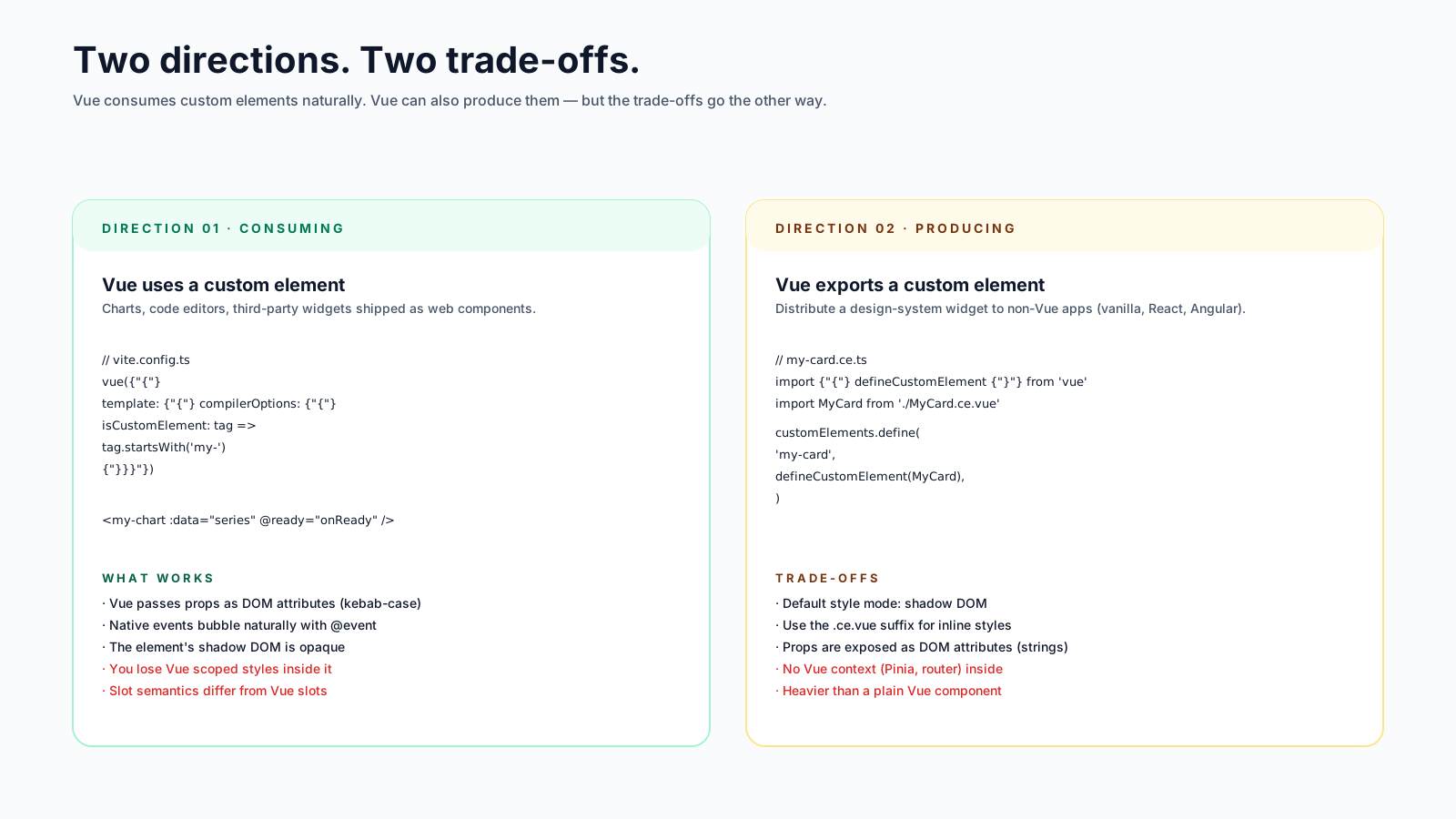
If you just want to use a third-party Web Component in a Vue template, the support is built in. Vue's compiler treats unknown HTML elements as custom elements as long as you tell it which ones to expect. The configuration goes in the build tool, not the component:
// vite.config.js
import vue from '@vitejs/plugin-vue'

export default {
  plugins: [
    vue({
      template: {
        compilerOptions: {
          isCustomElement: (tag) => tag.startsWith('ix-') || tag === 'sl-button',
        },
      },
    }),
  ],
}
Once that's set, you use the element as if it were native:
<template>
  <sl-button variant="primary" @click="onClick">Save</sl-button>
</template>
Vue serializes attributes correctly (booleans, strings, numbers), forwards events through standard on* listeners, and doesn't try to interpret the element's internals. The custom element manages itself. This is how design system components from Shoelace, Lit, or a hand-rolled internal library can drop into a Vue codebase with no wrapper layer.
The caveat: complex props don't flow as JSX-style values. Web Components communicate via attributes (strings) and properties (anything). Vue 3 has shipped property-vs-attribute handling that mostly Just Works, but for objects and arrays you sometimes need an explicit .prop modifier:
<my-list .items="rows" />That tells Vue to set items as a property rather than serializing it to an attribute. It's a small wart, but a real one.
defineCustomElement Goes The Other Way
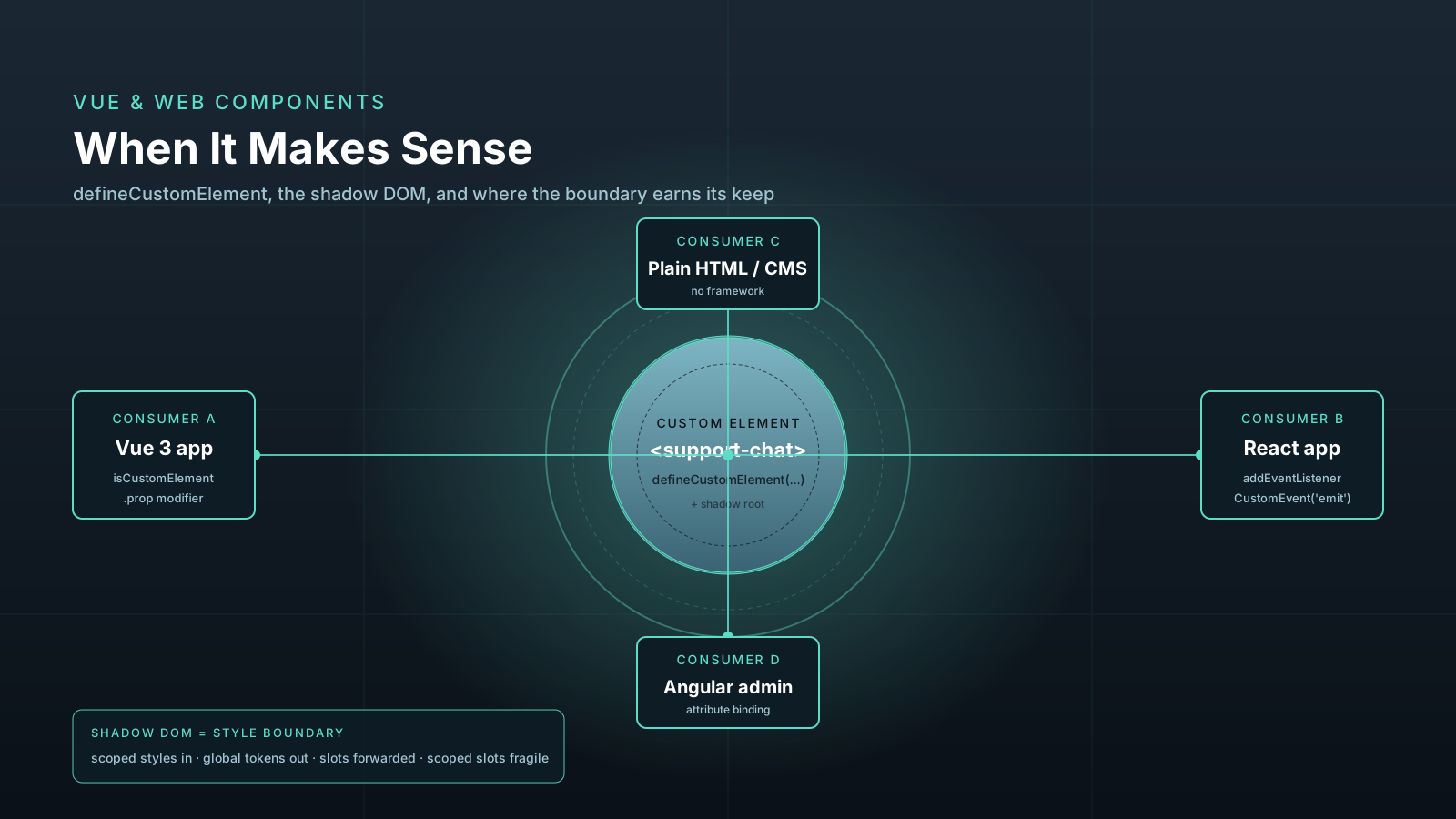
Vue can also produce custom elements from Vue components. The use case isn't "I want to expose every component as a custom element" — it's "I want to ship a Vue-built widget that runs inside applications I don't control."
// src/widget.ts
import { defineCustomElement } from 'vue'
import SupportChat from './SupportChat.ce.vue'

const SupportChatElement = defineCustomElement(SupportChat)
customElements.define('support-chat', SupportChatElement)
The .ce.vue extension is a convention — Vue's build tooling treats those files specially so that scoped CSS is inlined into the component's shadow DOM rather than emitted as a global stylesheet. That's the whole reason the convention exists.
Inside a .ce.vue file you write a normal Vue 3 component with <script setup>, props, emits, slots, the whole shape. The output is a custom element constructor that any HTML page can register and use, regardless of whether that page is React, Angular, jQuery, or static HTML rendered by a CMS.
<!-- consumer page, no Vue -->
<script src="https://cdn.example.com/support-chat.js"></script>
<support-chat user-id="42"></support-chat>
This is the genuinely useful version of Web Components for a Vue team.
The Tradeoffs The Shadow DOM Forces
defineCustomElement defaults to attaching a shadow root to the element. The shadow DOM gives you style encapsulation — your widget's CSS can't leak out, the host page's CSS can't leak in — but the encapsulation is real, and a few Vue patterns stop working the way you expect.
- Slots work, but with caveats. Default and named slots are forwarded to the shadow DOM via
<slot>elements. Scoped slots (the ones that take av-slotargument and pass data back to the parent) don't translate cleanly to the custom element model. They work inside Vue-to-Vue, but a non-Vue host can't pass slot props through plain HTML. - Global styles don't reach inside. If your widget depends on Tailwind, design tokens, or a global stylesheet, those styles do not cross the shadow boundary. You have to inline them, import them via
adoptedStyleSheets, or accept the encapsulation and ship the necessary styles inside the component. - Third-party teleports get awkward.
<Teleport to="body">from inside a custom element teleports out of the shadow root, which means the teleported content loses the widget's encapsulated styles. Mostly fine for tooltips that want to escapeoverflow: hiddenon a parent, but a real surprise the first time. - Forms are a separate API. Custom elements aren't form-associated by default. There's a standard for it (
ElementInternals), but you have to opt in. If your widget includes form fields, design the API aroundvalue/changeevents rather than form submission semantics.
You can disable the shadow DOM with the shadowRoot: false option (added in Vue 3.5), but at that point most of the reason to be a custom element evaporates. If you're not getting style encapsulation, you're paying for the API surface without the benefit.
When The Boundary Is Worth It
The cases where Web Components earn the cost, in roughly the order they show up in real projects:
- A widget shipped to non-Vue hosts. Marketing pages, partner integrations, embeddable third-party widgets, CMS modules. The host doesn't run Vue and doesn't want to. A custom element drops in cleanly and ships its own runtime.
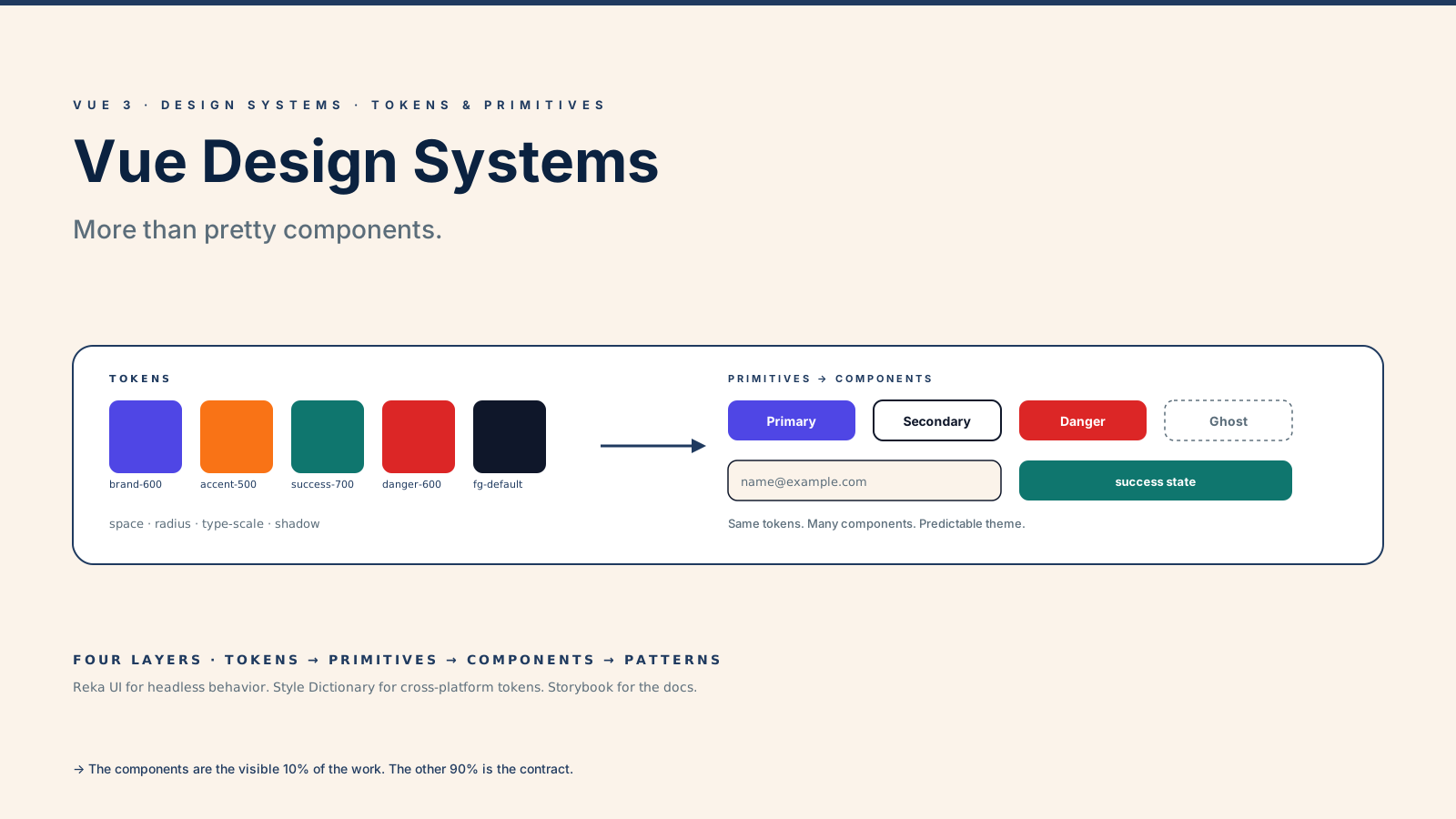
- A design system shared across frameworks. Some companies have a Vue app, an Angular admin, and a React mobile web app. A button component as a custom element is one implementation, three consumers, no version-of-Vue-in-the-Angular-app problem.
- Long-lived UI that has to outlive framework choices. A trading widget, an embedded video player, a chat console. The team that owns it doesn't want to be locked into the framework choice the consuming team makes.
- Micro-frontends with strict isolation. When two teams ship to the same page and absolutely cannot share runtimes, a custom element is the cleanest seam.
The cases where Web Components are not the right tool:
- A normal in-app component. Just write a Vue component. The custom element machinery adds bundle size and constraints with no benefit.
- Hiding the framework from the rest of the codebase. If everyone is on Vue, the abstraction is decorative.
- Avoiding a refactor. If the goal is "we want to move off Vue eventually," wrapping things as custom elements doesn't actually help — the wrapping work is similar in cost to the migration.
Producing A Component For Both Worlds
A practical pattern when you need the same component to be a Vue component and a custom element: write the component normally, then export both. The .ce.vue convention only changes how styles are bundled, so for a component that needs to ship both ways you can put the styles in a separate file and import them where they're needed.
// design-system/Button.ts
import { defineCustomElement } from 'vue'
import ButtonComponent from './Button.vue'
import buttonStyles from './Button.css?inline'

// As a Vue component (normal import in Vue apps)
export { default as Button } from './Button.vue'

// As a custom element (registered for non-Vue hosts)
export const ButtonElement = defineCustomElement(ButtonComponent, {
  styles: [buttonStyles],
})
The styles option on defineCustomElement injects CSS into the element's shadow root. You can supply multiple style strings, which is useful when the design system depends on shared tokens.
Common Pitfalls Worth Naming
A short list of mistakes I've watched teams make:
- Treating the shadow DOM as a styling sandbox to play with later. The boundary affects how the design system, the test setup, and the global styles work. Decide upfront whether you want it.
- Forwarding events through Vue's
emitand forgetting that hosts listen viaaddEventListener. Vue'semit('something')becomes aCustomEvent('something')on the custom element. Document the event names and thedetailpayload — that's the public contract. - Mixing
defineCustomElementwith a build that doesn't isolate styles. If the component uses@applyor other build-time CSS features, make sure the shadow-injected styles are produced through the same pipeline as the component itself. - Not testing inside a non-Vue host. A custom element that works perfectly inside a Vue app might break inside React, where prop forwarding has its own quirks (React 19 finally writes properties for non-DOM-property props; earlier versions treated everything as attributes).
The Honest Summary
Web Components don't replace Vue. They give Vue a clean way to ship across boundaries it otherwise couldn't cross. Use defineCustomElement when you need a widget to live outside the Vue runtime — non-Vue hosts, multi-framework design systems, embeddable widgets. Skip it for normal in-app components, where a Vue component has fewer constraints and a much smaller bundle.
The boundary is the point. Pick the boundary first, and the technology becomes obvious.