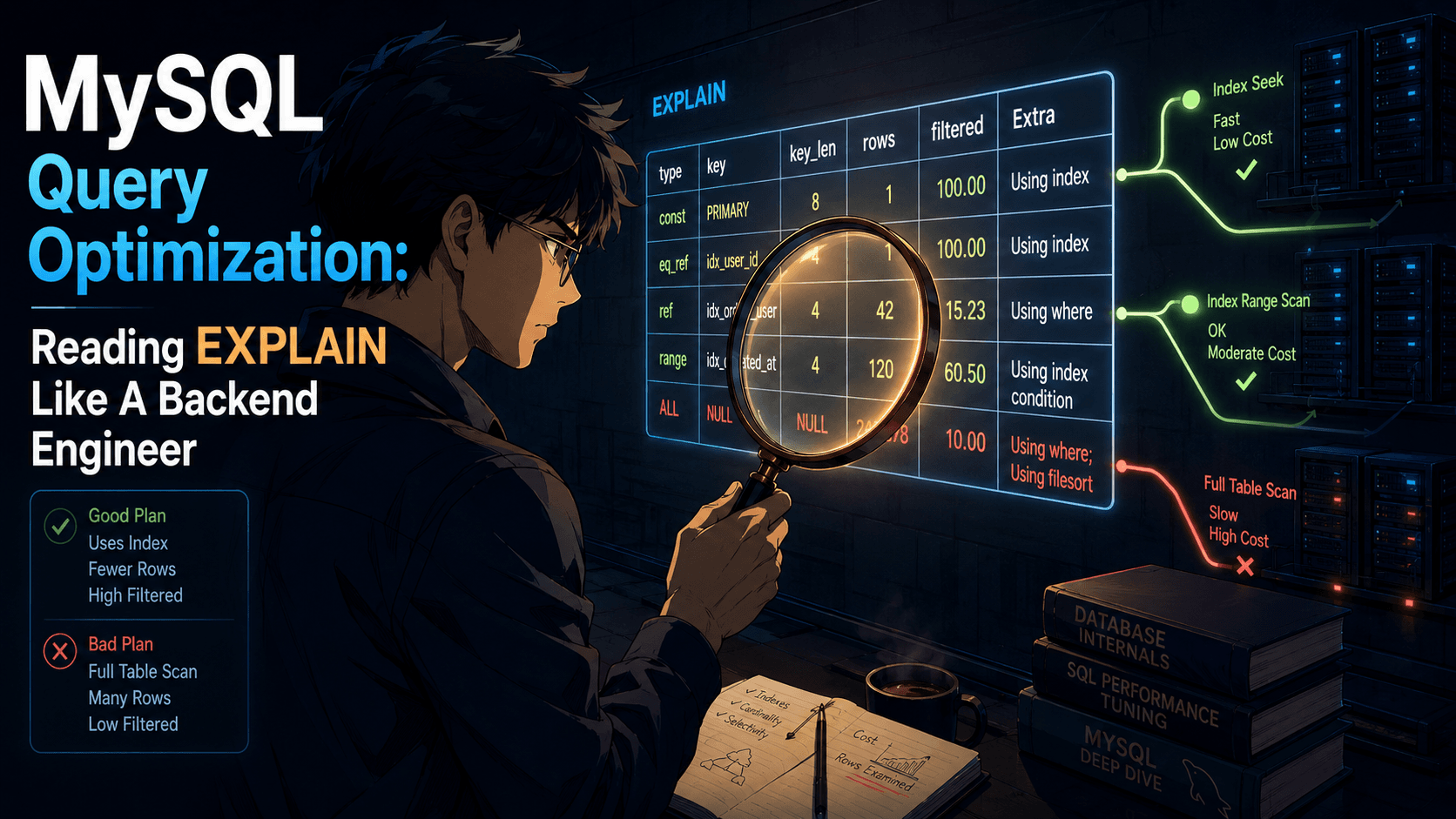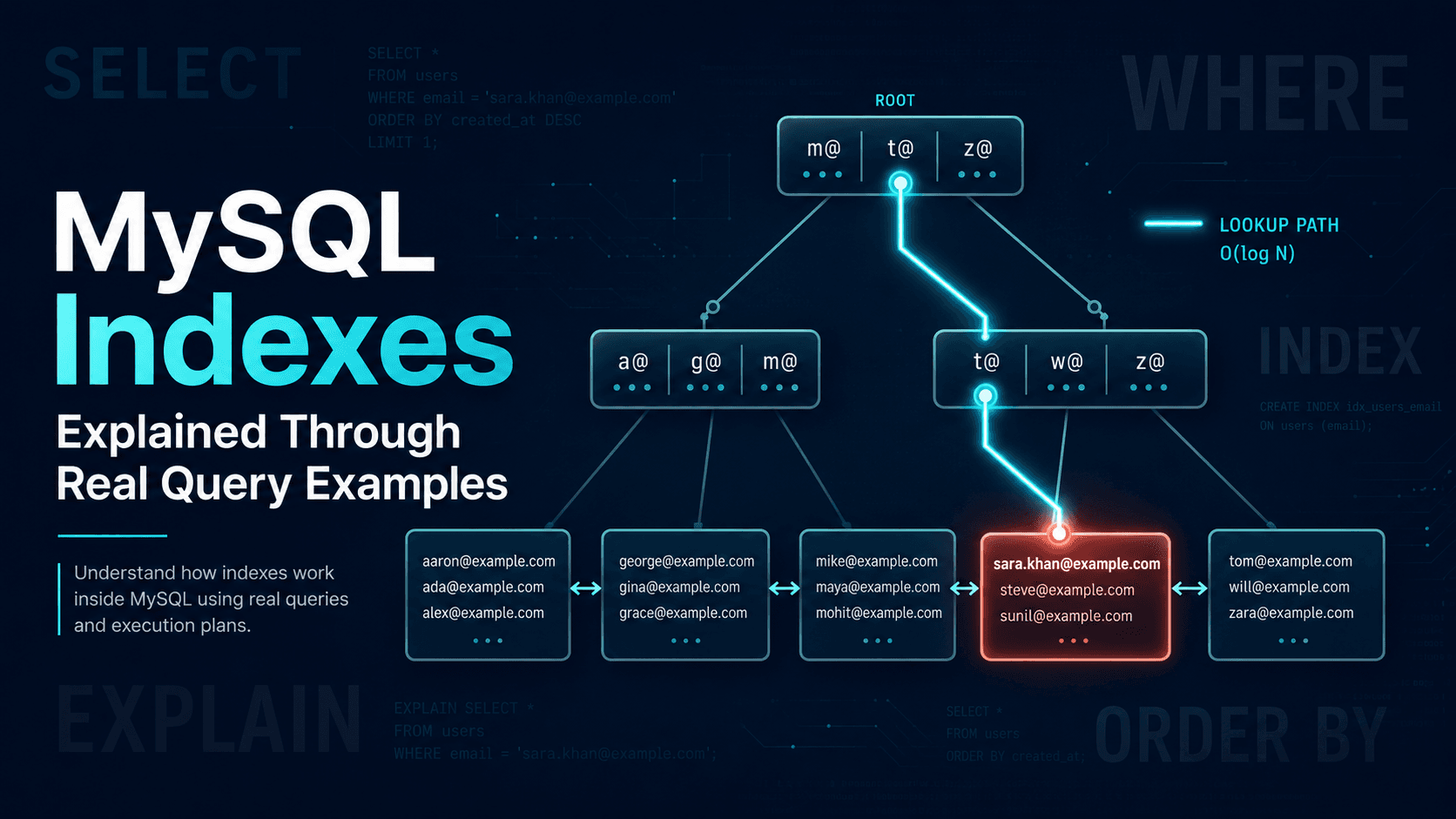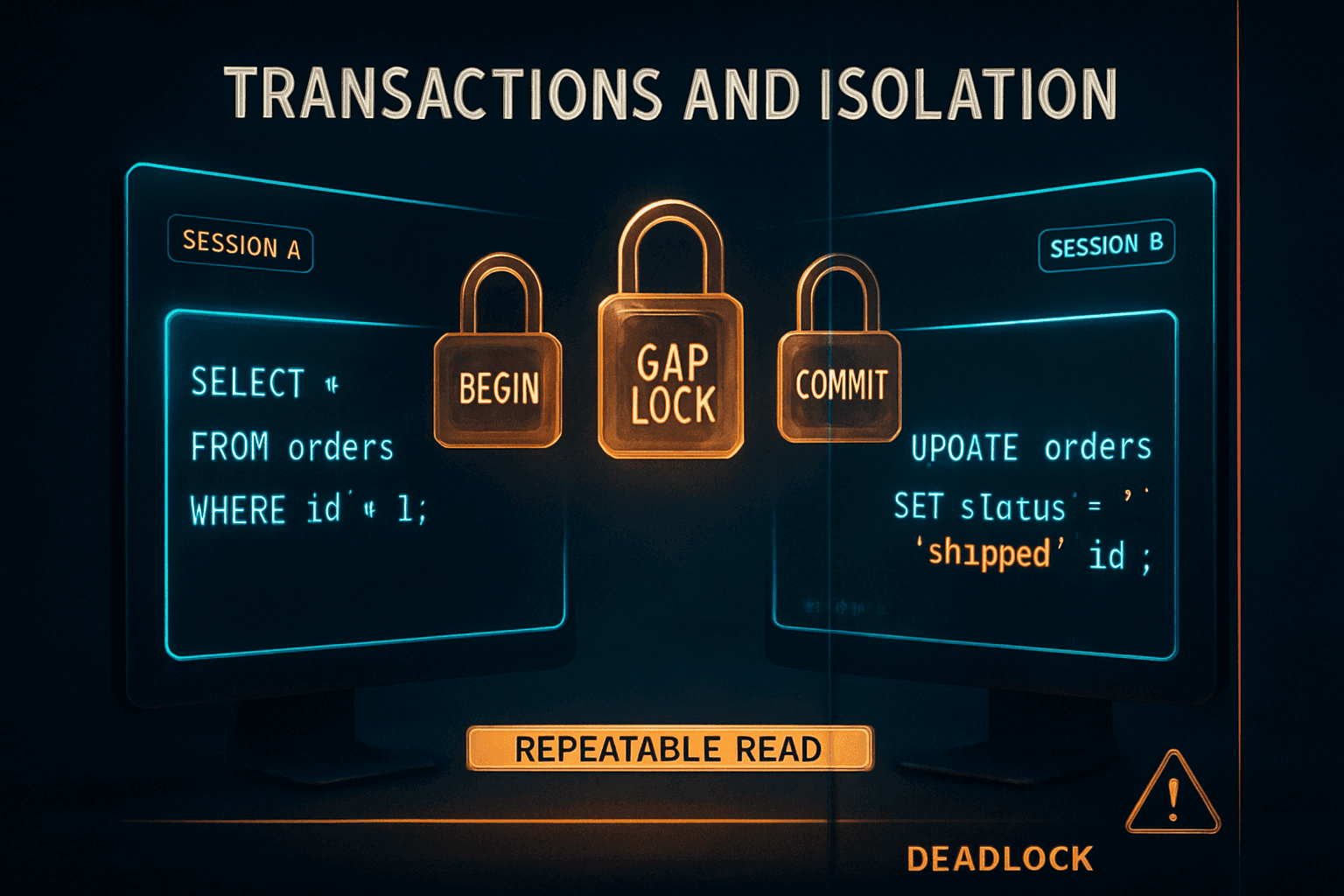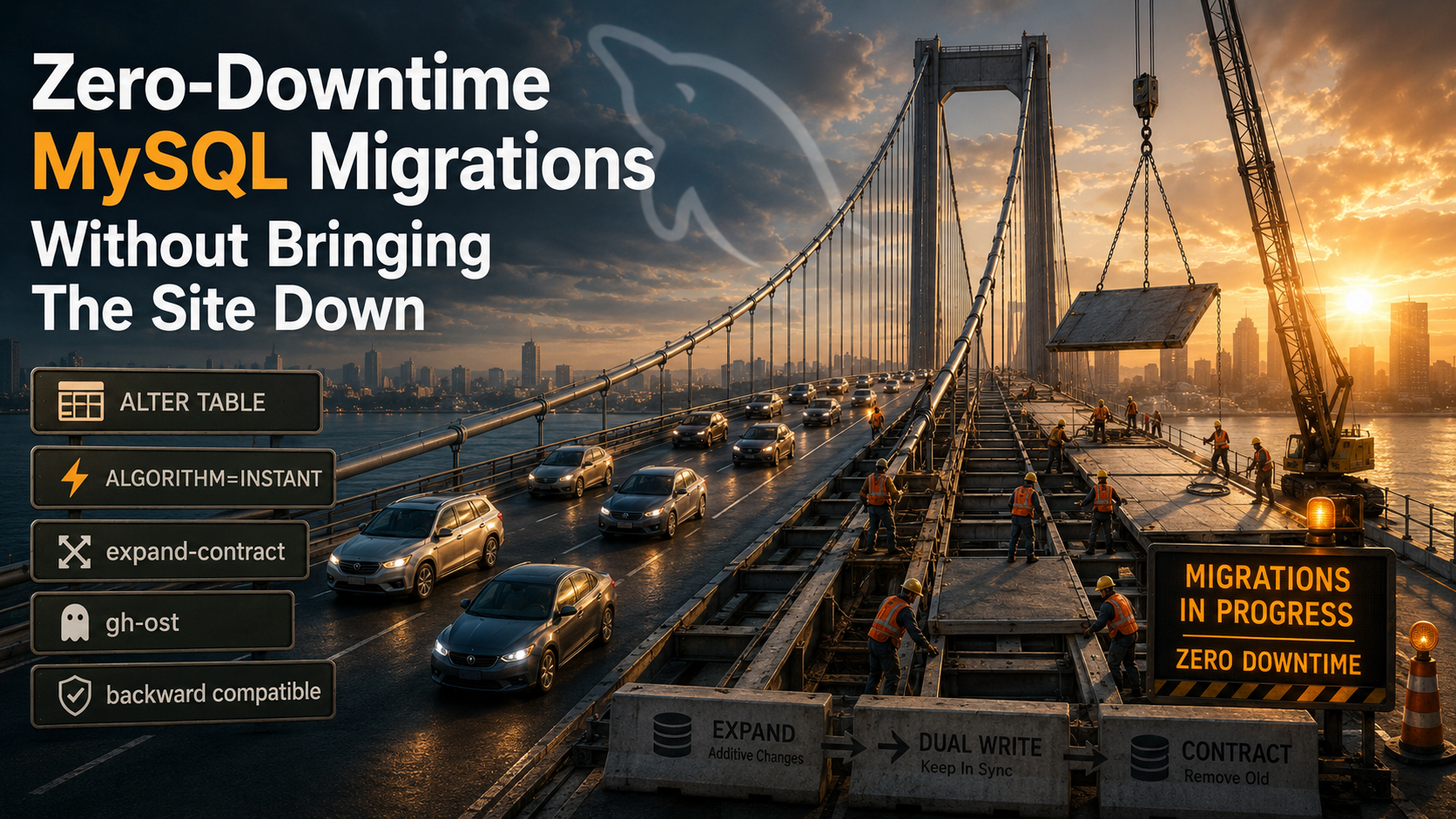
So you've got an ALTER TABLE ready to ship.
It's a tiny one. A new column, nullable, with a default. The PR has been reviewed. The migration script is clean. You hit deploy at 2pm on a Tuesday because nothing bad has ever happened on a Tuesday afternoon.
Forty seconds later, your error rate graph looks like a hockey stick. Connections are stacking up. The app is throwing timeouts. Someone in Slack types the words "is the DB down?" and you stare at your terminal trying to remember whether Ctrl+C on a running migration is brave or stupid.
That's the moment most engineers learn what an ALTER TABLE actually does to a busy production database. And it's the moment everyone starts asking the same question: how do you change a schema without taking the site offline?
Let's walk through what's actually happening, what MySQL gives you for free, and what you have to build on top.
Why ALTER TABLE Is The Scariest Statement You'll Run
Most queries you write touch a few rows. An ALTER TABLE touches every row.
That sentence alone explains 90% of the surprises. A SELECT with a clean index reads a handful of pages and returns. An INSERT writes one row plus index entries. An UPDATE of a single row is over before you blink. But when you run something like:
ALTER TABLE orders ADD COLUMN refunded_at DATETIME NULL;...depending on the MySQL version and the storage engine, that one line might rewrite the entire orders table. On a 200-million-row table with foreign keys and a couple of secondary indexes, "rewrite" can mean hours of disk I/O, gigabytes of binary log traffic, and, if you're on an older version or you picked the wrong options, a metadata lock that blocks every single read and write to that table until it finishes.
The lock is the killer.
It's not the disk. It's not the CPU. It's that MySQL might decide it needs an exclusive lock on the table while it copies data into a new internal structure, and during those minutes your application can't even SELECT from the table. Connections pile up. The connection pool fills. Workers start failing. Eventually the load balancer notices and your error rate looks like a hockey stick.
So zero-downtime migration isn't a fancy goal. It's the default expectation for any production system, and getting there is mostly about understanding three things: what MySQL will do without your help, what your application can tolerate, and where you have to do the choreography yourself.
The First Mental Shift: Schema And Code Deploy On Different Clocks
The biggest mistake people make is thinking of a migration as one event.
You write a PR. The PR contains a migration file and the application code that uses the new column. CI runs both. You merge. Something deploys it. Everyone goes home.
That model breaks the moment your database is bigger than a toy. In the real world:
- The migration runs against the database for N seconds or minutes, during which the schema is in a transitional state.
- The application code rolls out across many servers, not all at once. For a few minutes, some servers are running the old code and some are running the new.
- If you're on a primary-replica setup, replicas might be lagging behind the schema change.
That means you can't write the migration as if "before" and "after" are two clean states. You have to write it as if there are at least four moments:
- Old code, old schema (steady state).
- Old code, new schema (migration ran, app hasn't fully rolled out).
- New code, new schema (app has rolled out).
- New code partially, old code partially (during the deploy window).
And both moments 2 and 4 must be safe. Old code talking to a new schema must not crash. New code talking to old code's expectations must not corrupt data.
This is where backward-compatible changes come in. Every safe migration is a sequence of small, individually-safe steps. No single step breaks either side. You earn zero downtime by refusing to make a change that's only safe if everything happens at the same time.
MySQL's Three ALTER Algorithms: INSTANT, INPLACE, COPY
Before you plan migrations around the application layer, know what MySQL itself can do for you.
When you run an ALTER TABLE, MySQL picks one of three algorithms. You can hint at which one with ALGORITHM=... and LOCK=... clauses, and MySQL will either honour your request or refuse the statement, which is actually what you want, because a refusal tells you upfront that the migration would be expensive.
ALTER TABLE orders
  ADD COLUMN refunded_at DATETIME NULL,
  ALGORITHM=INSTANT, LOCK=NONE;
Three algorithms, in order of cheapness:
INSTANT. Available since MySQL 8.0.12 for adding a column at the end of the table, and broadened in 8.0.29 to allow adding columns in the middle. The change is a metadata-only update. The table isn't rewritten. The statement returns in milliseconds even on a billion-row table. You also get INSTANT for things like dropping a column (8.0.29+), renaming a column, or changing the default value of an existing column.
INPLACE. The table is modified in place, without copying it to a new file. Most secondary index changes (ADD INDEX, DROP INDEX) and many column modifications fall here. It's still expensive on big tables because it has to read every row, but it allows concurrent reads and writes, and LOCK=NONE is usually viable. The catch: while the operation runs, every concurrent write is logged to a special online buffer, and that buffer can fill up, causing the migration to fail near the end.
COPY. The dangerous one. MySQL creates a new table, copies all rows over, swaps it in. Reads are usually allowed, but writes are blocked the whole time. This is what you'll get for changes like converting a column type from INT to BIGINT on older versions, or any change MySQL doesn't know how to do without rebuilding.
Always specify the algorithm explicitly:
ALTER TABLE orders
  MODIFY COLUMN id BIGINT NOT NULL,
  ALGORITHM=INPLACE, LOCK=NONE;
If MySQL can't honour it, the statement errors out before any work happens. That's a feature. You'd much rather get a clean error in CI than start a 4-hour table copy in production at 2am.
The official compatibility matrix is in the MySQL reference manual under "Online DDL Operations". Bookmark it. It's the single source of truth for "will this lock my table?", and it changes between minor versions. Don't trust your memory; trust the table.
The Backward-Compatible Migration Playbook
Once you've accepted that schema and code deploy on different clocks, the playbook is short:
- Add things first; remove things last. Adding a column, an index, or a table is almost always safe. Removing one is almost never safe until both sides are convinced nobody reads or writes it anymore.
- Never rename in place. Renaming a column is two operations from the application's perspective: stop writing the old name, start writing the new name. If you do them at the database level in one shot, you've just stranded every running app server that still references the old name.
- Make every change reversible until it's verified. If you can roll back the deploy in 30 seconds, you can survive almost any surprise.
- Keep the application tolerant of both shapes for one full deploy cycle. New columns should be optional in the code; removed columns should keep being read defensively until the next deploy.
That's it. Most of the rest of this article is just specific patterns that fall out of those four rules.
Adding A Column Without Breaking The App
Adding a column is the easiest case. It's also the one people break most often by being careless about defaults.
There are two ways to add a column, and they have very different production behaviour:
The safe version:
ALTER TABLE users
  ADD COLUMN onboarded_at DATETIME NULL,
  ALGORITHM=INSTANT, LOCK=NONE;
Nullable. No default. Or a default that doesn't require touching existing rows. Modern MySQL stores it as metadata; existing rows aren't rewritten. The application keeps reading and writing while the change happens.
The dangerous version:
ALTER TABLE users
  ADD COLUMN onboarded_at DATETIME NOT NULL DEFAULT '2024-01-01';
NOT NULL plus a non-trivial default means MySQL has to write that value to every existing row. On older versions it'll force a COPY algorithm. Even on newer versions where this can sometimes be done as INSTANT, you should still treat it as suspicious. Different MySQL versions and storage engines handle it differently.
The right pattern is almost always:
- Migration: add the column as nullable, with no default.
- Backfill in a separate, batched job.
- Application: start writing the value for new rows.
- Once the backfill is done and old rows have a value, a later migration can add
NOT NULLif you really need it.
For the backfill, don't run a single UPDATE users SET onboarded_at = ... over 50 million rows. That's a long-running transaction that holds locks, blocks replication, and risks blowing up the binlog. Batch it:
UPDATE users
   SET onboarded_at = created_at
 WHERE onboarded_at IS NULL
   AND id BETWEEN 1 AND 10000;
Loop, sleep a beat between batches, watch replica lag. Ten thousand rows per batch is a sane starting point, and you can go higher if your rows are small and your replicas are healthy.
Renaming A Column Without Renaming A Column (Expand-Contract)
Now the hard one.
You want to rename users.full_name to users.display_name. You can't do it in one shot: at minimum, you'd need to deploy the schema change and the application change atomically across every server, and that's a fantasy.
The pattern is called expand-contract, and it's the bread and butter of zero-downtime migrations. The shape is always the same:
- Expand: add the new shape alongside the old one.
- Migrate writes: application writes to both old and new.
- Backfill: copy old values to the new column for any row that doesn't have them yet.
- Migrate reads: application reads from the new shape only.
- Contract: drop the old shape.
For the rename, that becomes:
Step 1: add the new column.
ALTER TABLE users
  ADD COLUMN display_name VARCHAR(255) NULL,
  ALGORITHM=INSTANT, LOCK=NONE;
Step 2: deploy code that writes to both.
$user->full_name = $name;
$user->display_name = $name;
$user->save();
The reads still go to full_name. The system now has a transitional dual-write phase. Old code is still safe: it doesn't know display_name exists, but it doesn't need to.
Step 3: backfill.
UPDATE users
   SET display_name = full_name
 WHERE display_name IS NULL
   AND id BETWEEN 1 AND 10000;
Loop until the count of WHERE display_name IS NULL rows is zero.
Step 4: deploy code that reads from display_name. Writes still go to both. If anything goes wrong, you can roll back the read change without losing data.
Step 5: deploy code that only writes to display_name. At this point, full_name is dead weight, but it's still safe to leave there.
Step 6: drop the old column.
ALTER TABLE users
  DROP COLUMN full_name,
  ALGORITHM=INSTANT, LOCK=NONE;
Five deploys to rename a column. Sounds excessive. It is. But every step is individually reversible, every step is safe to run in any order against any combination of old and new app servers, and you never have a moment where the database and the code disagree about reality.
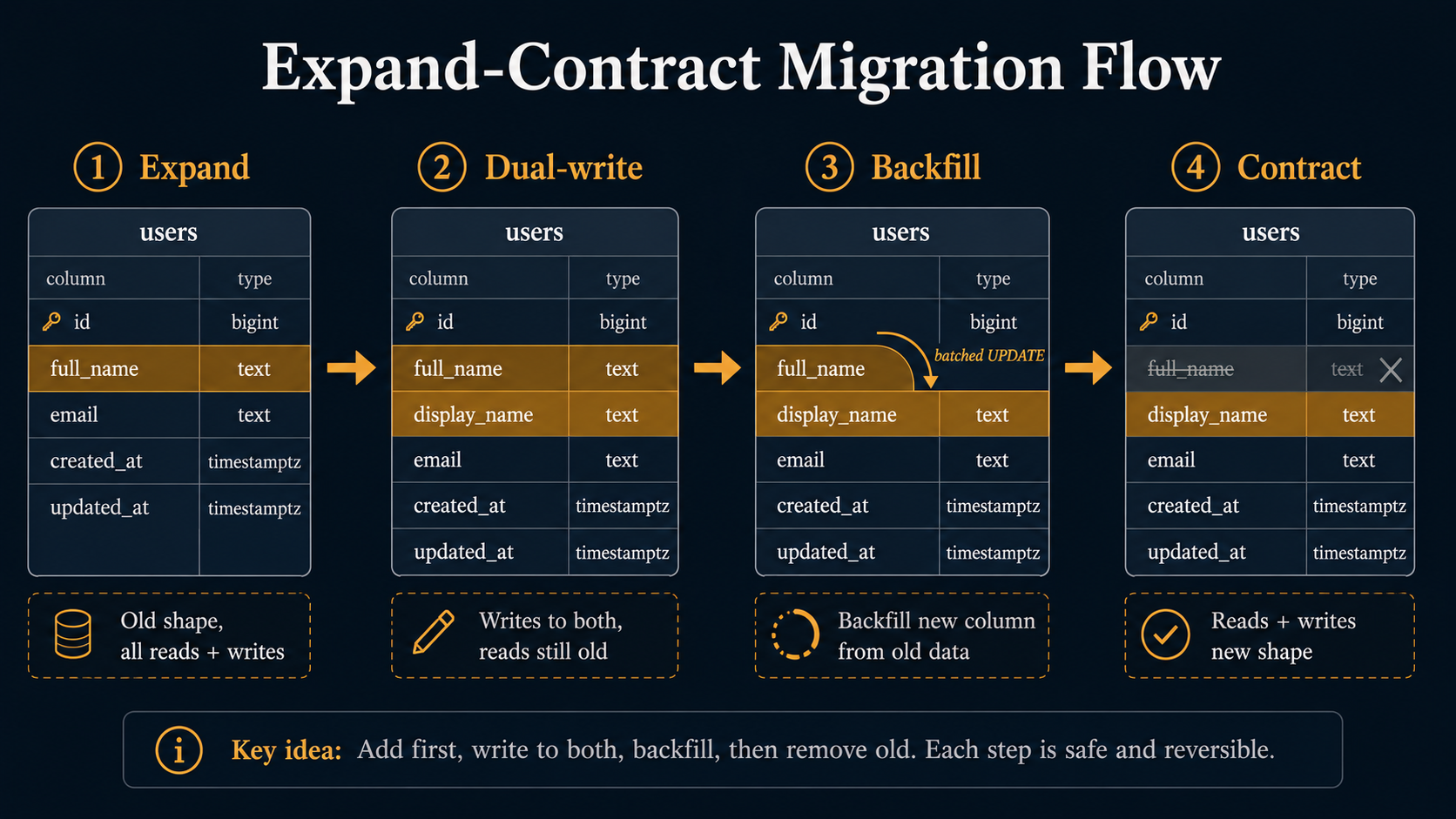
The shape generalises. Want to change a column type from INT to BIGINT? Add a new BIGINT column, dual-write, backfill, swap reads, drop old. Want to split one column into two (name into first_name plus last_name)? Add the two new ones, dual-write parsed values, backfill, swap reads, drop old. The choreography is the same; only the SQL changes.
When Online DDL Isn't Enough: gh-ost And pt-online-schema-change
For a lot of changes, MySQL's built-in online DDL is good enough. But there are still cases where it falls short:
- Changes that force
ALGORITHM=COPYon your version (some type conversions, character set changes, certain primary key alterations). - Tables with foreign keys, where online DDL has annoying restrictions.
- Tables so large that even an INPLACE rebuild takes hours and your replicas can't keep up with the resulting binlog flood.
- Operations that briefly need a metadata lock long enough to bother a busy table.
Two tools have earned their place in the kit: gh-ost (built and open-sourced by GitHub) and pt-online-schema-change (part of Percona Toolkit). They solve the same problem with different mechanics, and you should know both.
The mechanic of pt-online-schema-change is older and simpler:
- Create a new "shadow" table with the desired schema.
- Add
AFTER INSERT/UPDATE/DELETEtriggers on the original table that mirror every write to the shadow. - Copy rows from the original to the shadow in small chunks.
- When done, swap the table names atomically.
- Drop the old table.
The triggers are the catch. They double the cost of every write to that table while the migration runs, and on a write-heavy table that's a real production cost. They also sometimes interact poorly with application-level triggers you've forgotten about.
gh-ost does it differently, and this is the more interesting model:
- Create a "ghost" table with the desired schema.
- Connect to the binary log as if
gh-ostwere a replica. - Read the binlog, apply every change to the ghost table.
- In parallel, copy rows from the original to the ghost in chunks, throttled by replica lag.
- When the ghost is caught up, atomically rename the tables.
No triggers. The replication channel does the dual-write work. The throttling is built in: gh-ost watches replica lag and backs off when it's too high. You can pause it, resume it, even cancel it cleanly. And because it's reading the binlog, it doesn't compete with application writes for locks the way triggers do.
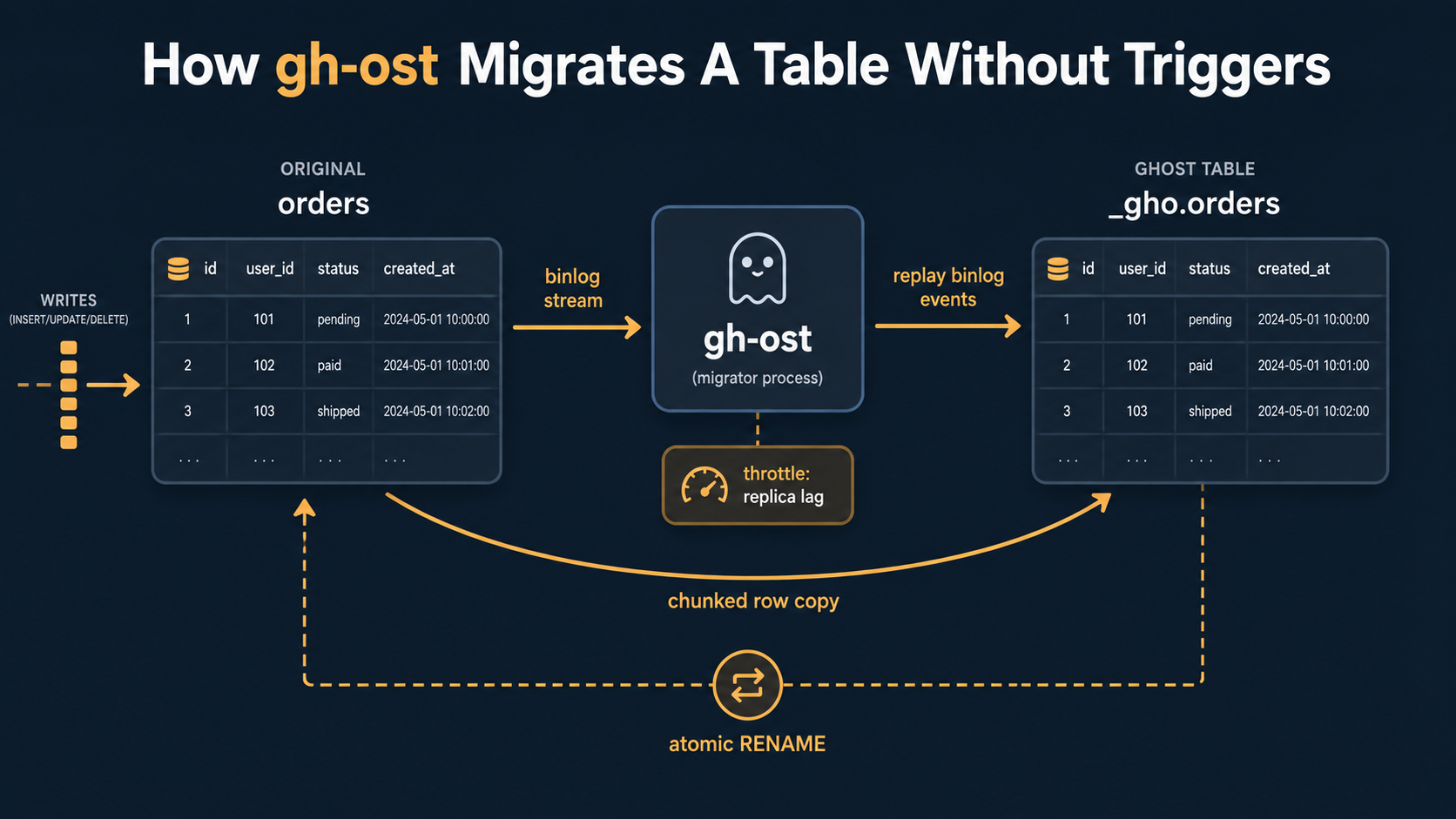
Picking between them: if you've already got Percona Toolkit installed and you're not write-heavy, pt-online-schema-change is fine. If your tables are big, write-heavy, or you want to be able to pause and resume, reach for gh-ost. Both run from outside the database, so neither requires changes to MySQL itself.
A worked example with gh-ost:
gh-ost \
  --host=db-primary.internal \
  --user=migration_user \
  --password="$DB_PASS" \
  --database=app \
  --table=orders \
  --alter="ADD COLUMN refunded_at DATETIME NULL" \
  --max-load=Threads_running=25 \
  --critical-load=Threads_running=100 \
  --chunk-size=2000 \
  --execute
The --max-load and --critical-load flags tell gh-ost when to throttle and when to abort. --chunk-size controls how many rows it copies per batch. Run it without --execute first to see the dry-run output. It'll tell you exactly what it plans to do, how many rows it sees, and what your binlog format and replica topology look like.
Migrations That Are Genuinely Dangerous (And What To Do Instead)
Some migrations are dangerous in a way no tool can really save you from. Knowing the list is half the battle.
Adding a NOT NULL column with no default to a non-empty table.
Don't. Add it nullable, backfill, then add NOT NULL separately:
-- Step 1: add nullable
ALTER TABLE orders ADD COLUMN status VARCHAR(32) NULL,
  ALGORITHM=INSTANT, LOCK=NONE;

-- Step 2: backfill in batches (separate job)
-- ...

-- Step 3: tighten the constraint
ALTER TABLE orders MODIFY COLUMN status VARCHAR(32) NOT NULL,
  ALGORITHM=INPLACE, LOCK=NONE;
Whether step 3 can run as INPLACE depends on the version, but the point is it's a separate decision, taken after every existing row has a value.
Adding or dropping a foreign key on a big table.
Foreign key changes are some of the most lock-prone operations in MySQL. They often force COPY or take metadata locks that block writes. If you must, do it during a low-traffic window, with gh-ost or pt-online-schema-change, and have a rollback plan ready.
Often the right answer is to enforce the relationship in application code instead. The integrity guarantee is real, but it has a cost, and not every relationship needs database-level enforcement.
Changing the primary key.
Changing or adding a primary key on InnoDB rebuilds the entire clustered index, which is essentially the entire table. Plan it like a major maintenance event, not a casual schema tweak. Use a tool. Pick a quiet window. Test on a copy of production-sized data first so you know the runtime.
Changing column character sets.
Going from latin1 to utf8mb4, or from utf8 to utf8mb4, can rewrite the table and silently break index sizes (utf8mb4 indexes are larger, and old 767-byte index limits can bite you). Plan for it as a rebuild. Validate that no index hits its size limit afterwards.
Adding a unique index on a column that might have duplicates.
The migration will fail mid-flight when it hits the first duplicate, and depending on the algorithm, you may have left the table in a partially-changed state. Always run a SELECT col, COUNT(*) FROM t GROUP BY col HAVING COUNT(*) > 1 LIMIT 5 first. Resolve duplicates in a separate, idempotent backfill before adding the index.
Long-running migrations on tables with replication.
Even if the migration is online and non-blocking on the primary, it generates binlog traffic that replicas have to chew through. A 2-hour INPLACE rebuild can put your replicas hours behind the primary, which is its own kind of outage. Watch replica lag during any big migration, and use a tool that throttles based on it.
A Pre-Flight Checklist Before Every Migration
Before you hit run on any non-trivial migration, ask:
- What algorithm will MySQL pick? Specify it explicitly. If MySQL refuses, you've learned something free.
- What's the table's row count and size on disk? A 10,000-row table forgives anything; a 200-million-row table forgives nothing.
- Is the application currently doing anything that depends on the old shape staying exactly as it is? Old code paths, archived background jobs, third-party integrations.
- Is this change reversible without data loss? If you panic in five minutes, can you undo it?
- Will replicas keep up? Especially relevant for
INPLACErebuilds and any tool that copies a whole table. - Can the application tolerate the transitional state on its own? If old servers see the new schema mid-migration, do they crash, or do they just keep working?
If you can answer all six honestly, you can probably hit run.
If you can't answer one of them, that's the one that'll bite you at 2am.
The Whole Game In One Sentence
Zero-downtime MySQL migration isn't a feature you turn on. It's a discipline of breaking every change into individually-safe steps, picking the cheapest algorithm MySQL will give you, and refusing to ship a migration whose safety depends on perfect timing.
Get used to writing five small migrations instead of one big one. Get used to your features taking a deploy cycle longer to land. Get used to the fact that the schema and the code are two systems that change at different speeds.
Your future self, paged at 2am because Tuesday afternoon was apparently fine until it wasn't, will thank you.